Use Rear PTO (Operator off Seat)
NOTE: The mid-PTO operation for this machine is not intended to be used when the operator is off the seat. Rear PTO operation is possible out of seat, provided the proper sequence is followed.
Engaging the PTO
-
Sit on the operator seat.
-
Lock the park brake.
-
Move the range shift lever to the N (neutral) position.
-
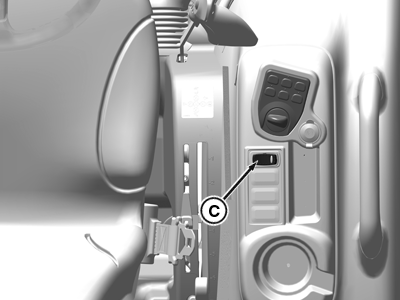
APY20399-UN-13SEP19Open Operator Station
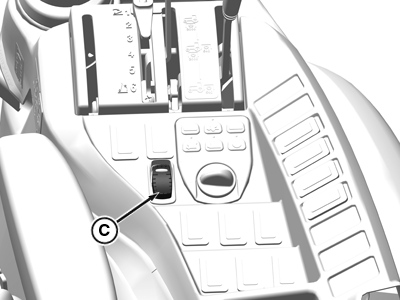
APY20366-UN-10SEP19Cab
C - PTO Switch
Make sure the PTO switch (C) is in the disengaged position. -
Start the engine.
-
Set engine speed to 1500 rpm or less.
-
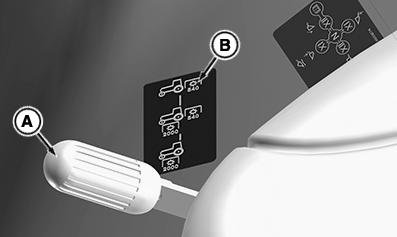
LV28524-UN-19MAY17PTO Lever OOS
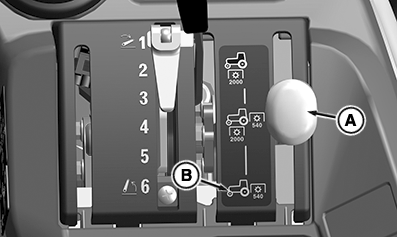
LV28525-UN-19MAY17PTO Lever Cab
A - PTO Selector Lever
B - Rear PTO Position
Move the PTO selector lever (A) to rear PTO position (B). -
Engage the PTO.
-
Push and hold the PTO switch in the engaged position for at least 2 seconds. “Hold” is shown in the display.
-
Exit the seat when “Exit Seat” is shown in the display. After exiting, “Stationary PTO Active” is shown on the display.
NOTE: After exiting seat, if the seat switch is re-engaged (operator sits in the seat) and then disengaged (operator leaves the seat), the PTO will automatically disengage. “Operator Out of Seat” displays on the information display.
-
Adjust the throttle lever forward to the desired speed for the implement used.
Disengaging the PTO
-
Adjust engine rpm to low idle.
-
Push the PTO switch rearward to the disengaged/off position.
|
UP00731,000094E-19-20190925 |