Cleaning Engine Air Intake Screen and Fan
 Compressed air can cause debris to fly a long distance.
- Clear work area of bystanders.
- Wear eye protection when using compressed air for cleaning purposes.
- Reduce compressed air pressure to 210 kPa (30 psi).
An obstructed air intake screen can cause engine damage due to overheating. Keep air intake screen and other external surfaces of the engine, including cooling fins, clean at all times to allow adequate air intake.
-
Park machine safely. (See Parking Safely in the Safety section.)
-
Clean outer air intake screen (A) with a rag, brush, or compressed air.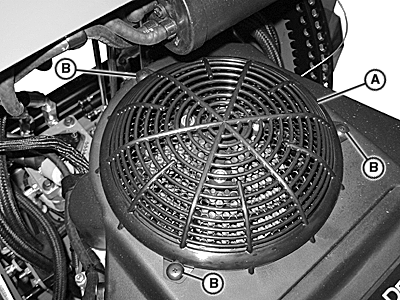
TCAL47954-UN-15AUG13 -
Remove three cap screws (B) and remove outer air intake screen (A).
-
Clean inner screen (C) with a rag, brush, or compressed air.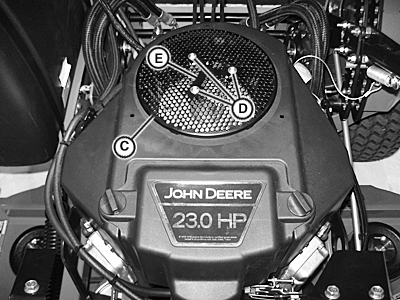
TCAL47997-UN-20AUG13 -
Remove three screws (D), inner screen (C), and spacer (E).
-
Clean fan (F) using a rag, brush, or compressed air.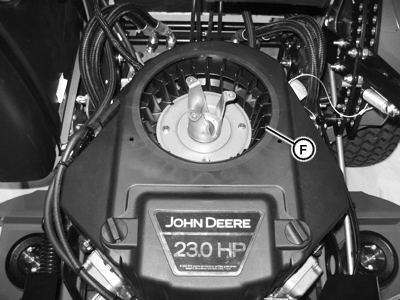
TCAL47964-UN-16AUG13 -
Install inner screen and spacer, and secure with three screws.
- Tighten screws to specification.
Screw Torque 9.9 N·m (88 lb.-in.)
- Tighten screws to specification.
-
Install outer air intake screen and secure it to the engine with cap screws.
|
BB87125,000155F-19-20130820 |