Using the Digital Hour Meter
Hour meter counts if key switch is left in the run position. To ensure accurate hour count, turn key to off position if machine is not in operation.
TCAL43617-UN-26MAR13
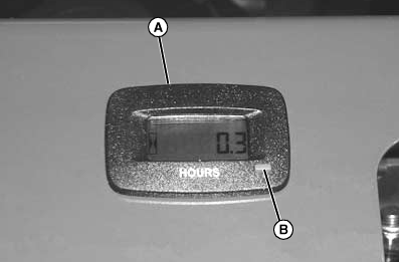
- Hour meter (A) shows number of hours machine has been operated.
- Use hour meter and Service Interval section to determine when machine needs service.
Operating/Resetting Procedure
Press button (B) as described to read or reset the hour meter.
- Press button once to get default display, time displayed indicates time until next service interval.
- Beginning 5 hours before the next service interval, the
hour meter will flash “svc ENG” every 5 seconds in the “remaining
hours”.
Press and hold button down for 3 seconds to reset the hour meter.
|
KL66860,0000319-19-20170814 |