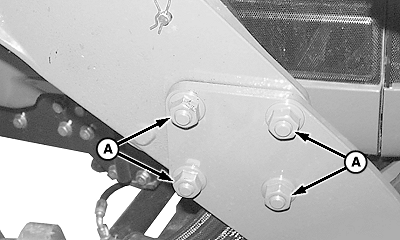
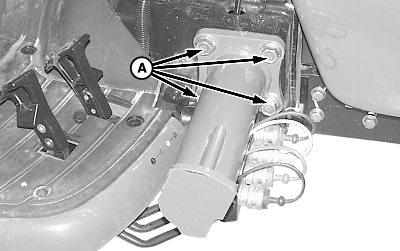
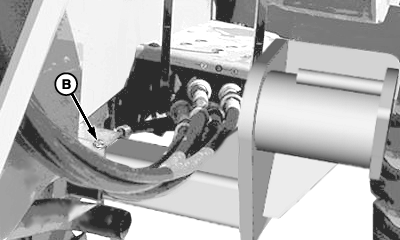
Every 50 HoursTighten loader and mounting frame hardware (A and B) on both sides to specifications. Specification
|
(Right-Hand Side Shown)
|
OUO6038,0001B51 -19-01DEC05-1/6 |
|
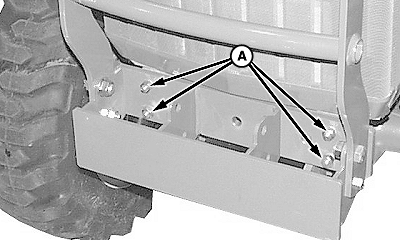
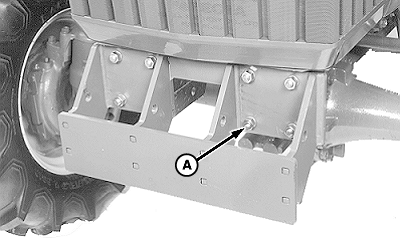
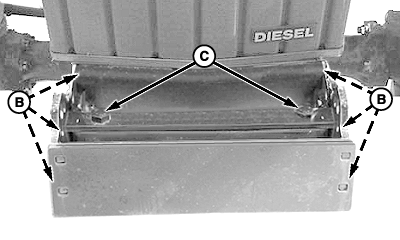
55, 70 and 90 Series Tractors: Tighten front weight bracket mounting hardware (A, B and C) to specifications. Specification
|
|
OUO6038,0001B51 -19-01DEC05-2/6 |
|
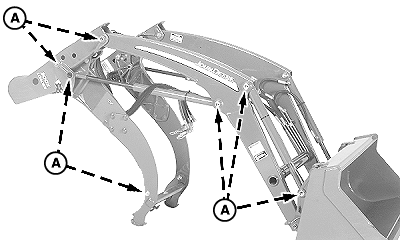
300 and 300X: Tighten fourteen nuts (A) (inside frame), on pivot pins and front frame on both sides, to specification. Specification
|
|
OUO6038,0001B51 -19-01DEC05-3/6 |
|
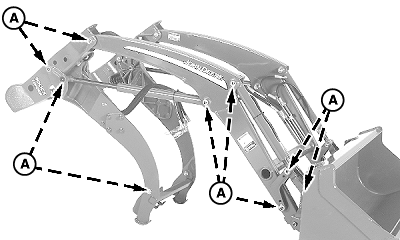
300CX: Tighten eighteen nuts (A) (inside frame), on pivot pins and front frame on both sides, to specification. Specification
|
|
OUO6038,0001B51 -19-01DEC05-4/6 |
|
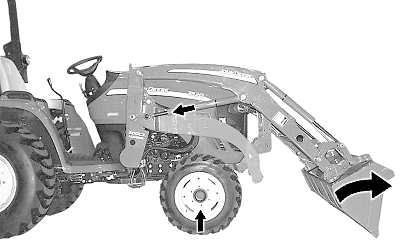
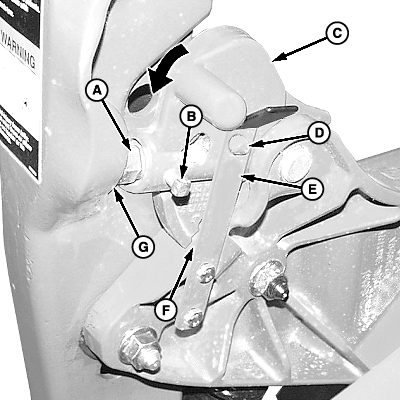
Checking Parking Latch Cap Screw Adjustment 1. Be sure loader is equipped with materials bucket, 4-in-1 bucket or grapple bucket.2. Attach loader to tractor (See Attaching Loader section.) 3. Start tractor engine and lower ballast box or rear implement to the ground. 4. Dump bucket 10°-20° and lower to ground. 5. Retract lift cylinders, raising front wheels 25-50 mm (1-2 in.) off ground. (Do not retract lift cylinders completely.) 6. On both sides, make sure latch (C) is fully seated against brace pad (F) and latch pin (D) is engaged with leaf spring (E). Cap screw (A) should contact mast pad (G). If not, adjust each cap screw as follows: a. Loosen locking screw (B). b. Turn cap screw (A) until it makes contact with mast pad but latch is still free to rotate. c. Tighten locking screw to specification. Specification
NOTE: To disable the quick park feature, loosen locking screw (B), turn cap screw (A) until it is tight against mast pad (G) so latch (C) cannot rotate freely. Tighten locking screw to specification. 7. Extend lift cylinders to lower tractor to ground. 8. Shut off tractor engine and remove key. |
|
OUO6038,0001B51 -19-01DEC05-5/6 |
|
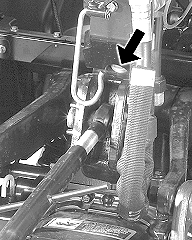
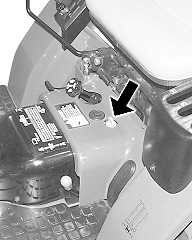
Check Transmission/Hydraulic Oil Level 1. Cycle all cylinders three or four times.2. Retract bucket cylinders completely and lower loader to ground. 3. Shut off tractor engine and remove key. 4. Check transmission/hydraulic oil level. (See your tractor Operator's Manual). |
|

OUO6038,0001B51 -19-01DEC05-6/6 |