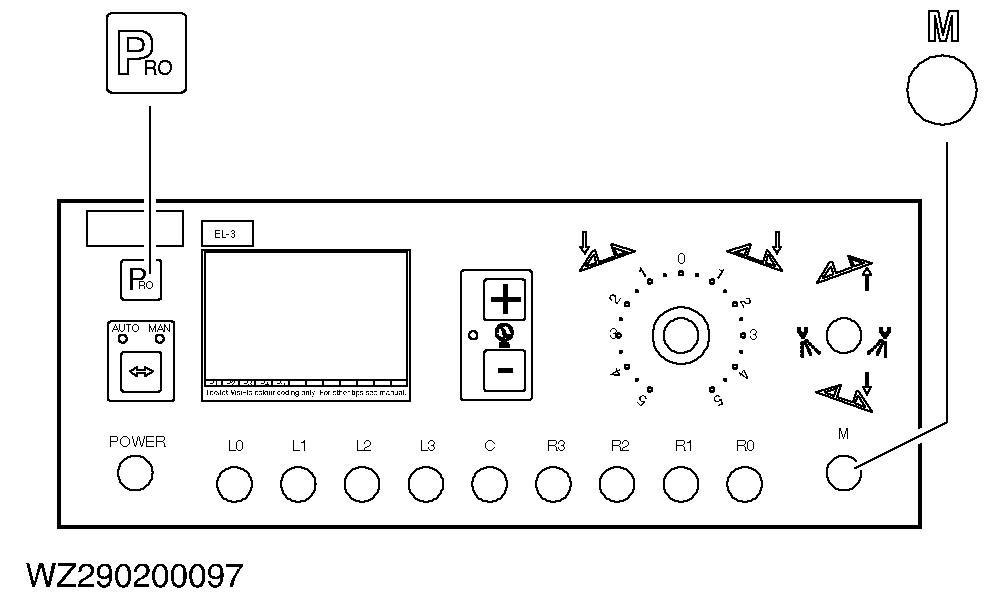
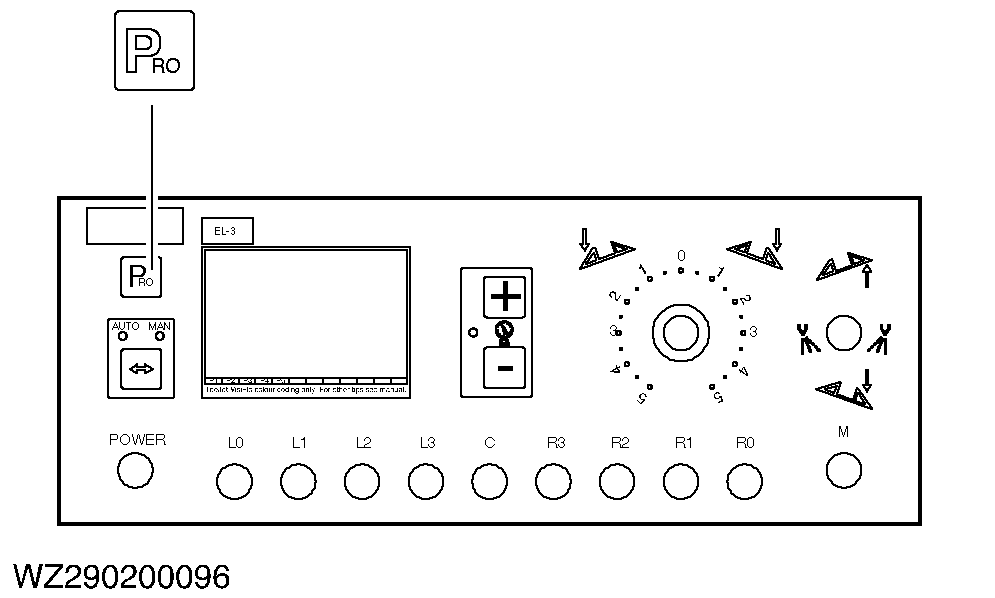
Spraying ProgramTo enter the spraying program (PRO USER), check whether switch "M" of the master shut-off valve is set to "off". Next, press the "PRO" key twice. |
|
AG,WZ00009,78 -19-18FEB02-1/6 |
|
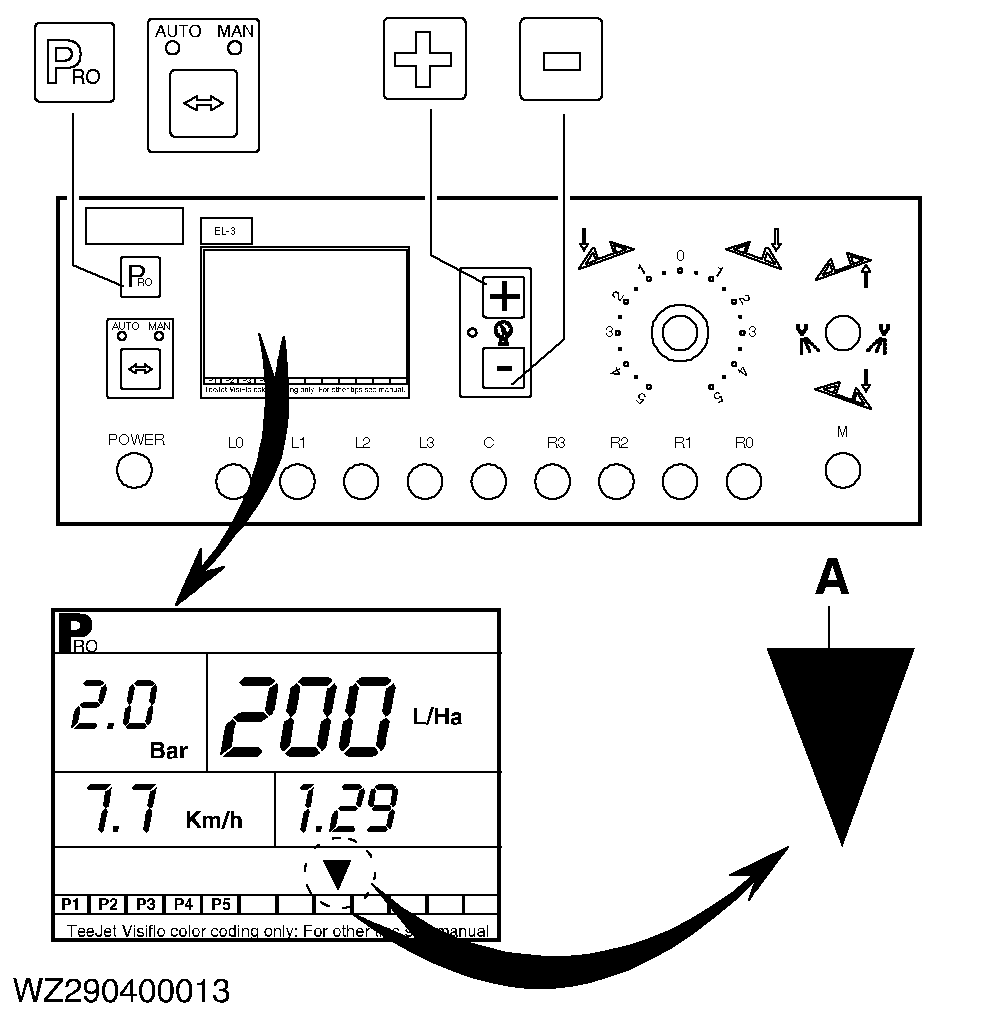
Nozzle selection
Use the "+" or "-" key to move the cursor (A) to the nozzle you want to use to spray with. This will automatically select the target application rate (l/ha) last set for this nozzle. Proceed to the next step by pressing the "PRO" key. |
|
AG,WZ00009,78 -19-18FEB02-2/6 |
|
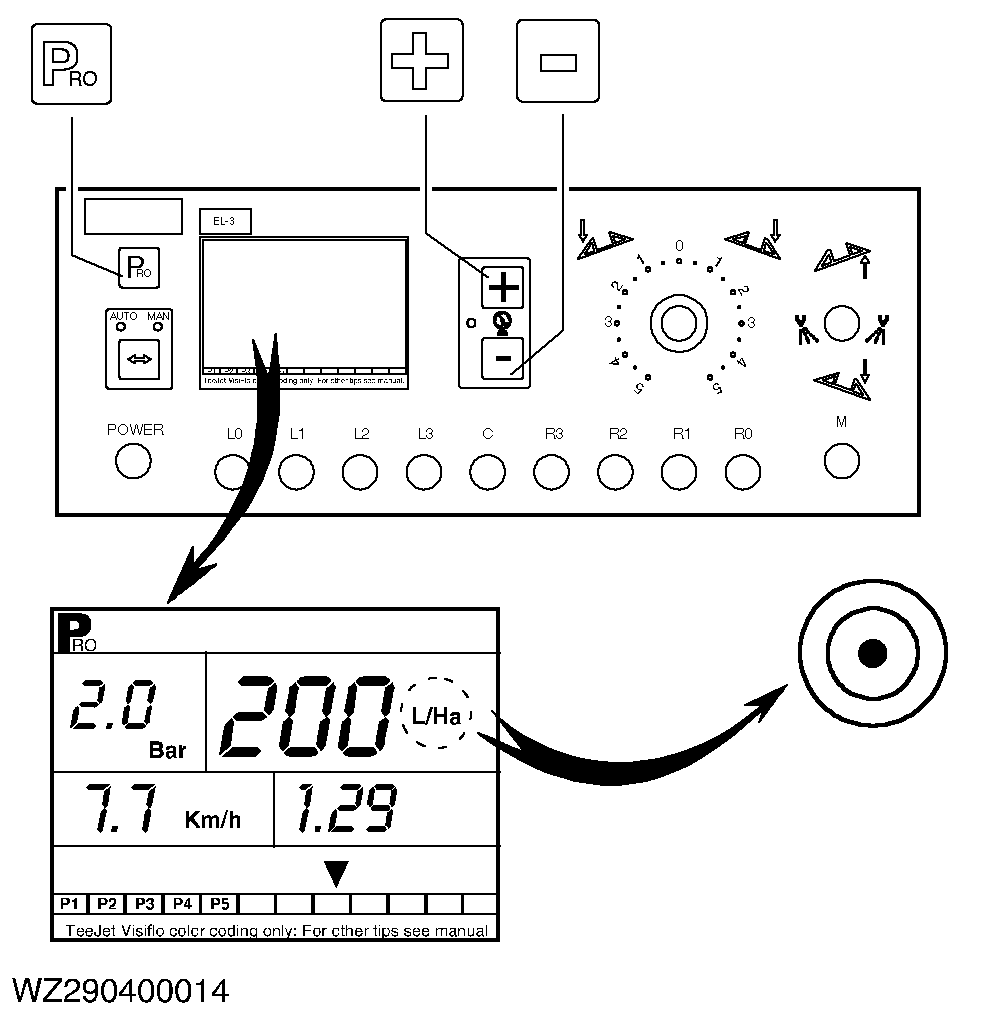
Target application rate
To program the target application rate in liters per hectare. Use the "+" or "-" key to change the value. Proceed to the next step by pressing the "PRO" key.
If a target application rate above 999 liters is entered, this wil be shown as a 3 digit number with a point.
|
|
AG,WZ00009,78 -19-18FEB02-3/6 |
|
Toggling on/off density
When using a spraying liquid with a different density (e.g. liquid fertilizers), select the pre-programmed density (see machine program). The computer will control on the basis of the set density if the symbol "D" is shown in the left- hand top corner of the display. The density can be toggled on and off by pressing the "AUTO/MAN" key. If the symbol "D" is not displayed, the computer will control on the basis of the density of water or spraying liquids (1.00 kg/l). |
|

AG,WZ00009,78 -19-18FEB02-4/6 |
|
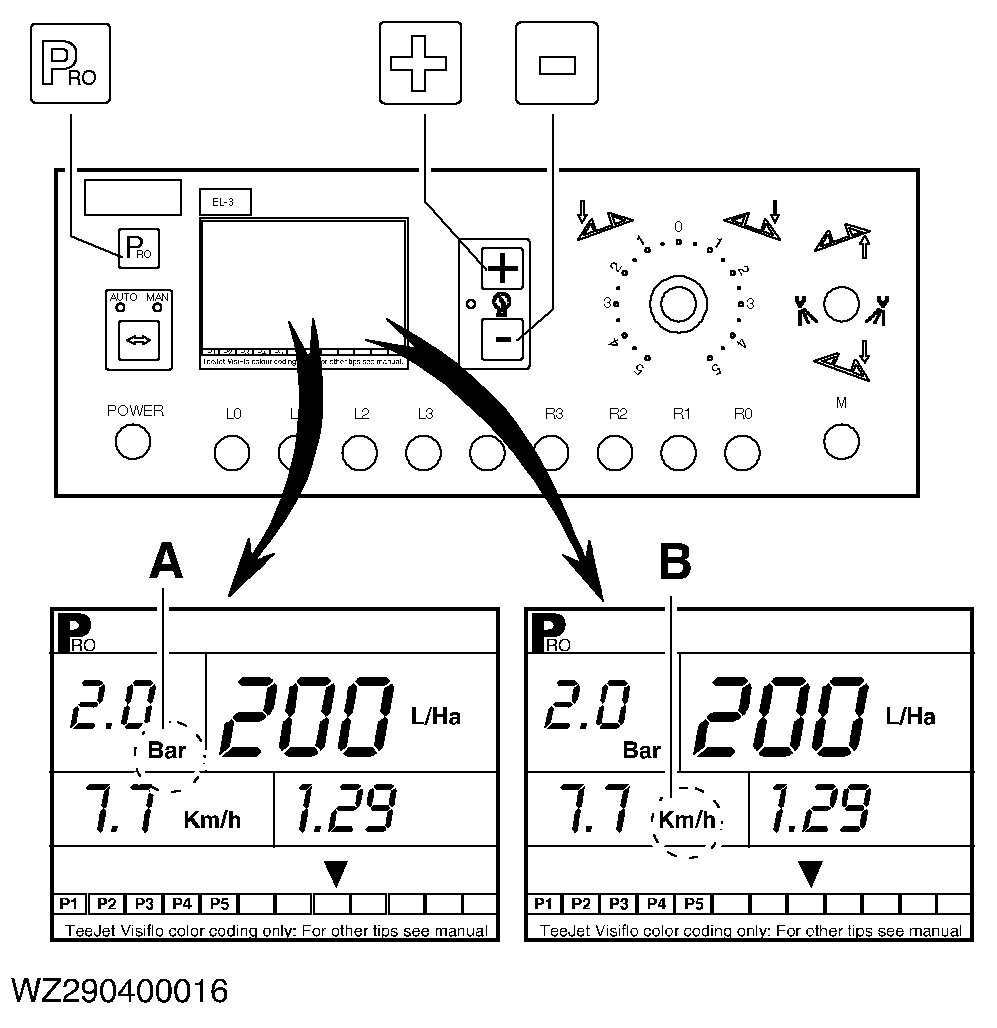
Nozzle capacity calculator
NOTE: This function only serves to assist in the selection of the correct nozzle for your spraying work. Use the "+" and "-" keys to change the desired spraying pressure. As soon as you change pressure (A), you will see the effect of the pressure change with the nozzle chosen and the target application rate set (l/ha) on the nozzle flow rate and the driving speed. After pressing on the "PRO" key, use the "+" and "-" keys to change speed (B). The calculator will immediately show the pressure set by the computer to achieve the required application rate (l/ha) with the selected nozzle. |
|
AG,WZ00009,78 -19-18FEB02-5/6 |
|
Exiting the spraying program
To exit the spraying program and store the programmed data, press and hold down the "PRO" key for three seconds until you are returned to the working display. This is possible in each program step. |
|
AG,WZ00009,78 -19-18FEB02-6/6 |