Pressure Sensor CalibrationThe pressure sensor measures a current signal, which is passed on to the spraying computer. This current signal corresponds to a specific operating pressure. Pressure sensors are available in 0-20 mA and 4-20 mA versions, with a corresponding operating pressure of 0 - 25 bar. The type is indicated on the pressure sensor. Both the minimum current value and the maximum measuring value of the sensor (pressure) must be calibrated. This can be done automatically (see machine program). |
WZ00085,0000159 -19-22SEP05-1/3 |
|
Pressure sensor reference value
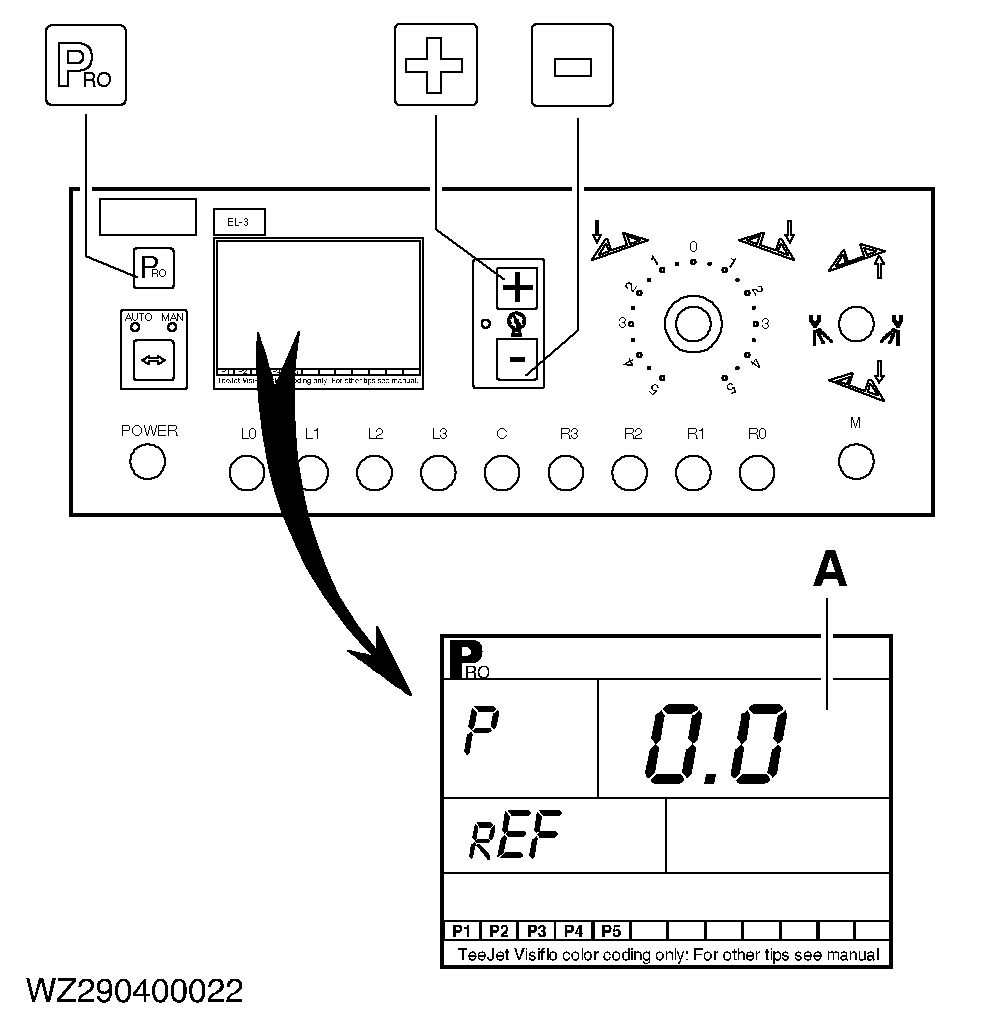
The left-hand top corner of the display gives P (= pressure) and the left-hand bottom corner gives REF (reference current signal at 0.0 bar). The standard setting is 0.0. This may be checked as follows. Check that the machine is absolutely pressureless at the location of the pressure sensor (if necessary, temporarily open boom sections with machine in switched off condition). Activate automatic calibration of the reference values by pressing the "+" and "-" keys simultaneously. The left-hand bottom corner of the display gives "MES" (to indicate that current is being measured) and in the right-hand bottom corner a counter counts from 0 to 9 to indicate that current consumption at 0.0 bar is now being measured. The measured reference value is displayed. Press the "PRO" key to confirm the value in the display. The zero value of the pressure sensor is now properly calibrated. The display should now give 0.0 bar (A). If this is not the case, repeat the automatic calibration or increase the P-REF value by 0.1. |
|
WZ00085,0000159 -19-22SEP05-2/3 |
|
Pressure sensor maximum measuring value
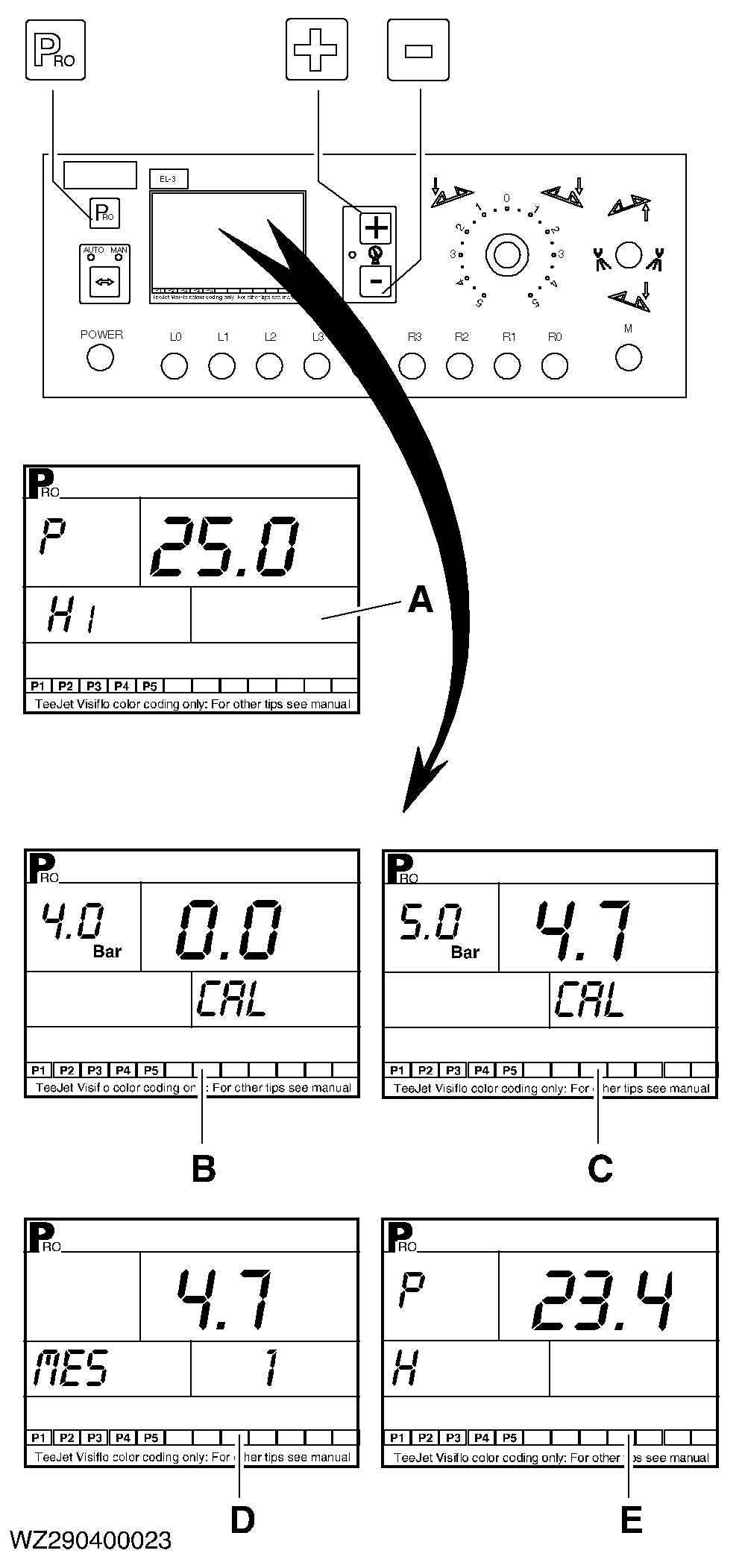
The left-hand top corner of the display (A) gives P (= pressure) and the left-hand bottom corner gives HI (maximum pressure measuring value). The standard setting is 25.0. The maximum measuring value of the pressure sensor may be checked as follows:
|
|
WZ00085,0000159 -19-22SEP05-3/3 |