Machine Program
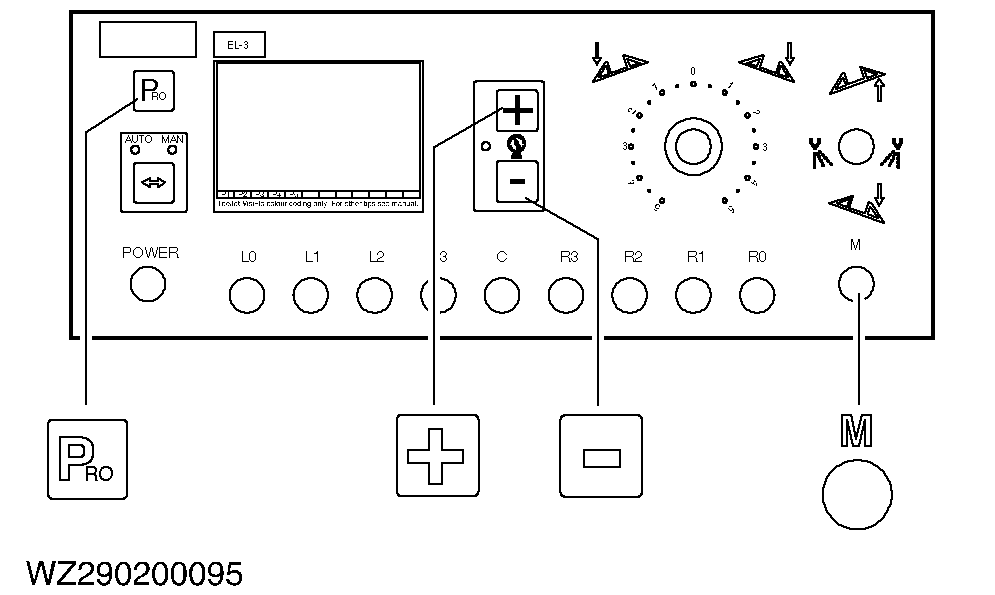
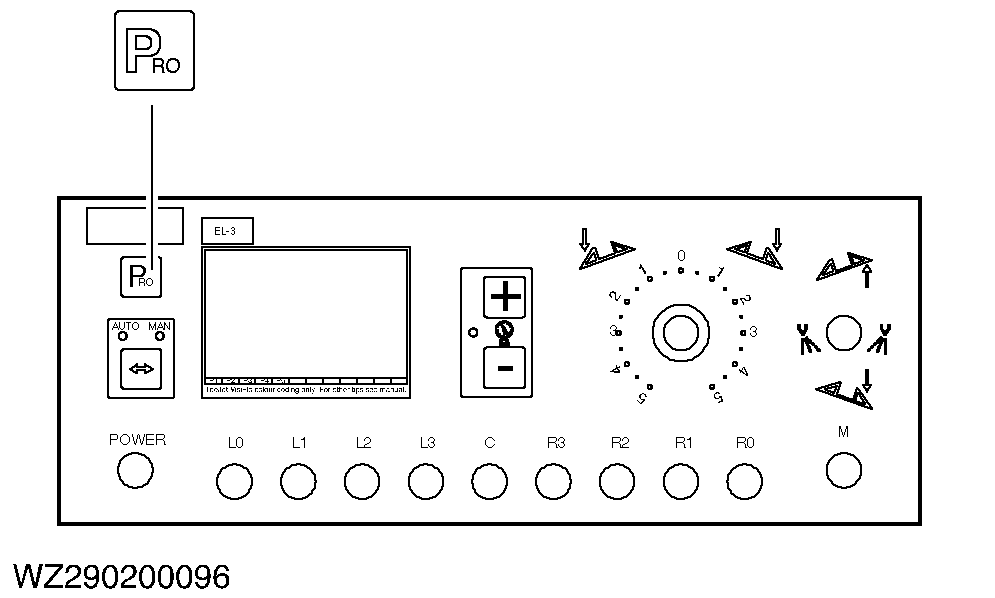
NOTE: Depending on the factory settings (pressure and/or flow sensor, number of sections, etc.) some program steps may be cancelled (and therefore not be displayed). Switch on the device by pressing the "PRO" key once (the software version and serial number will be displayed) and wait 5 seconds until the normal working display appears. Check whether switch "M" of the master shut-off valve is set to "off". Press and hold down both keys "+" and "-" simultaneously and then press the "PRO" key twice to enter the machine program (PRO SYS). |
|
WZ00085,00003FA -19-21SEP05-1/14 |
|
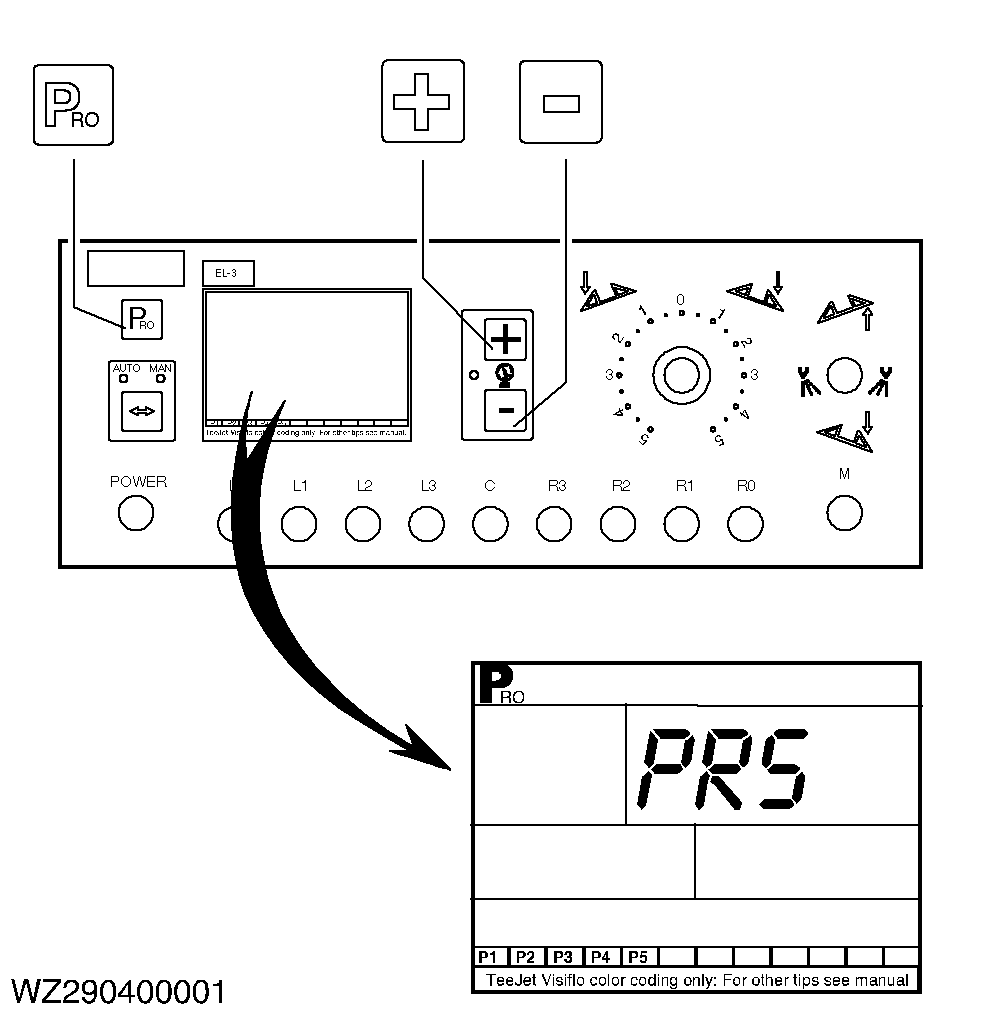
Type of regulation
The type of regulation needs to be entered here. If only a pressure sensor is available (programmed in factory settings), the type of regulation is automatically set to pressure based regulation (no setting required in machine settings). If only a flow sensor is available on the machine (programmed in factory setup), the type of regulation is automatically set to flow-based regulation (no setting required in the machine settings) If both a flow sensor and a pressure sensor are fitted to the machine, the type of regulation to be used can be selected here. Use the "+" or "-" key to select the required type of regulation: FLO for control on the basis of flow measurement, the pressure sensor displays the spraying pressure measured, PRS for control on the basis of pressure measurement, the flow sensor has no function. Proceed to the next step by pressing the "PRO" key. Your value: |
|
WZ00085,00003FA -19-21SEP05-2/14 |
|
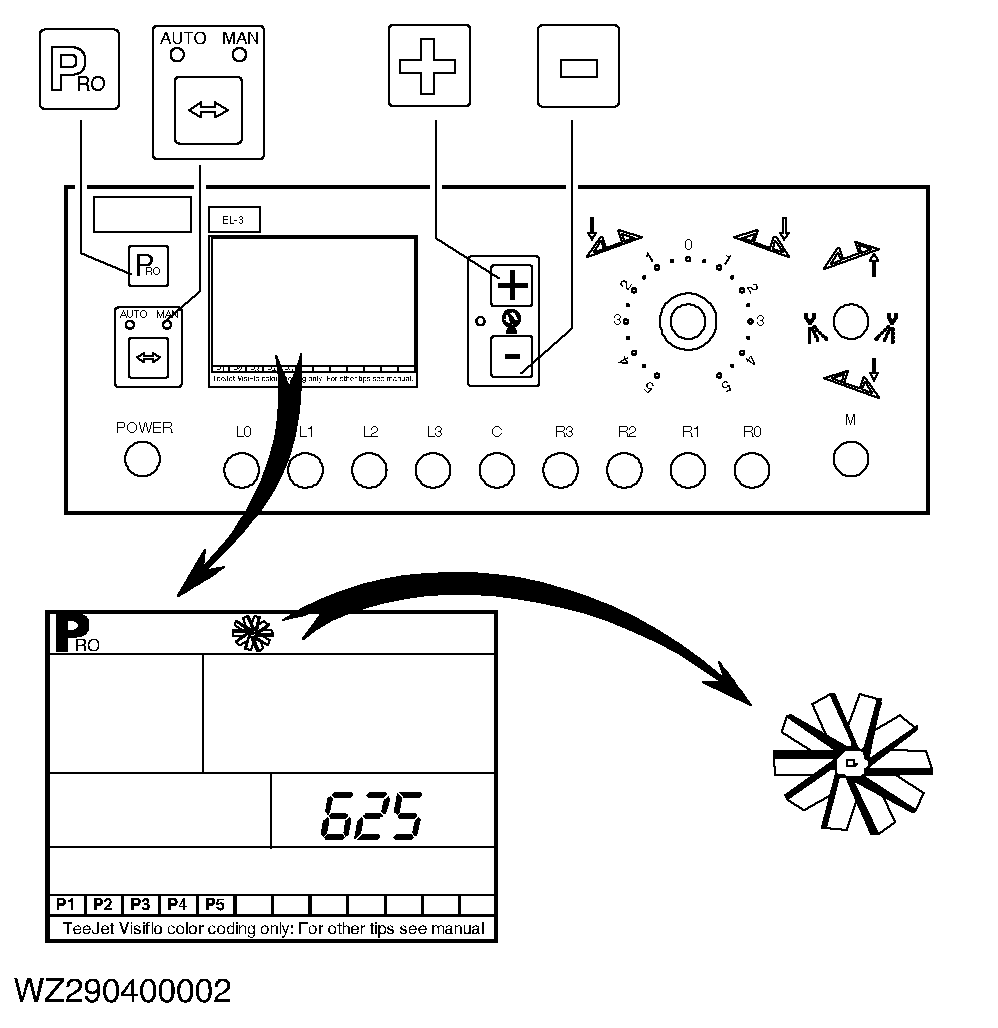
Flow sensor pulse value
It indicates the number of pulses per liter of the flow sensor (if fitted and selected). Use the "+" or "-" key to change the pulse value. If necessary, use the "AUTO/MAN" key to insert or remove a decimal point. By pressing the "+" and "-" keys simultaneously, automatic calibration of the flow sensor is started (not recommended, for more details see "Flow Sensor Calibration" in this section). Proceed to the next step by pressing the "PRO" key. Your value: |
|
WZ00085,00003FA -19-21SEP05-3/14 |
|
Pressure sensor reference value
It indicates the pressure sensor current signal (mA) at 0.0 bar (reference value). Use the "+" or "-" key to change this reference value (if a pressure sensor is fitted). By pressing the "+" and "-" keys simultaneously, automatic calibration of the pressure sensor reference value is started. Press the "PRO" key to confirm this value and to proceed to the next step (see also "Pressure Sensor Calibration" in this section). Your value: |
|

WZ00085,00003FA -19-21SEP05-4/14 |
|
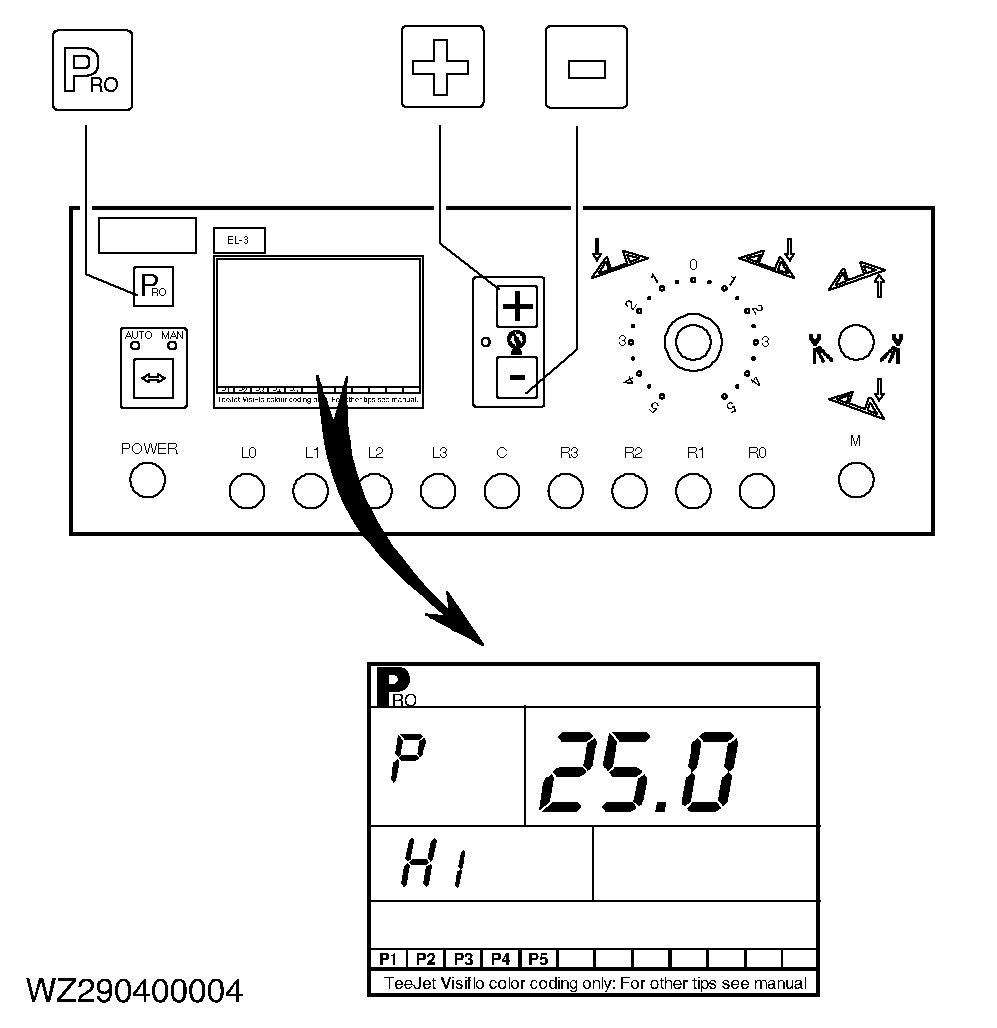
Pressure sensor maximum pressure
It indicates the maximum pressure (bar) at 20 mA. Use the "+" or "-" key to change the maximum pressure. By pressing the "+" and "-" keys simultaneously, automatic calibration of the pressure sensor maximum pressure is started. With the "+" and "-" keys the required calibration pressure (e.g. 5 bar) can be set. Connect a calibrated pressure gauge to the spray line and start the machine. Set the pressure gauge to the selected calibration pressure (e.g. 5 bar) with the master shut-off valve and the section valves in the open position (i.e. spraying). Press the "PRO" key to confirm the maximum measuring value (see also "Pressure Sensor Calibration" in this section). Proceed to the next step by pressing the "PRO" key. |
|
WZ00085,00003FA -19-21SEP05-5/14 |
|
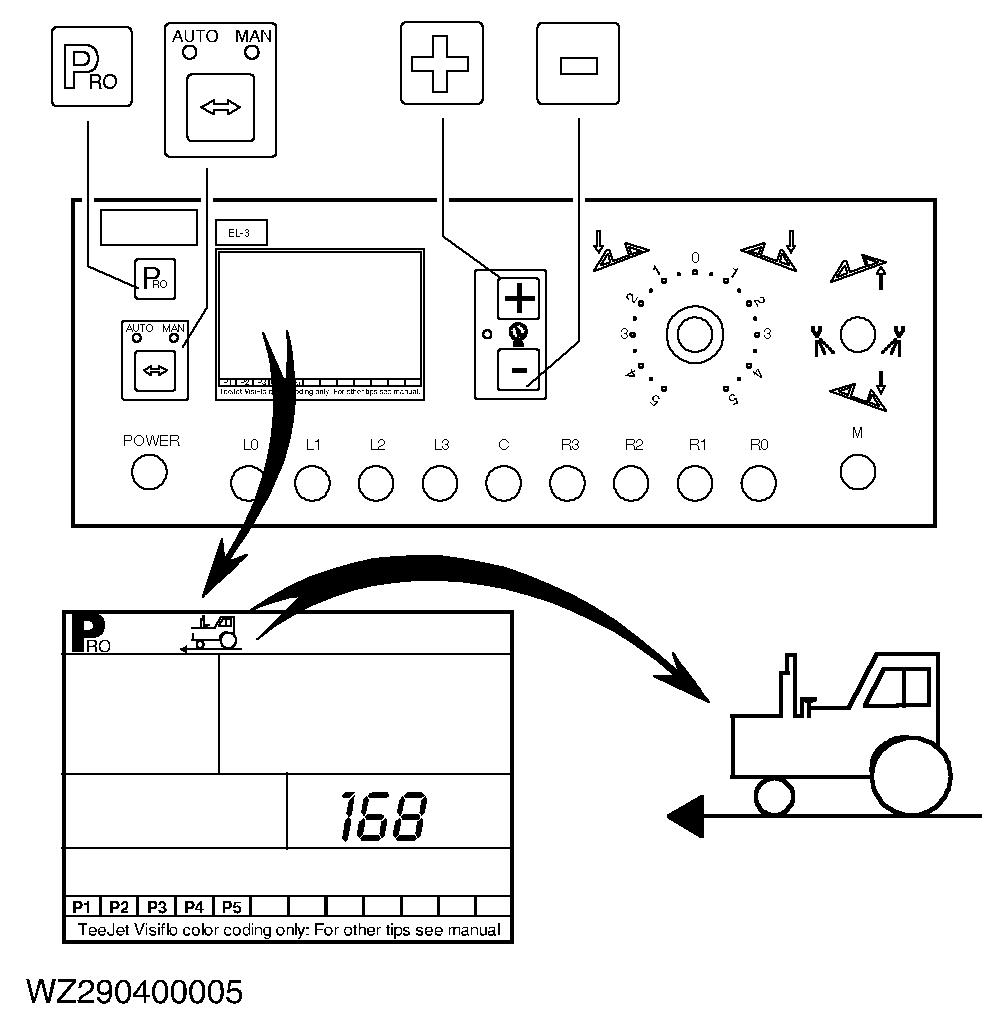
Speed sensor pulse value
It indicates the number of pulses of the speed sensor per 100 meters (wheel sensor or radar). Use the "+" or "-" key to change the pulse value. Use the "AUTO/MAN" key to toggle between wheel sensor or radar (if radar is selected, the display will show RAD in the bottom left-hand corner). By pressing the "+" and "-" keys simultaneously, automatic calibration is started. Next, press the "+" key to start automatic calibration. Drive a measured distance of exactly 100 meters and next press the "PRO" key to confirm the value measured. During automatic calibration the computer will recognize the presence of a wheel sensor or a radar sensor. Proceed to the next step by pressing the "PRO" key. Your values: |
|
WZ00085,00003FA -19-21SEP05-6/14 |
|
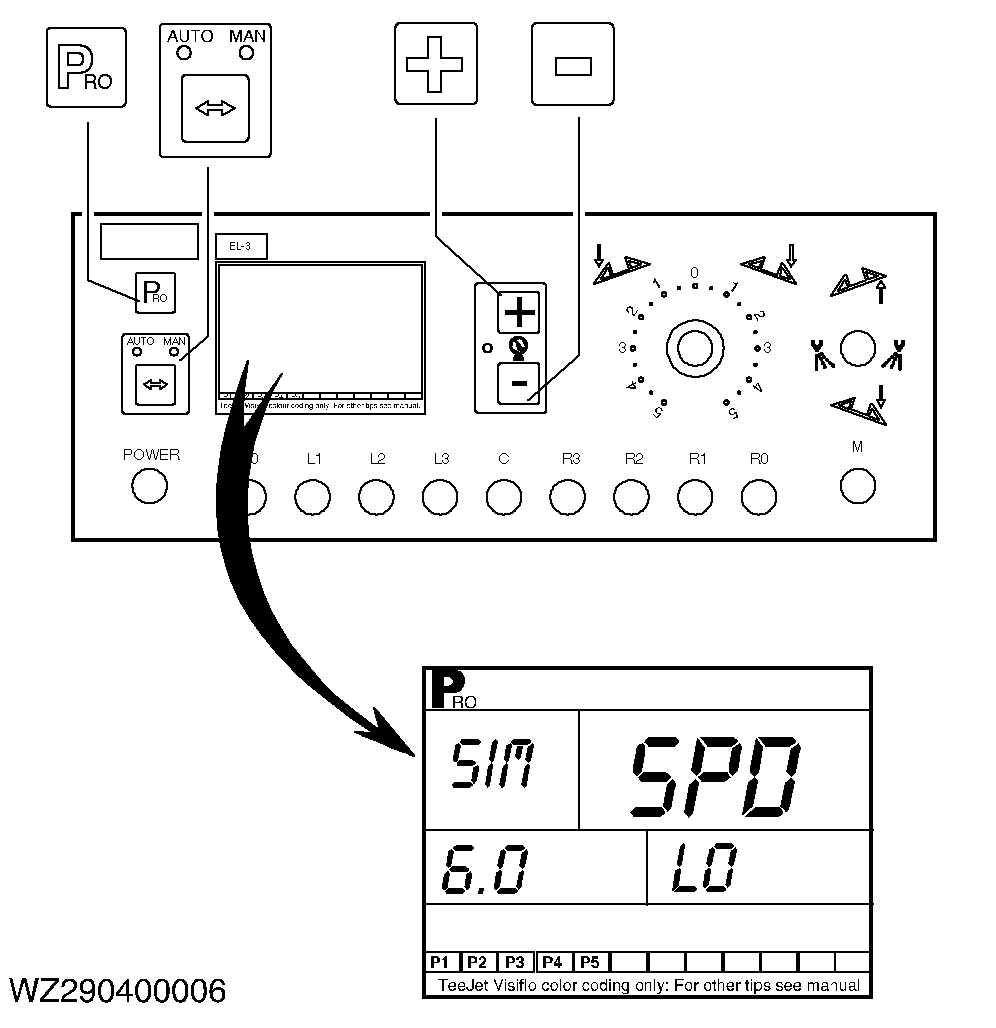
Simulation speed
It is possible for the computer to select between a high or low simulation speed. Use the "+" or "-" key to change the simulation speed (km/h). Use the "AUTO/MAN" key to toggle between the ( Lo ) and the ( High ) simulation speed. Proceed to the next step by pressing the "PRO" key. Your values: Lo= High= |
|
WZ00085,00003FA -19-21SEP05-7/14 |
|
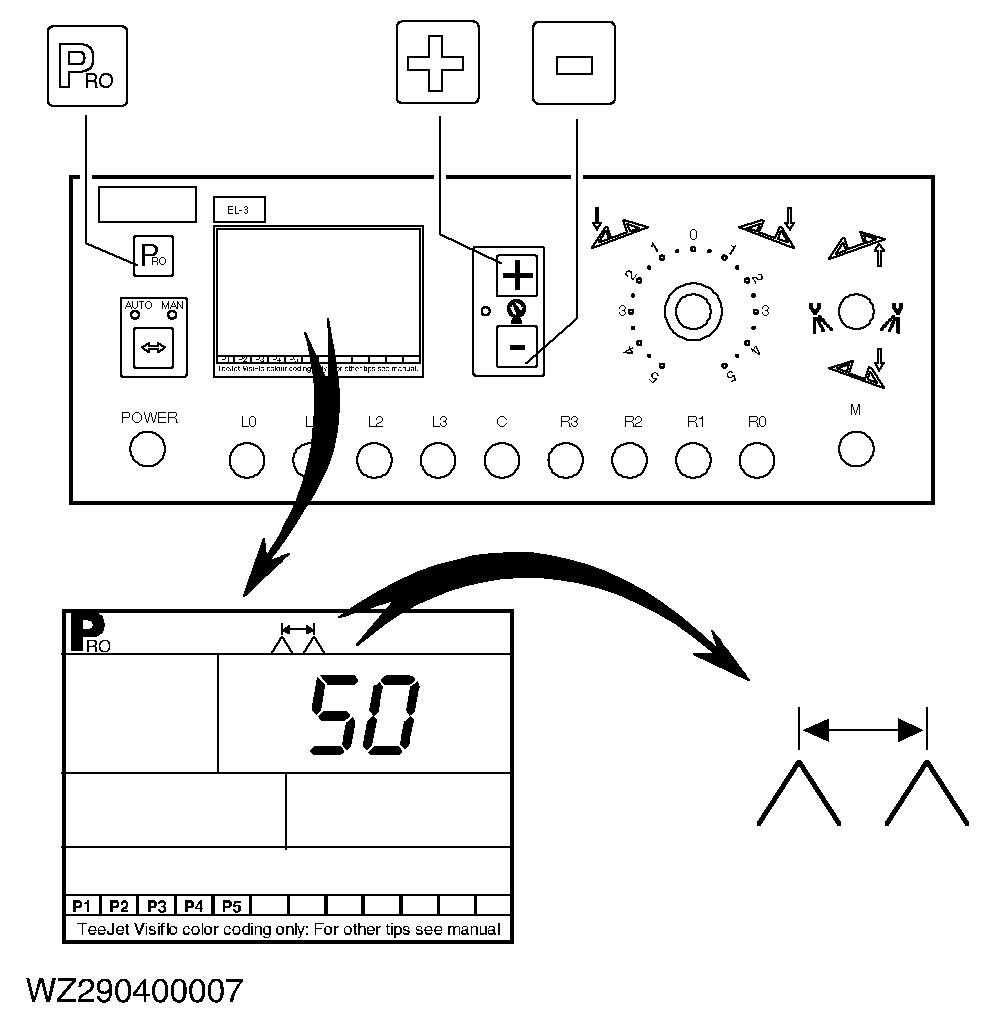
Nozzle spacing
It indicates the setting of the nozzle spacing in cm. Use the "+" or "-" key to change the value. Proceed to the next step by pressing the "PRO" key. Your value: |
|
WZ00085,00003FA -19-21SEP05-8/14 |
|
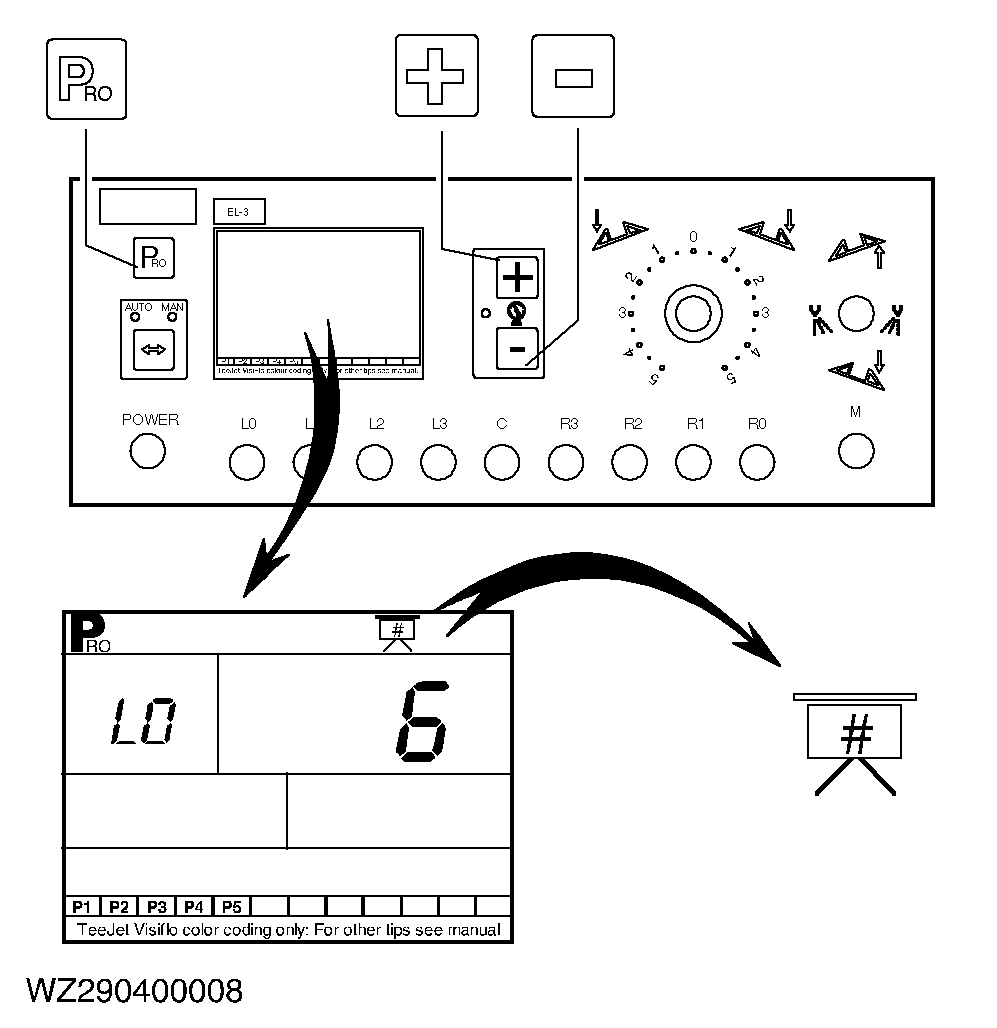
Number of nozzles per section
It indicates the number of nozzles per section (L4 to R4). Use the "+" or "-" key to change the value. Set the value to "0" if a section is not used. Proceed to the next step by pressing the "PRO" key. Your values:
|
|
WZ00085,00003FA -19-21SEP05-9/14 |
|
Nozzle flow rate
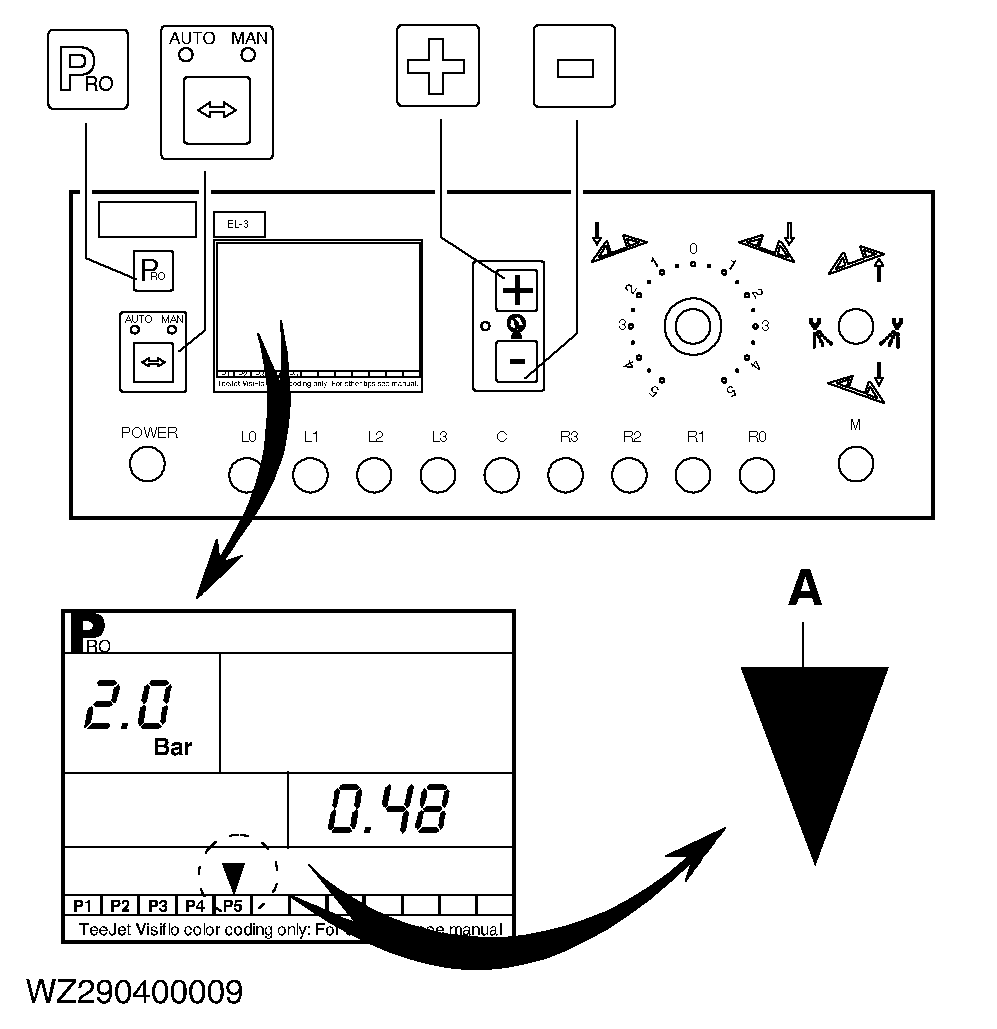
It indicates the flow rate (l/min) of the various nozzles at a pressure of 2.0 bar according to the TEEJET ® VisiFlo (and ISO) colour coding. The first five positions (P1 to P5) are freely programmable, the other seven positions can only be changed by + or - 10%. If the (A) symbol flashes, use the "+" or "-" key to select the required nozzle. Press the "AUTO/MAN" key to rectify the flow rate of the specific nozzle. Use the "+" or "-" key to change the nozzle flow rate. The display will indicate whether the nozzle has been rectified positively or negatively. Proceed to the next step by pressing the "PRO" key (see also "Calibration of Nozzle Flow Rate" in this section). Your values: |
|
|
TEEJET is a registered trademark of Spraying System Co. | WZ00085,00003FA -19-21SEP05-10/14 |
|
Type of boom section valves
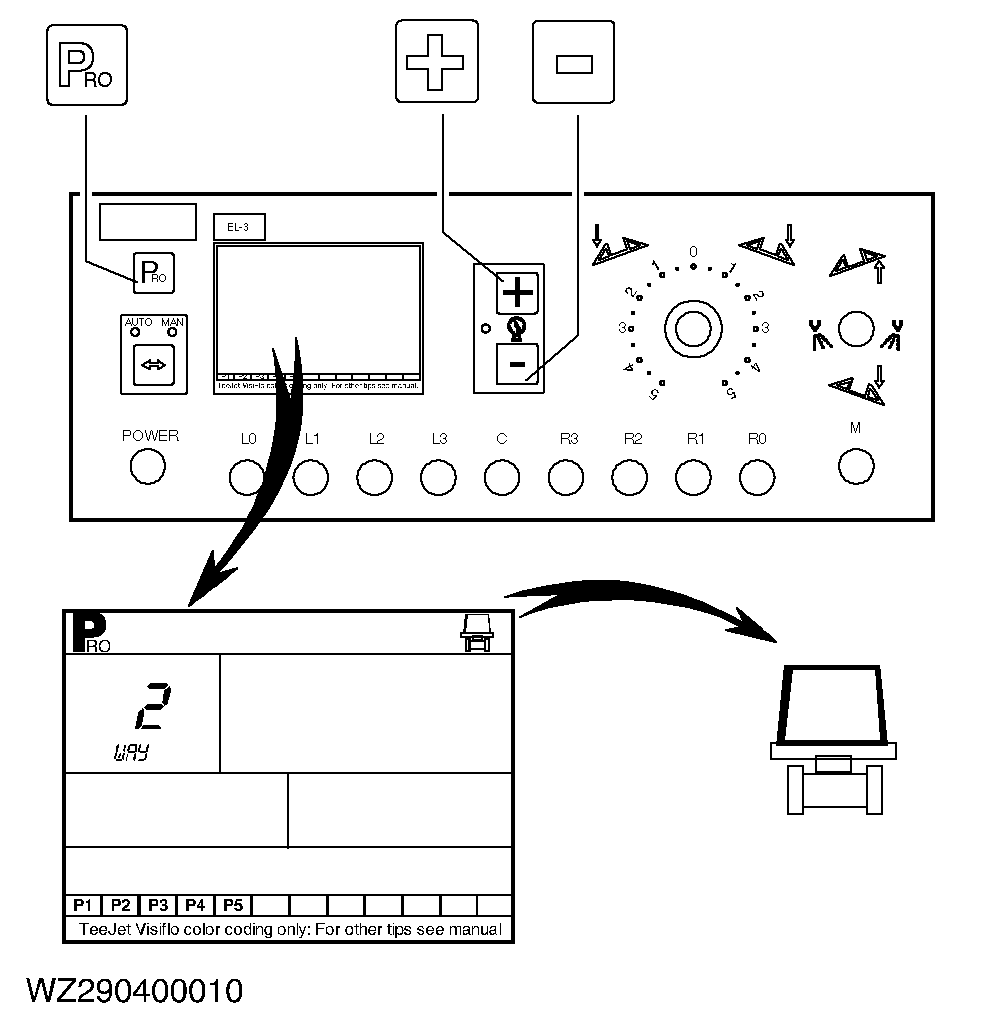
Select 2-way (without pressure calibration) or 3-way valves (with calibration), depending on the type of boom section valves on the machine. As standard, always select 2-way valves on John Deere equipment. Use the "+" or "-" key to change the setting. Proceed to the next step by pressing the "PRO" key. Your value: |
|
WZ00085,00003FA -19-21SEP05-11/14 |
|
Regulation factor
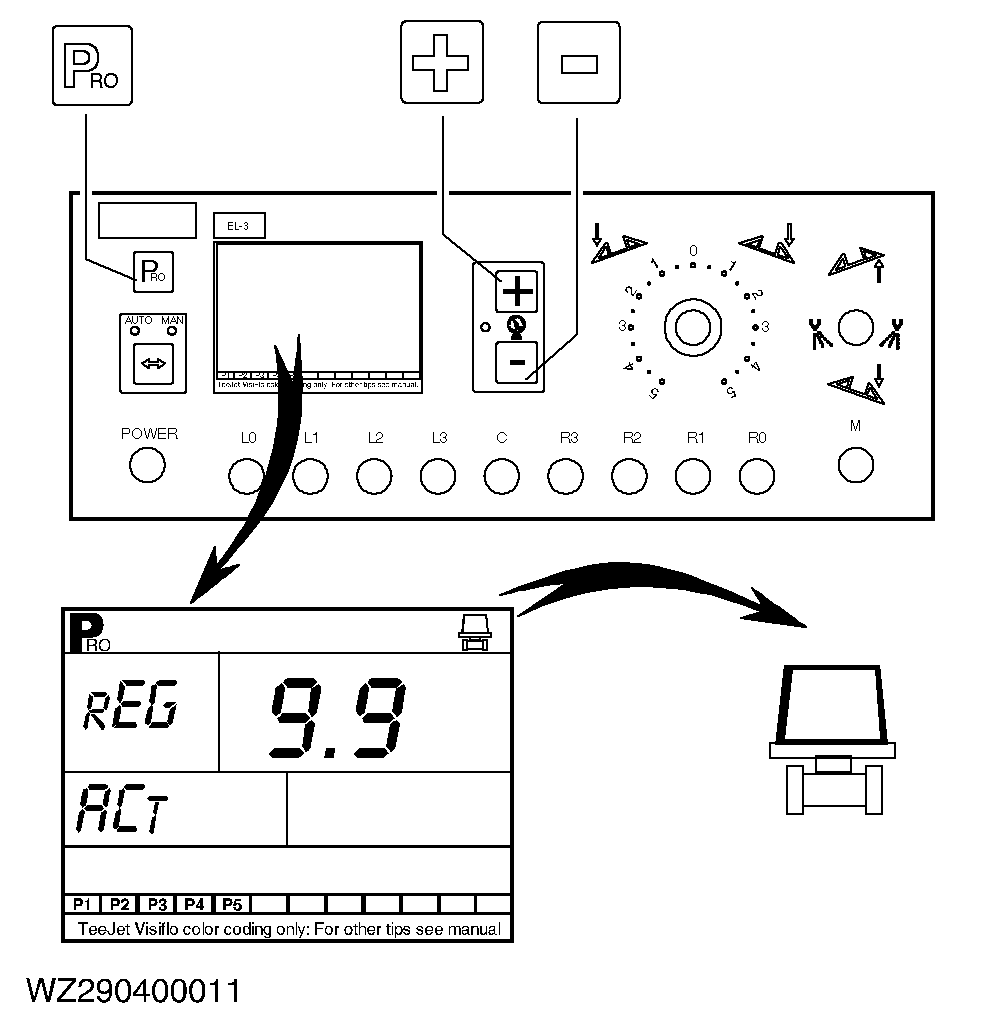
This factor determines the control speed in the case of large deviations (digit before decimal point) and small deviations (digit after decimal point). Use the "+" or "-" key to change the setting. Proceed to the next step by pressing the "PRO" key. Your value: |
|
WZ00085,00003FA -19-21SEP05-12/14 |
|
Density
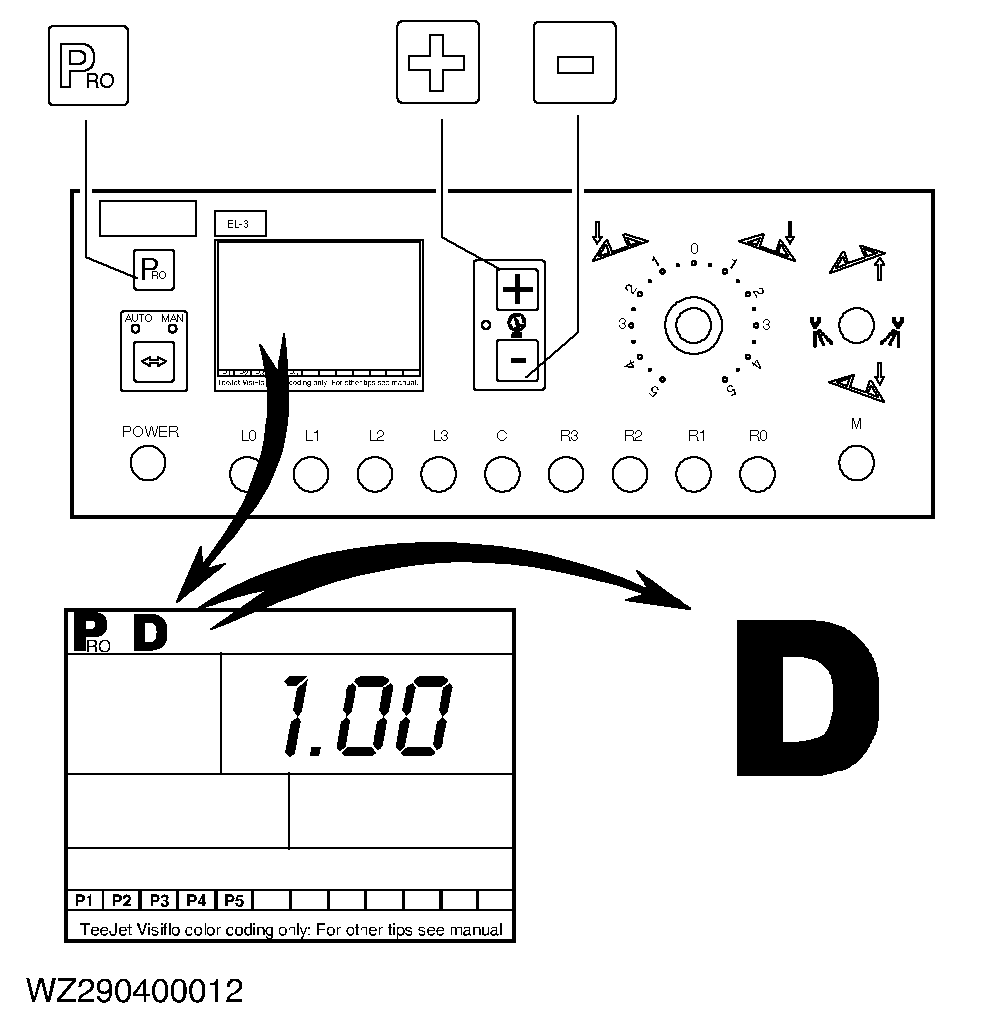
It indicates the density in kg/l of the spraying liquid. Set the value to 1.00 for water or spraying liquids or enter the correct density when spraying with other liquids (such as liquid fertilizers). Use the "+" or "-" key to change the density. Proceed to the next step by pressing the "PRO" key. Your value: |
|
WZ00085,00003FA -19-21SEP05-13/14 |
|
Exiting the machine program
To exit the machine program and store the programmed data, press and hold down the "PRO" key for three seconds until you are returned to the working display (screen clears first). This is possible in each program step. |
|
WZ00085,00003FA -19-21SEP05-14/14 |