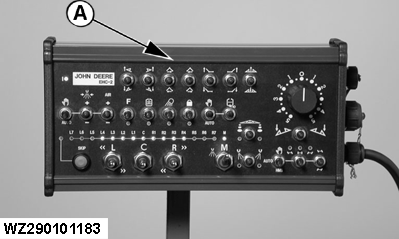
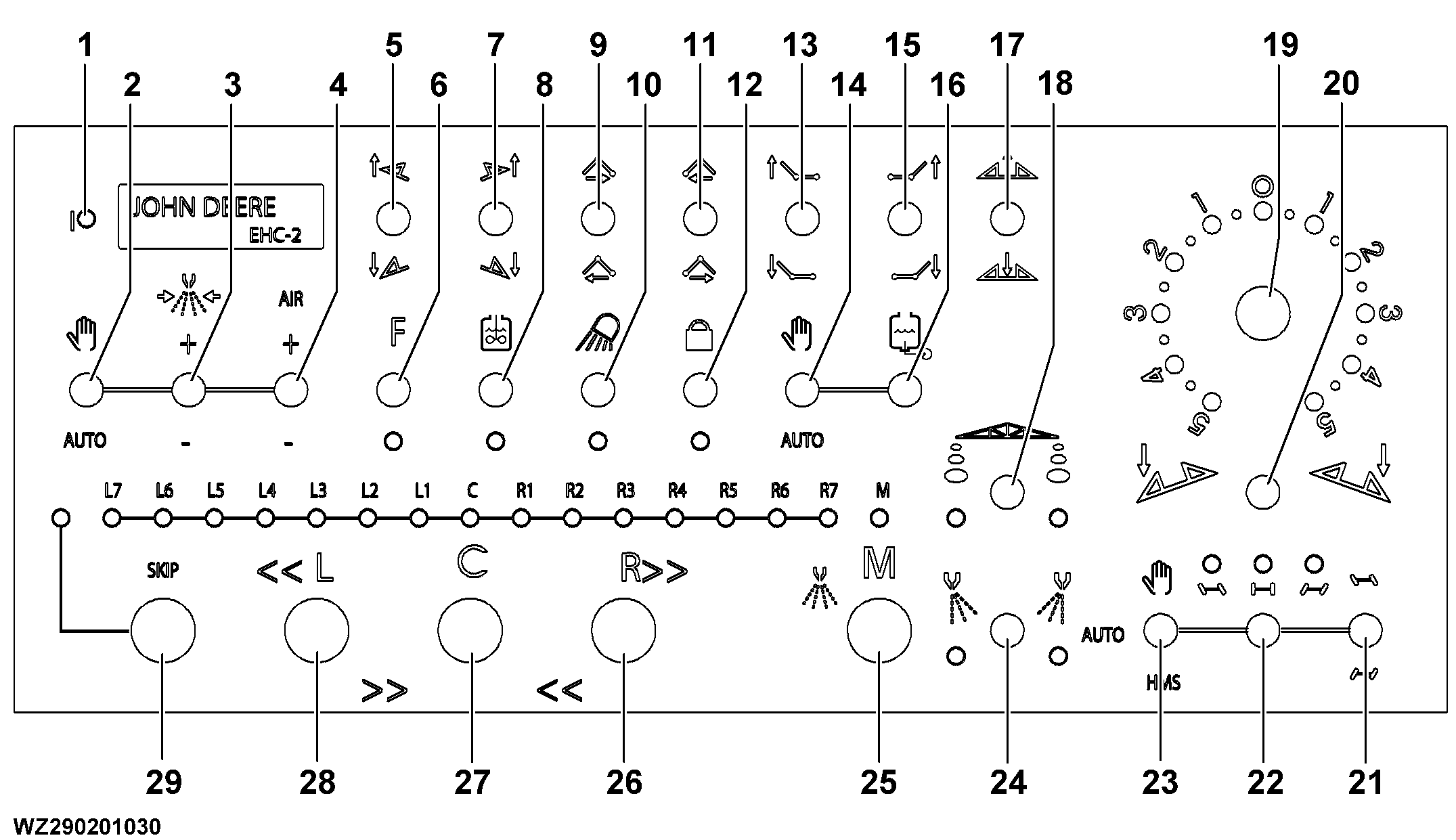
1-Supply voltage on/off (green LED)
2-Manual/Automatic pressure control (rate control) toggle switch
3-Setting the liquid pressure (higher/lower) in manual control
4-Setting the air pressure (higher/lower) in manual control (Twin Fluid)
5-Left spray boom arm raise/lower (variable geometry)
6-Free function switch on/off
7-Right spray boom arm raise/lower (variable geometry)
|
8-Electrical agitation switch on/off
9-Left spray boom arm folding in/out
10-Worklight switch on/off
11-Right spray boom arm folding in/out
12-Boom pendulum lock on/off
13-Left spray boom outer segment folding in/out
14-Manual/Automatic control of filling valve (automatic filling)
15-Right spray boom outer segment folding in/out
|
16-Electrical filling valve (suction from solution tank / external filling)
17-Height adjustment sprayboom (higher/lower)
18-Foam marker left-off-right
19-Boom tilt correction with rotary switch
20-Boom tilt correction with toggle switch
21-Drawbar steering left/right
22-Automatic centre position of drawbar
23-Automatic trailing mode (manual steering/automatic trailing/Headland Management System)
|
24-Edge nozzle tips left-off-right
25-Main shut-off valve switch on/off (Master)
26-Right boom sections more / less
27-Central boom section on/off
28-Left boom sections more / less
29-SKIP switch for boom section control
|