Tank Filling
The "Tank Filling" menu can be entered by selecting softkey A from "Job Settings".
The filling process will be displayed in three steps, indicated by the green highlighted number under the screen title.
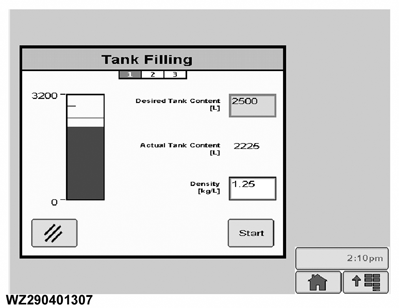
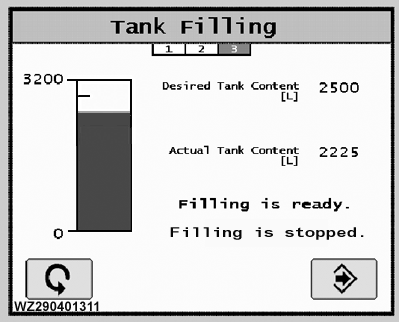
Desired Tank Content
enter the desired tank content in liters by selecting the field and typing the required value using the numeric keypad.
Actual Tank Content
the actual tank content measured by the digital tank level sensor is shown here. If the tank is then filled again, the new tank content can be entered. In this way the GreenStar 2 display can show the actual tank content during spraying by subtracting the sprayed volume from the tank volume.
Density Factor
the specific gravity of the liquid in the tank (1.00 kg/L for water or water based solutions), must be entered here. This is very important to show the correct tank contents. It is based on the pressure sensor measurement, which depends on the liquid density. Measure the weight of one liter of liquid and enter this value.
Start
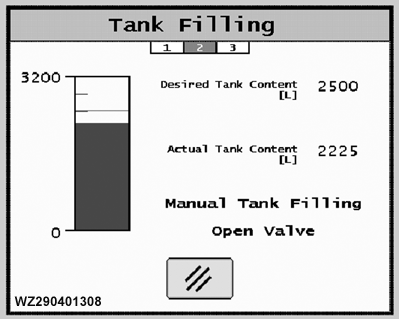
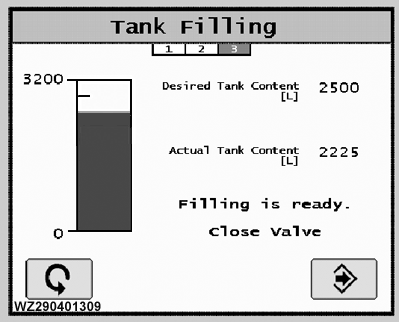
select this to begin the filling process. The controller will start the filling until the desired tank level is reached. The display will show a progress bar and will show the message "Manual Tank Filling. Open Valve". When the desired tank level has been reached the controller will display a message "Filling is ready. Close Valve".
Cancel
shown on steps 1 & 2, returns you to "Job Settings"
Enter
on step 3, the display returns to "Job Settings".
Restart
this button (shown on step 3) will return you to step 1.
|
Manual Tank Filling 1
Manual Tank Filling 2
Manual Tank Filling 3
|
|
|
WZ00232,0000028 -19-13OCT06-1/2
|
Automatic Tank Filling
The filling process will be displayed in three steps, indicated by the green highlighted number under the screen title.
Desired Tank Content
enter the desired tank content in liters by selecting the field and typing the required value using the numeric keypad.
Actual Tank Content
the actual tank content measured by the digital tank level sensor is shown here. If the tank is then filled again, the new tank content can be entered. In this way the GreenStar 2 display can show the actual tank content during spraying by subtracting the sprayed volume from the tank volume.
Density Factor
the specific gravity of the liquid in the tank (1.00 kg/L for water or water based solutions), must be entered here. This is very important to show the correct tank contents. It is based on the pressure sensor measurement, which depends on the liquid density. Measure the weight of one liter of liquid and enter this value.
Start
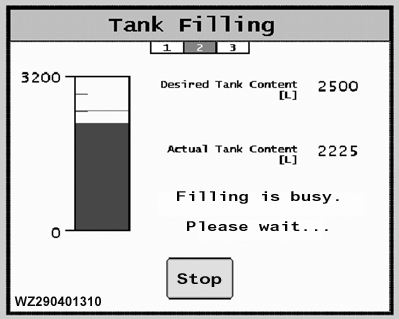
select this to begin the filling process. The controller will start the filling until the desired tank level is reached. The display will show a progress bar and will show the message "Filling is busy. Please wait. . .". The filling can be interrupted by pressing "Stop". When the desired tank level has been reached the controller will display a message "Filling is ready. Filling is stopped". The filling valve(s) will automatically close. The filling valve is closed just before the desired tank level dependent on the value (l) set in "Automatic Filling Offset", "Sensor Calibration", "Machine Settings".
Cancel
on step 1, returns you to "Job Settings".
Stop
on step 2, stops the filling and returns to step 1.
Enter
on step 3, the display returns to "Job Settings".
Restart
this button (shown on step 3) will return you to step 1.
|
Automatic Tank Filling 1
Automatic Tank Filling 2
Automatic Tank Filling 3
|
|
|
WZ00232,0000028 -19-13OCT06-2/2
|
|