|
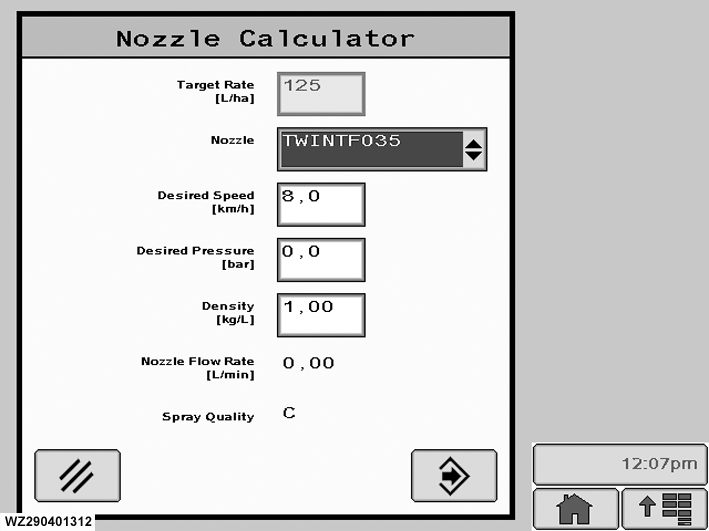
The "Nozzle Calculator" menu can be entered by selecting softkey B from "Job Settings". Use this to check all job settings (especially nozzle selection) and calculate the working speed, pressure, nozzle flow rate and droplet size.
The nozzle calculator is a tool to help the operator make the correct job settings.
Target Rate
the target application rate (l/ha) can be changed here by selecting the field and entering the desired application rate with the numeric keypad and pressing "Enter" to confirm and store the value.
Nozzle
this selection allows the operator to select one of the pre-programmed nozzles which will be used for the next spraying job. Up to 5 different nozzles can be pre-programmed (in menu "Nozzle
|
Presets"). If the field is selected, a drop-down list with the available nozzles will appear ("Nozzle" menu), from which a nozzle can be selected. For each pre-programmed nozzle there is also a pre-programmed target application rate. If another nozzle is selected, automatically the target application rate for that nozzle will be adjusted.
Desired Speed
the desired driving speed in km/h can be entered by selecting this field. Enter the desired speed with the scroll wheel. The value will increment or decrement depending on the direction the scroll wheel is turned. Confirm with "Enter" button to store the value. The nozzle calculator will show the liquid pressure, nozzle flow rate and spray quality for the selected nozzle and desired target rate with this speed. It allows the operator to check in advance whether this combination is acceptable.
|