Flow Calibration
|
|
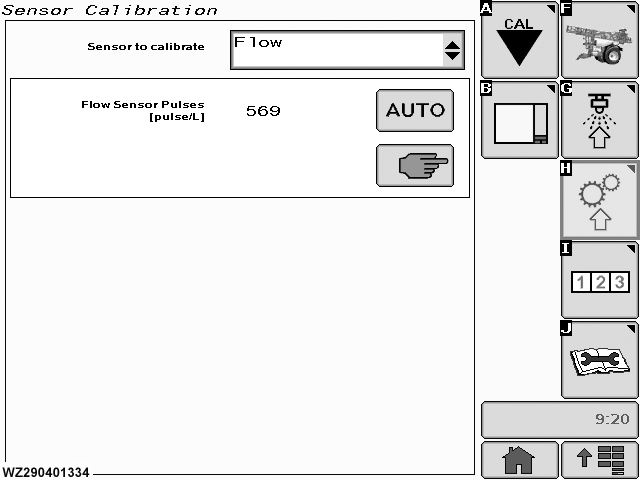
The "Flow Calibration" menu can be entered via the drop down menu in the field "Sensor to Calibrate". There are two options available: Manual and Automatic. The page also shows the current "Flow Sensor Pulses" value [Pulse/l]. |
|
WZ00232,0000042 -19-04OCT06-1/3 |
|
Automatic - Flow Cal.
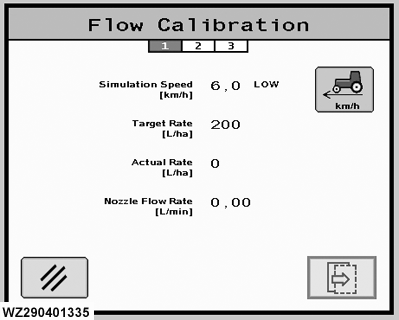
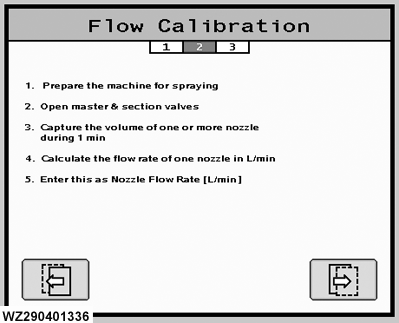
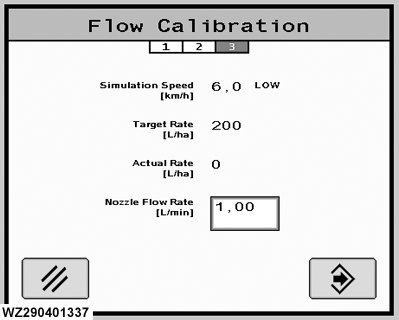
In this automatic menu, the flow sensor can be calibrated.
Step 1.
Step 3.
1.
Program a target value for the number of pulses per liter (e.g. 625) in the menu "Flow Sensor".
|
|
WZ00232,0000042 -19-04OCT06-2/3 |
|
4.
The required nozzle flow rate (L/min) for the target application rate in l/ha (e.g. 250 l/ha) and driving speed (e.g. 6.0 km/h) in this example is then 1.25 l/min.
|
WZ00232,0000042 -19-04OCT06-3/3 |