Wheel Calibration |
|
|
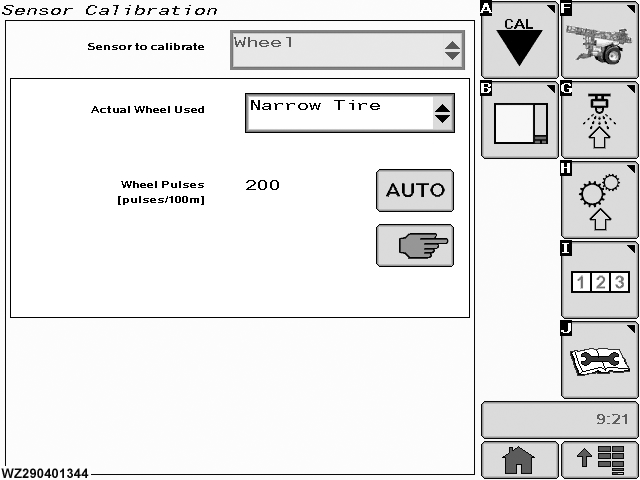
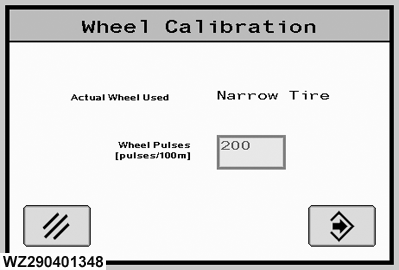
The "Wheel" calibration menu can be entered via the drop down menu in the field "Sensor to Calibrate". Two options are available (Manual and Automatic) for the item listed. |
|
WZ00232,0000044 -19-03OCT06-1/3 |
|
|
| Row Crop tires "Narrow" | ||
|---|---|---|
| Tire Type | Wheel circum. (mm) | Approx. Pulses per 100 Meter |
| Taurus Soil Saver RC95 230/95R48 (9.5R48) | 5014 | 638 |
| Taurus Soil Saver RC95 270/95R48 (11.2R48) | 5178 | 618 |
| Taurus Soil Saver RC95 300/95R46 (12.4R46) | 5175 | 618 |
| Taurus Soil Saver RC95 340/85R48 (13.6R48) | 5454 | 587 |
| Kléber Super-3 270/95R48 (9.5R48) | 5035 | 636 |
| Kléber Super-3 270/95R48 (11.2R48) | 5251 | 609 |
| Kléber Super-3 300/95R46 (12.4R46) | 5221 | 613 |
| Kléber Super-3 300/95R52 (12.4R52) | 5718 | 560 |
| Michelin XM25 270/95R54 (11.2R54 | 5680 | 563 |
| Flotation "Wide" tires | ||
|---|---|---|
| Tire Type | Wheel circum. (mm) | Approx. Pulses per 100 Meter |
| Taurus Point 7 480/70R38 | 5003 | 640 |
| Taurus Point 7 520/70R38 | 5219 | 613 |
| Taurus Point 65 600/65R38 | 5212 | 614 |
| Taurus Point 65 650/65R38 | 5443 | 588 |
| Kléber Traker 420/85R38 | 5020 | 637 |
| Kléber Super L 480/70R38 | 5095 | 628 |
| Kléber Fitker 520/70R38 | 5243 | 610 |
| Kléber Traker 520/85R38 | 5447 | 587 |
| Kléber Super 11L 600/70R38 | 5270 | 607 |
| Kléber Super 11L 650/70R38 | 5479 | 584 |
| Kléber Super 15 710/70R38 | 5750 | 557 |
WZ00232,0000044 -19-03OCT06-2/3 |
|
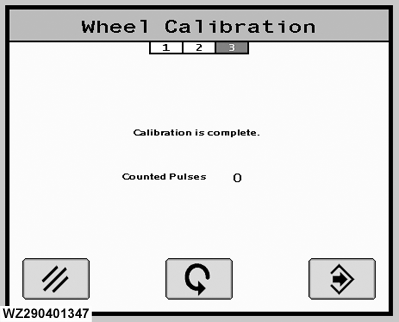
Automatic Wheel Calibration
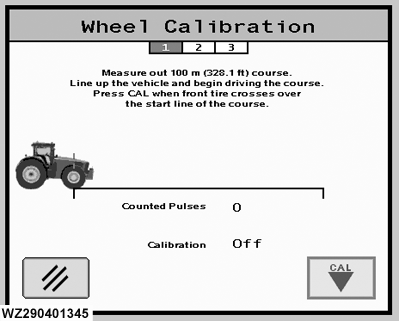
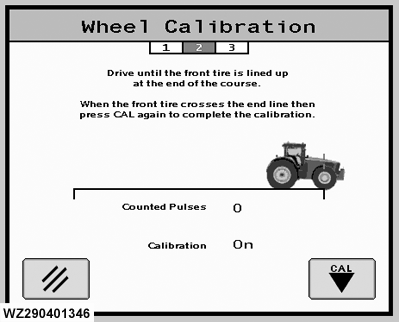
Automatic calibration of the wheel sensor can be done in this menu. It has three steps. The calibration has to be done as follows: Step 1. 1. Fill the solution tank of the sprayer half full with liquid.2. Measure and mark a distance of exactly 100 meters in a field which is representative for the average fields to spray. 3. Drive with the sprayer to the start point of the 100 m course. 4. Press "CAL" button when the front tire crosses the start line (Calibration has begun). Step 2. 1. Drive the 100 m in a straight line at a normal speed. When calibration is ON, each pulse received from the wheel sensor is counted and shown on screen.2. There should be at least 100 pulses per 100 m otherwise a calibration error will be given. 3. At the end of the 100 m course, press "CAL" button again. Calibration will go OFF and the new pulse value will be determined. There should be at least 100 pulses per 100 m otherwise a calibration error will be given.
|
|
WZ00232,0000044 -19-03OCT06-3/3 |