-
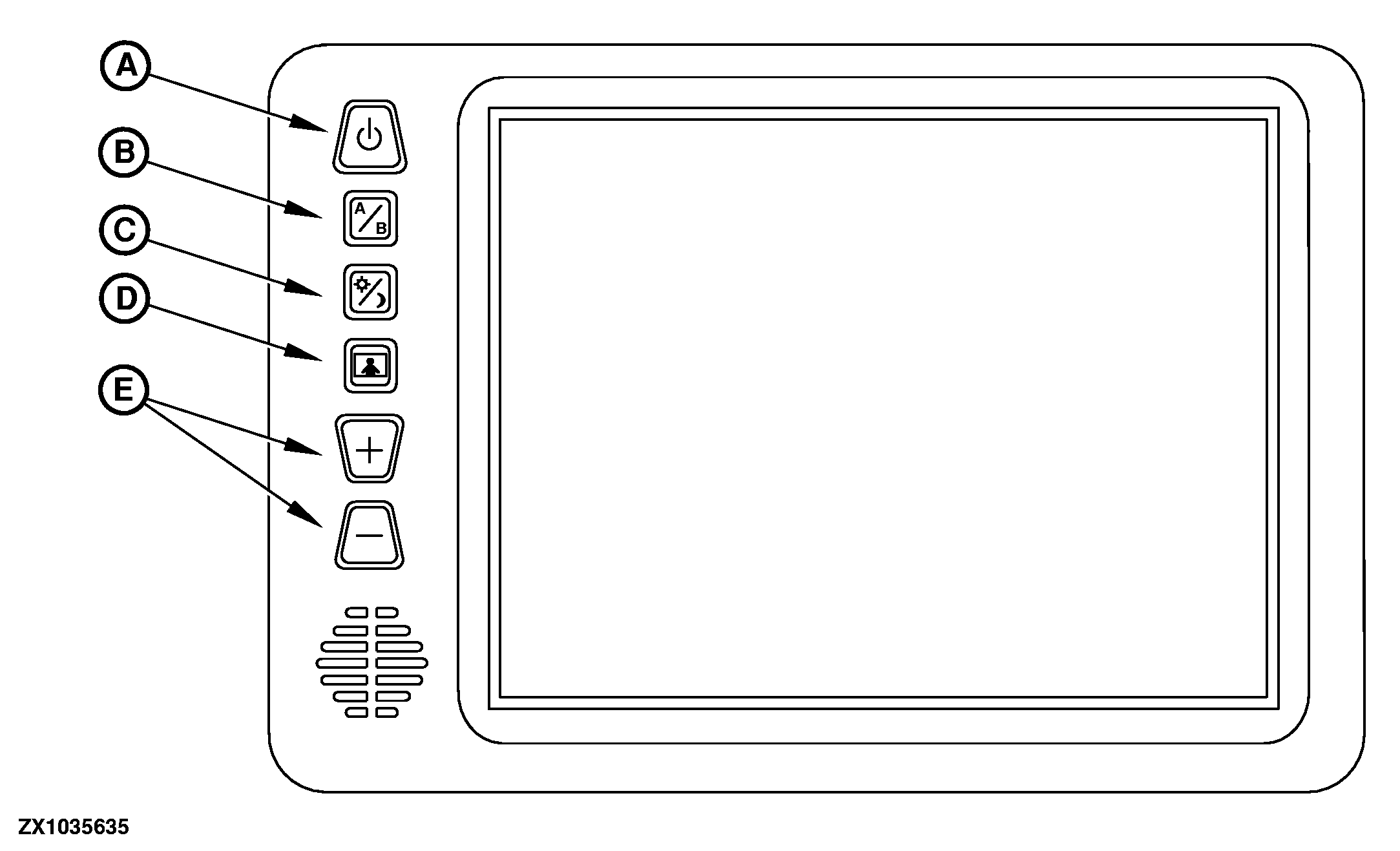
A
Power Button.
When starter switch is in "On" position, the "Power Button" is used to turn the unit ON or OFF.
The "Power Button" features dual-illumination.
When power is applied to the unit, the "Power Button" will dimly glow when the unit is OFF, allowing the user to easily find the control in low light.
Illumination switches to full intensity when the unit is turned ON.
-
B
A/B Input Select Button.
This control toggles the active display image back and forth between Camera A and Camera B inputs.
-
C
Day/Night Mode Button.
This control toggles the monitor between "Day" and "Night" screen illumination modes. In the "Day" mode, the screen backlight intensity is at maximum. In "Night" mode, the screen backlight is dimmed to a
|
preset level that is more suitable for low light operation.
-
D
Picture Adjustment Menu Button.
This control accesses a display menu for four screen picture adjustments (Brightness, Contrast, Color, and Tint). When depressing the button for the first time, the "Brightness" adjustment is accessed.
The Volume +/- controls adjust the level, which is indicated by the bar graph at the bottom of the screen.
Pressing the "Picture button" consecutively accesses the adjustment screen for each picture adjustment.
If no buttons are pressed within 6 seconds the unit will exit the "Picture Adjustment" mode.
-
E
+/- Buttons.
The +/- buttons adjust the level, which is indicated by the bar graph at the bottom of the screen in the "Picture Adjustment Menu" mode.
|