Diagnostic Trouble CodesThe list below deals with the diagnostic trouble codes that are generated by the control units and can be transferred to the databus. In the diagnostic mode, they are displayed on the corner post. A DTC service code (Diagnostic Trouble Code) consists of three elements:
Priority of Diagnostic Trouble Codes Each Diagnostic Trouble Code (DTC) has a priority. The priority of the DTC is indicated in the way the DTC is displayed:
|
OUZXMAG,0001BA5 -19-25OCT03-1/10 |
Control Unit AbbreviationsNOTE: Enter on-board diagnostic address RCP 103 (first digit) to select if diagnostic trouble codes are stored after the ignition key is cycled. |
| Display | Meaning |
|---|---|
| Arc | Armrest Control Unit |
| ECU | Engine Control Unit |
| ocP | Overhead Control Panel |
| rcP | Corner Post Control Unit |
| rdc | Rear Wheel Drive Control Unit |
| rGc | Row Guidance Control Unit |
| SIG | Metal Detector Control Unit |
| SPF | SPFH Main Control Unit |
| JdL | John Deere Link |
OUZXMAG,0001BA5 -19-25OCT03-2/10 |
|
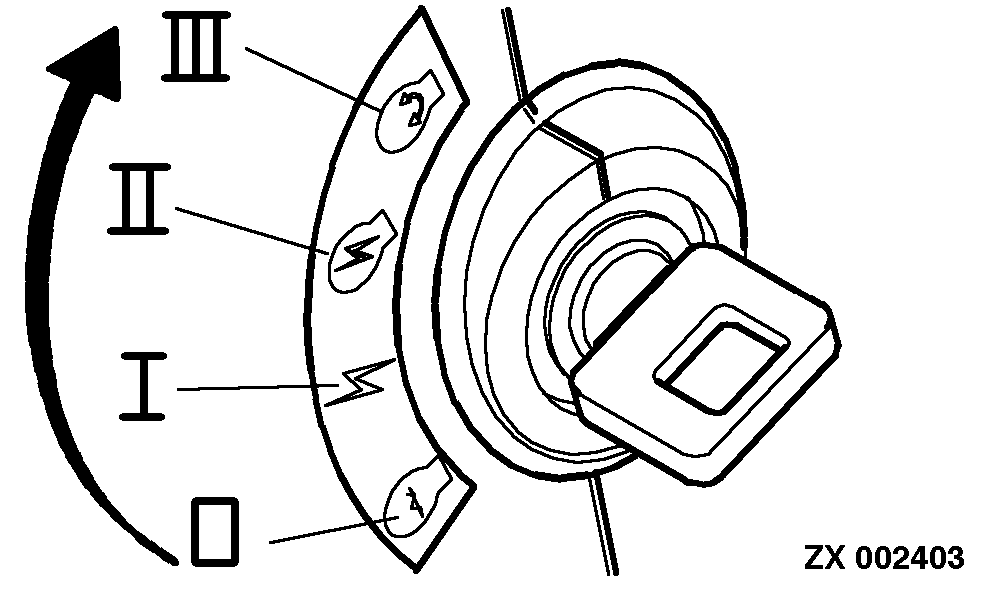
Prepare Forage Harvester: Turn the key switch to the run position. |
|
OUZXMAG,0001BA5 -19-25OCT03-3/10 |
|
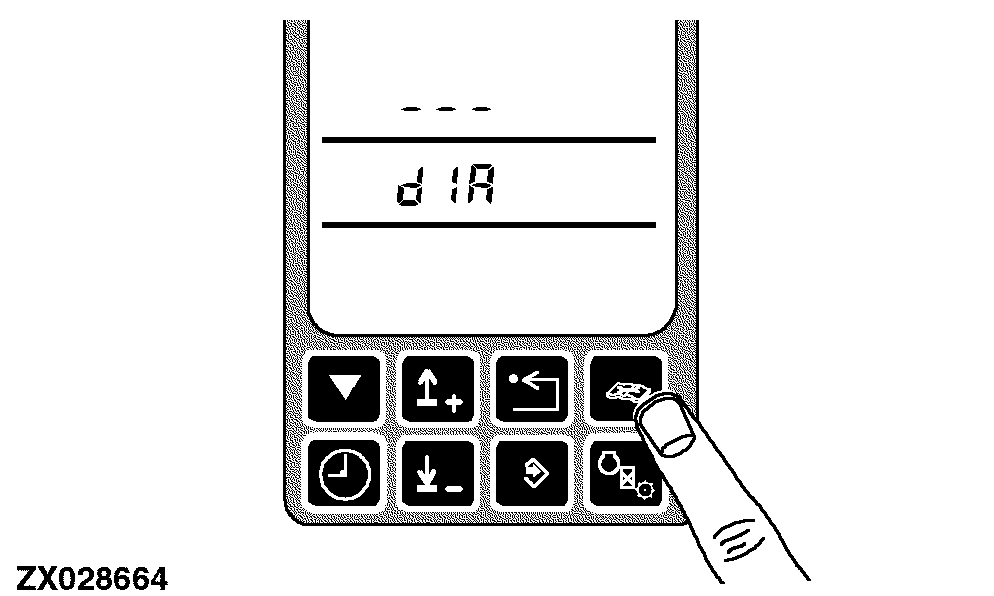
Press the diagnostic switch. dIA will appear on the display. |
|
OUZXMAG,0001BA5 -19-25OCT03-4/10 |
|
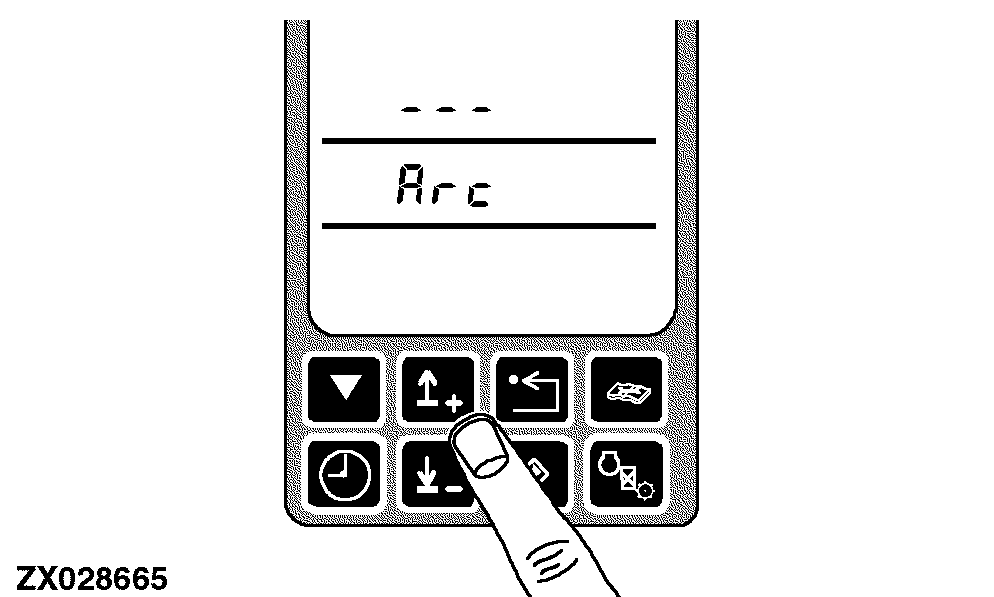
Press the up or down arrow switch to obtain the desired address (control unit identifier). |
|
OUZXMAG,0001BA5 -19-25OCT03-5/10 |
|
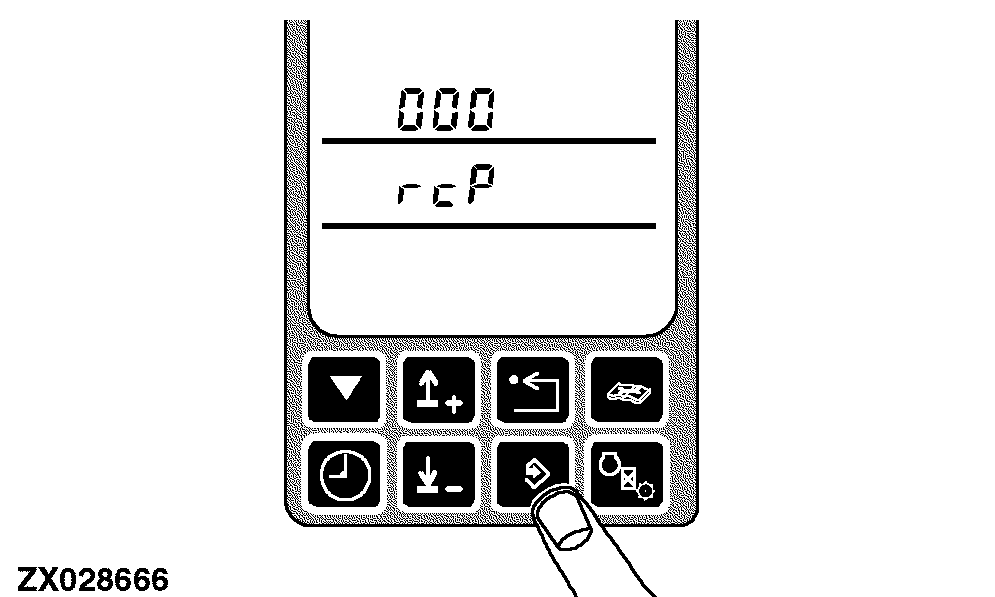
Press the enter switch to 'select' the control unit. The display show the control unit identifier and the initial diagnostic address 000. |
|
OUZXMAG,0001BA5 -19-25OCT03-6/10 |
|
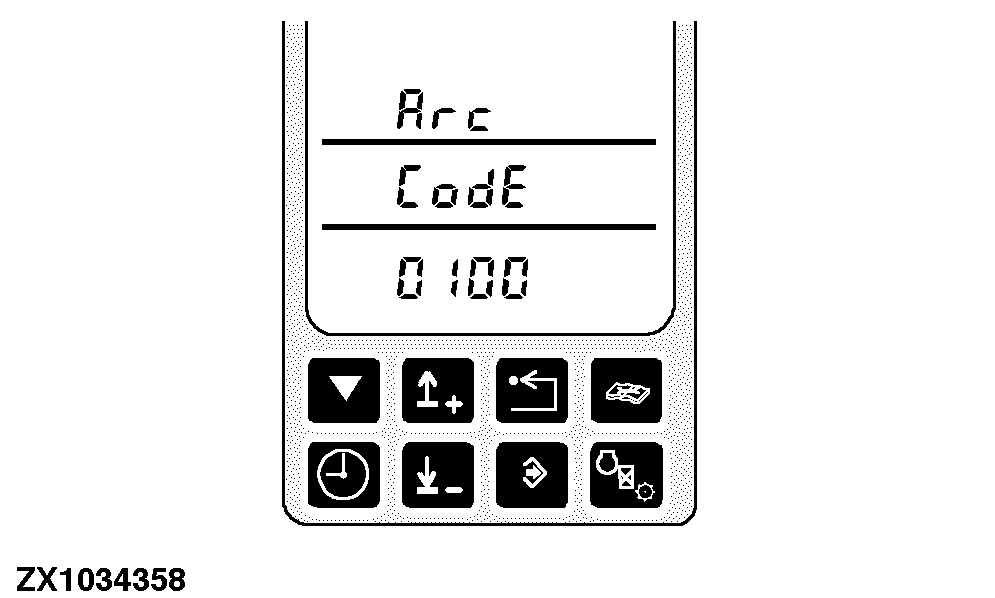
Press the up arrow switch once. If diagnostic trouble codes are available the control unit identifier and CodE will appear on tachometer. The bottom line indicates the number of active and stored codes:
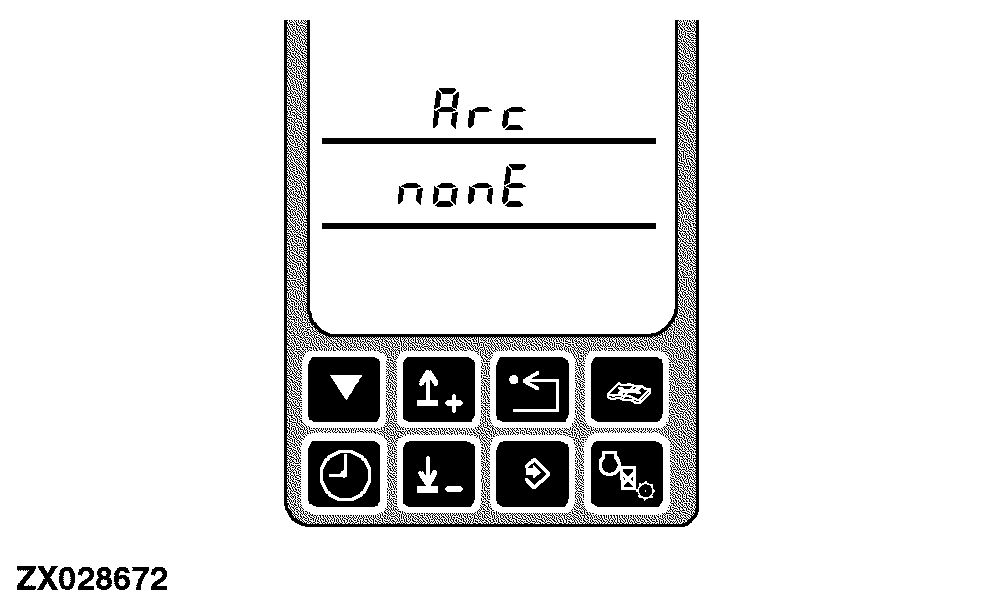
If no diagnostic trouble codes are available the control unit identifier and nonE will appear on tachometer. |
|
OUZXMAG,0001BA5 -19-25OCT03-7/10 |
|
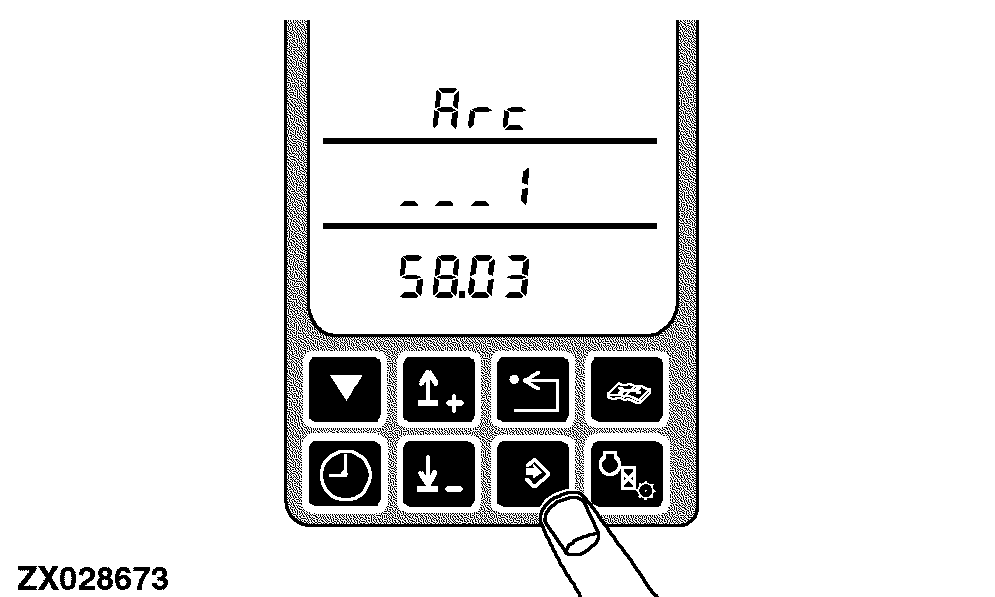
To read diagnostic trouble codes (if available) press the enter switch.
|
|
OUZXMAG,0001BA5 -19-25OCT03-8/10 |
|
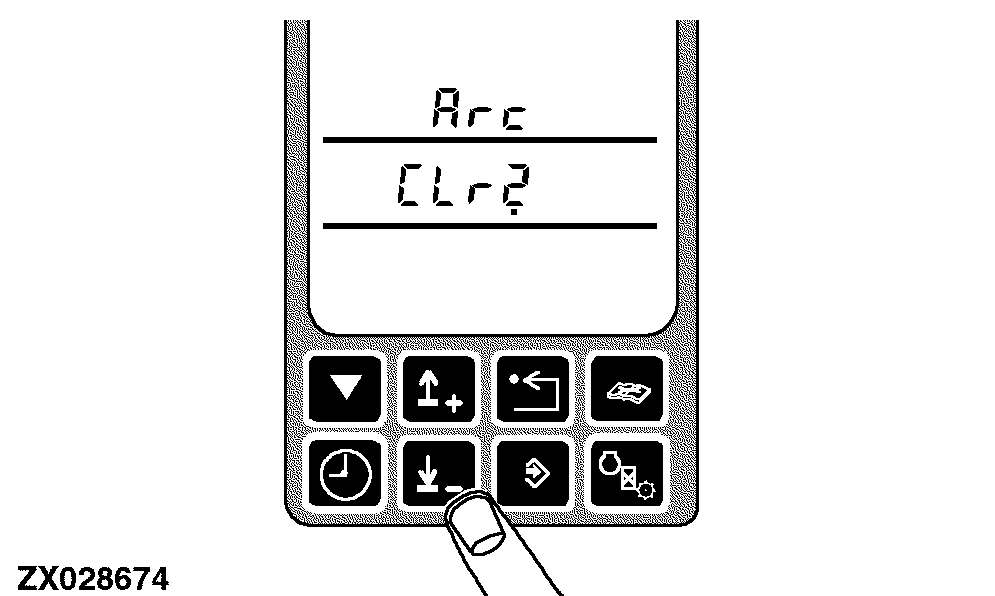
Press the down switch. The next diagnostic trouble code appears on the display. Repeat this procedure until the display reads CLr? |
|
OUZXMAG,0001BA5 -19-25OCT03-9/10 |
|
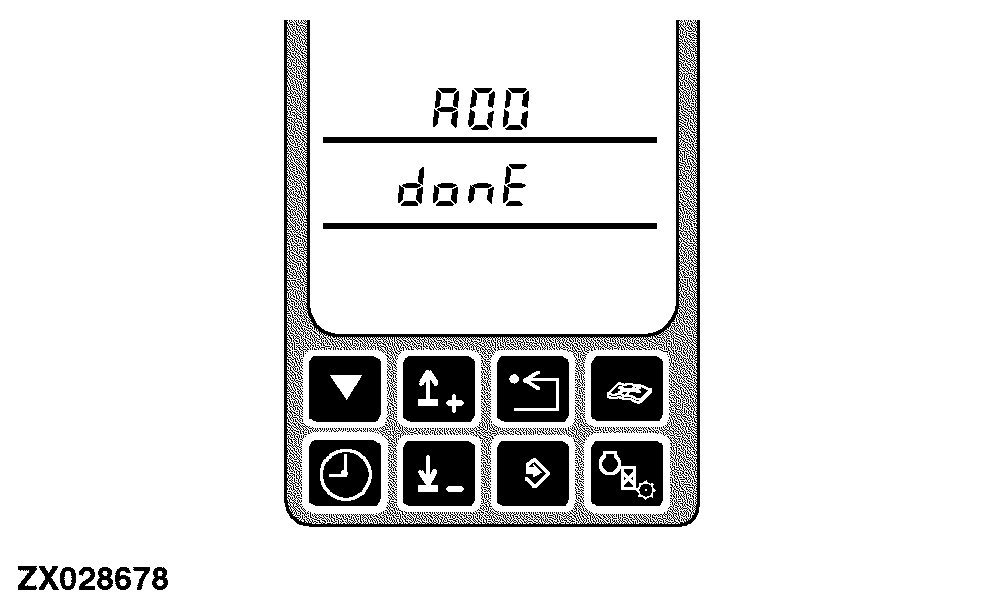
When "CLr?" appears on the display, press the enter switch. Done appears on the display. |
|
OUZXMAG,0001BA5 -19-25OCT03-10/10 |