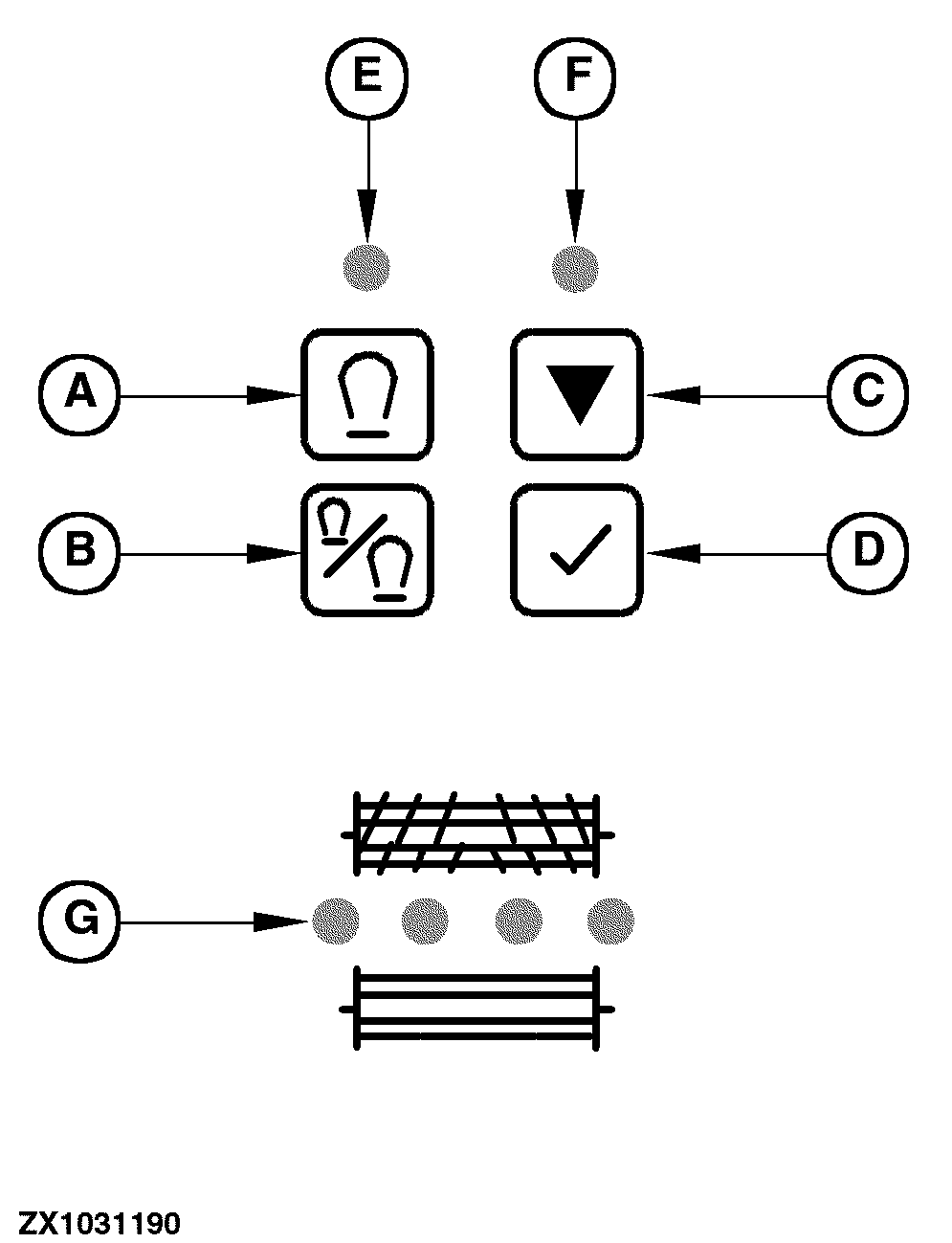
Metal Detector - OperationGeneralThe metal detector will trip when the sensor signal is higher than the sum of the initial threshold (set by operator) and the average of sensor signal during normal operation (manual threshold). When the metal detector trips, the buzzer comes on, and an indicator light (G) indicates the position of the piece of metal - seen in direction of travel.
|
|
OUZXMAG,0001D49 -19-26AUG04-1/4 |
|
Metal Detector System Self Test Mode
Daily before harvesting and after any repair on metal detector components perform a metal detector self test on forage harvester. Requirements:
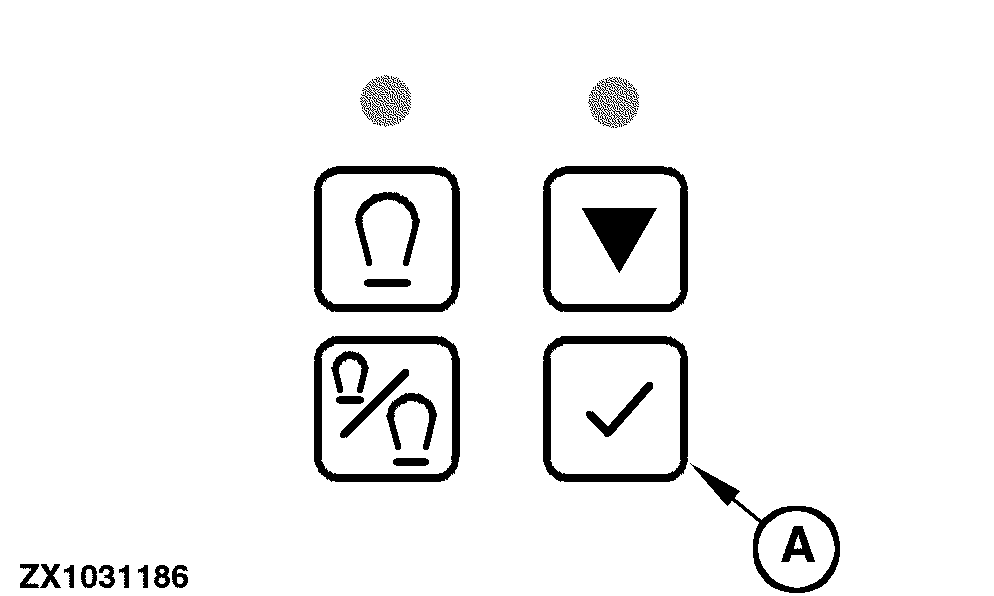
After pressing the metal detector test switch (A) the sensor, the wiring harness to metal detector control unit and the metal detector control unit are tested and at end of test the metal detector trips the locking pawl. |
|
OUZXMAG,0001D49 -19-26AUG04-2/4 |
|
Diagnostic Mode
Requirements:
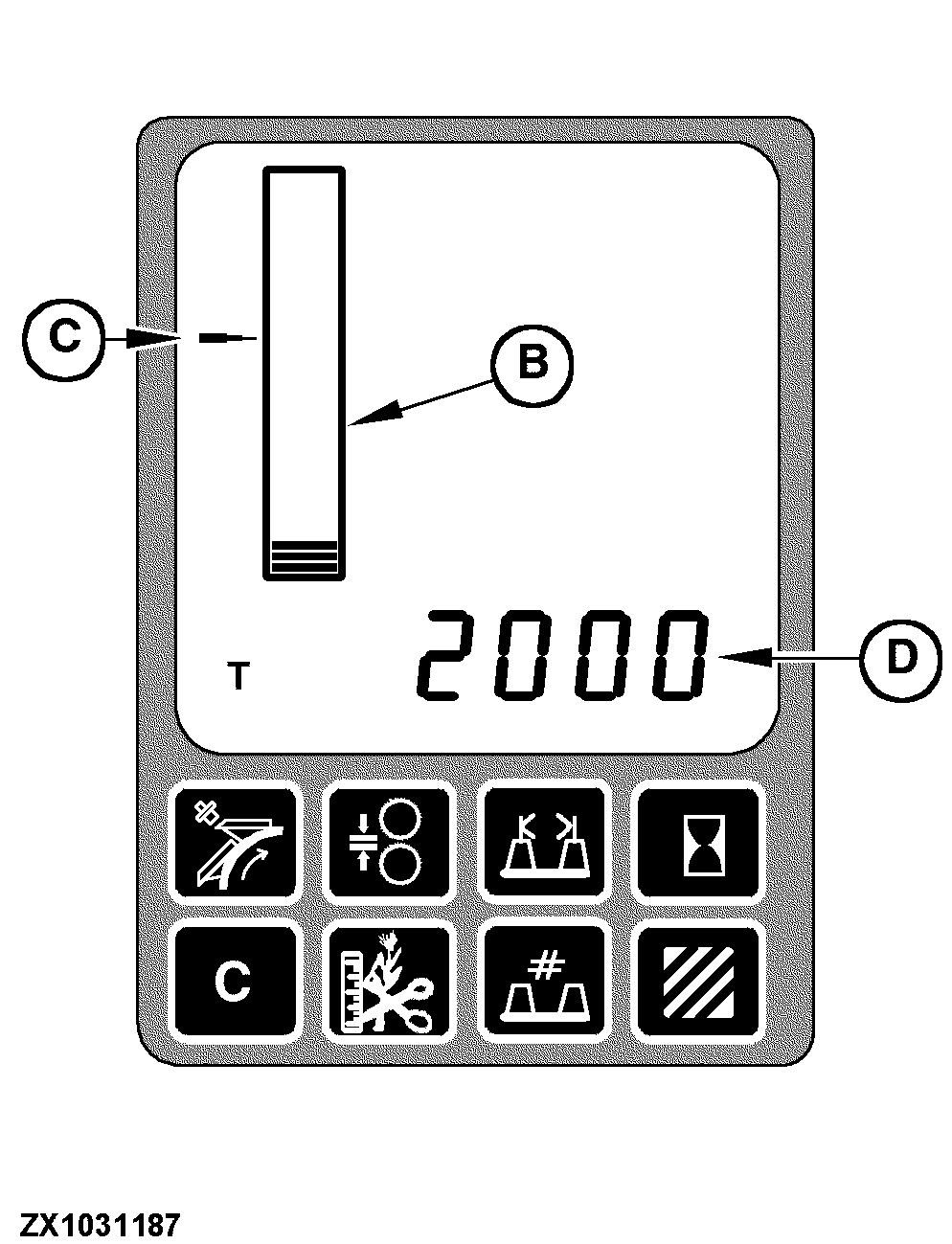
After pressing the metal detector calibration switch (A) the performance monitor is activated for metal detector information.
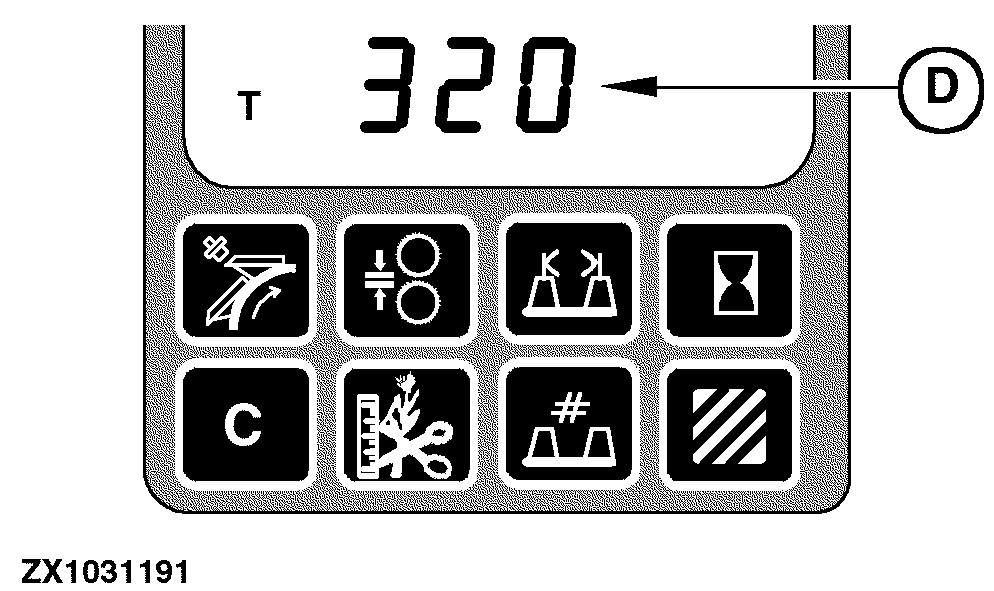
In this mode the initial threshold can be set according to the displayed sensor signal, using the input control knob. Pressing the metal detector enable switch (E) will switch the displayed value (D) between maximum sensor signal and average sensor signal. If false tripping occurs during operation, set the initial threshold to a higher value than the highest displayed sensor signal. Pressing the metal detector calibration switch (A) again, the performance monitor will exit the metal detector mode and the new initial threshold is temporarily stored until ignition key is switched off. Press the enter switch to store the new initial threshold permanently. STORE will be displayed in the display digital line (D).
|
|
OUZXMAG,0001D49 -19-26AUG04-3/4 |
|
Emergency Mode Calibration
Requirements:
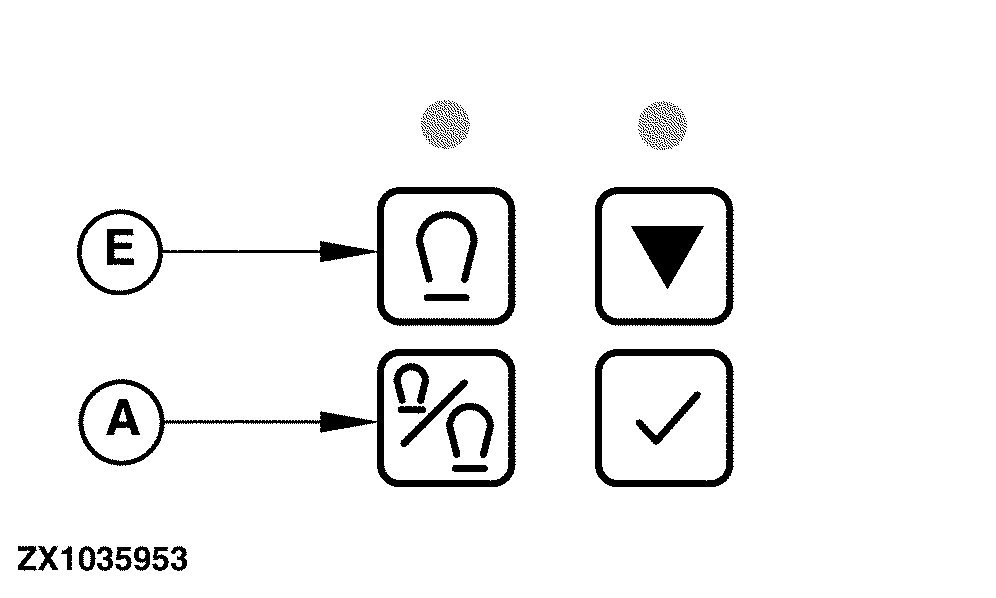
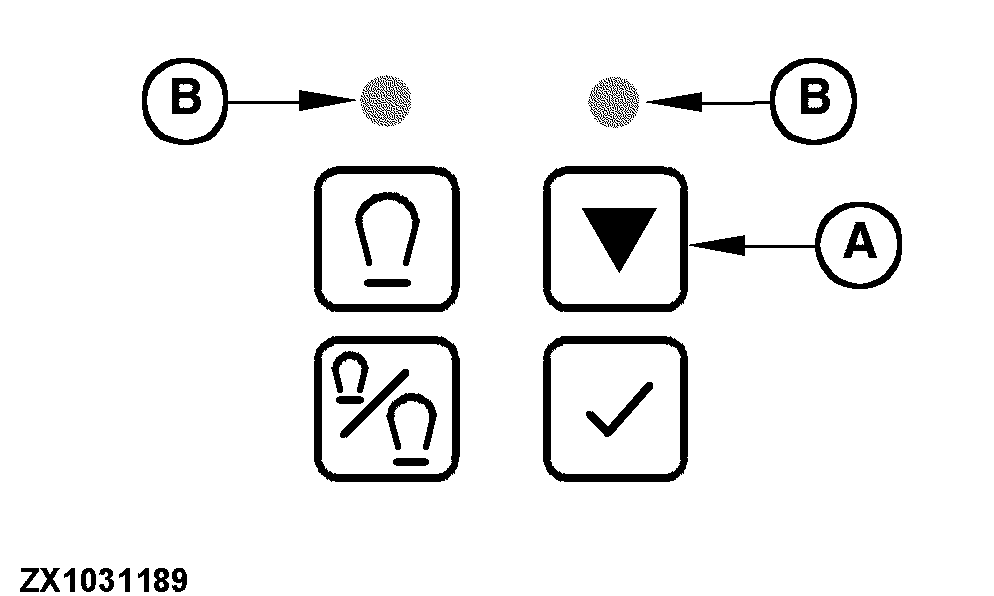
After pressing the emergency mode switch (A) the metal detector control unit will record the highest sensor signal during a period of 15 seconds of operation. The recorded highest sensor signal will be added to the inital threshold. The tripping point in emergency mode results from the sum of these two values. During recording of the sensor signal both LEDs (B) will flash (15 seconds) and will stay on during further operation in this mode. NOTE: This mode should be considered as an emergency mode, if false tripping cannot be eliminated by setting threshold in diagnostic mode. This might be necessary to finish a day of operation with a damaged feed roll or damaged bearing. In this mode the metal detector sensitivity will be reduced, but will still protect the machine. However, the forage harvester should be repaired as soon as possible. The system stays in this mode as long as the ignition key is on. The metal detector will return to standard mode as soon as the ignition key is switched off. Every time the ignition key is cycled, enter this mode again if the machine has not been repaired. |
|
OUZXMAG,0001D49 -19-26AUG04-4/4 |