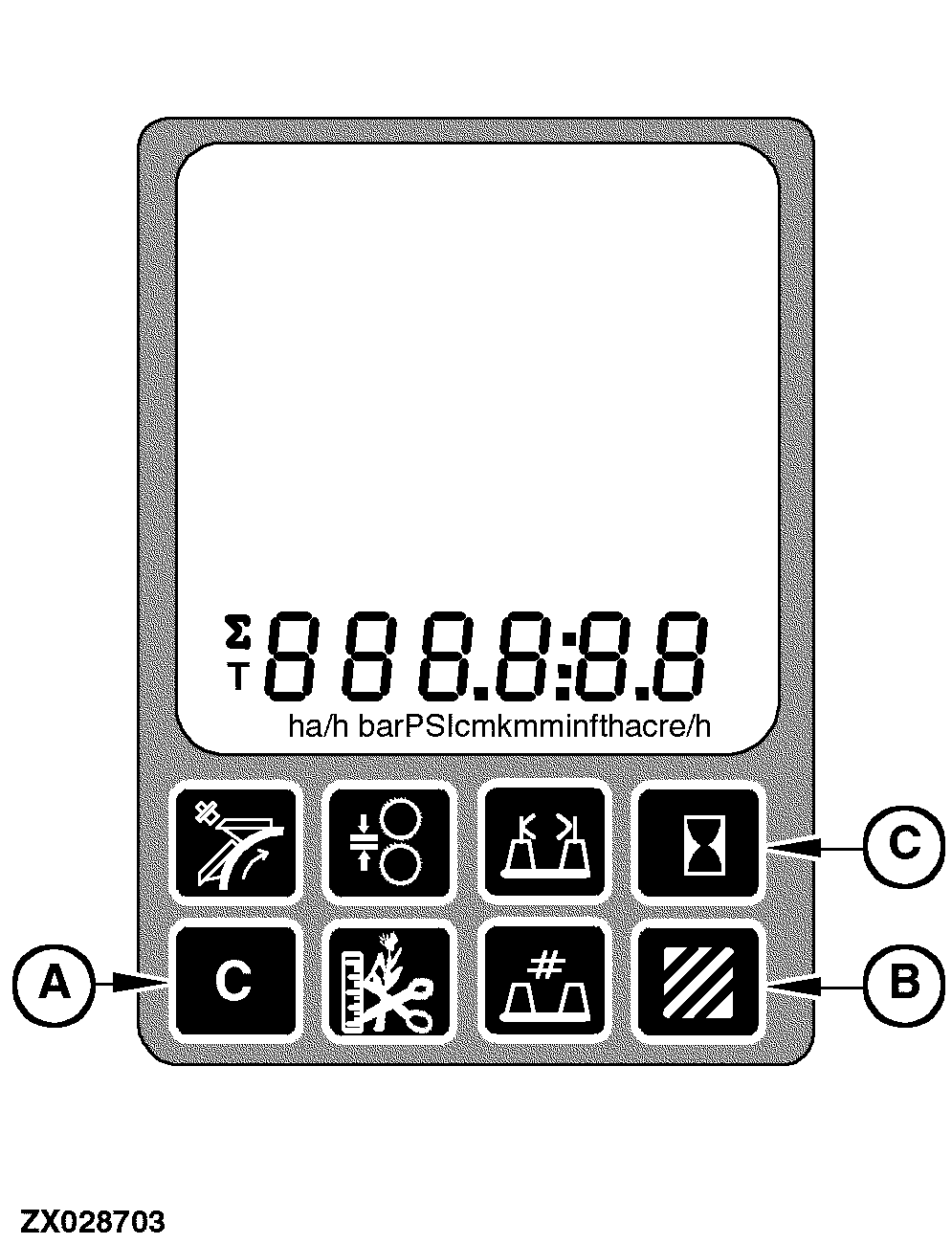
Clear SwitchThe clear switch (A) is used to set area counter and operating hours display information to zero (including relevant statistics: area per hour, fuel consumption). Except the total cutterhead and total engine operating hours with their relevant statistics, all area and operating hour counters with their statistics can be set to zero. To clear any of these values, first select the value to be cleared using area counter switch (B) or hours switch (C) then press and hold the clear switch (A) for 1 second. NOTE: If the clear switch is not held for 1 second or longer, the information will not be cleared. This prevents inadvertent clearing of the information. If the area per day value is cleared, the area per field value will also be cleared. Similarly, if the cutterhead operating hours per day value is cleared, the cutterhead operating hours per field value will also be cleared.
|
|
OUZXMAG,0001DAA -19-19SEP05-1/1 |