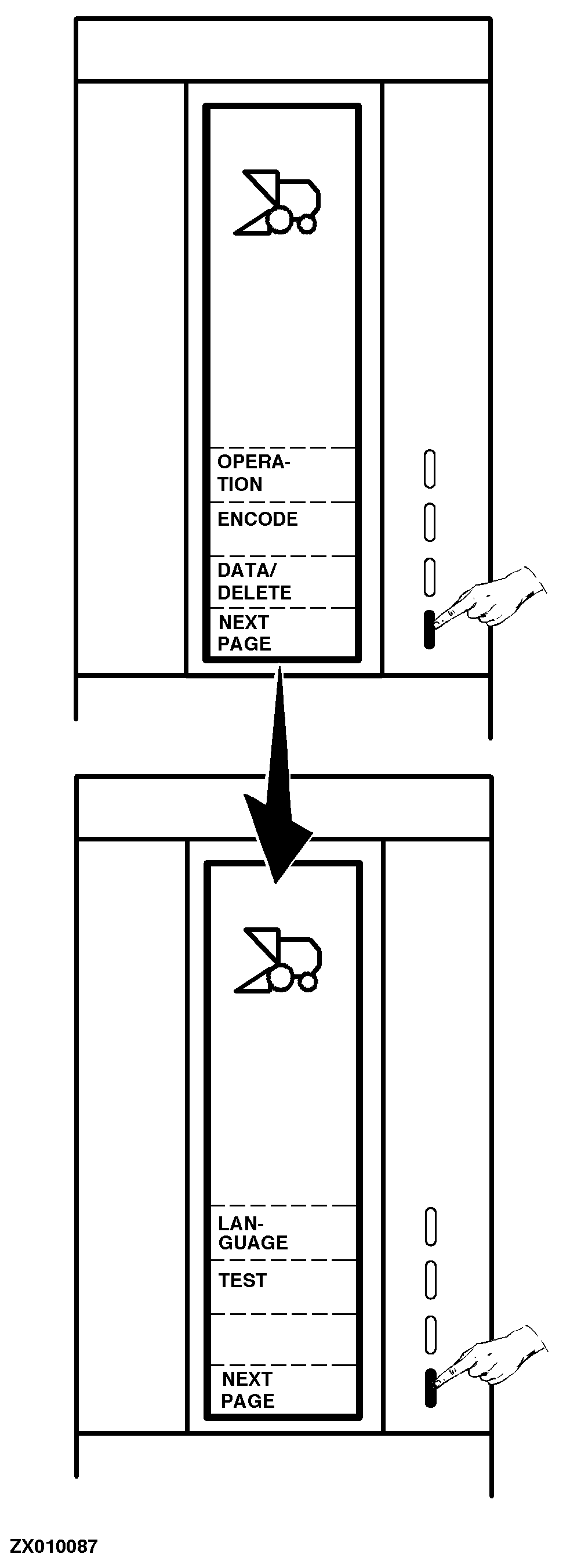
Combine Harvester Computer Main MenuThe "Main Menu" page displays the main functions that can be chosen by pressing the relevant function key. These functions are: Operation: Normal use of the computer to display and control grain loss via the monitor. See "Operating Combine Harvester Computer" in this Section. Encode: For new encoding or change of the encoded values. See "Encoding Combine Harvester Computer" in this Section. Data/Delete: To read, delete or clear data set through the area and time functions. See "Deleting Data" in this Section. Pressing once the "Next Page" key will display the second page of functions: Language: Select this function if the screen display language must be changed. See "Selecting Screen Display Language" in this Section. Test: This function allows you to test all sending units and to make them active or inactive. See "Testing Combine Harvester Computer Components" in this Section. Pressing the "Next Page" key once again will display the first page of functions. |
|
ZX,OM1170009402 -19-01SEP97-1/1 |