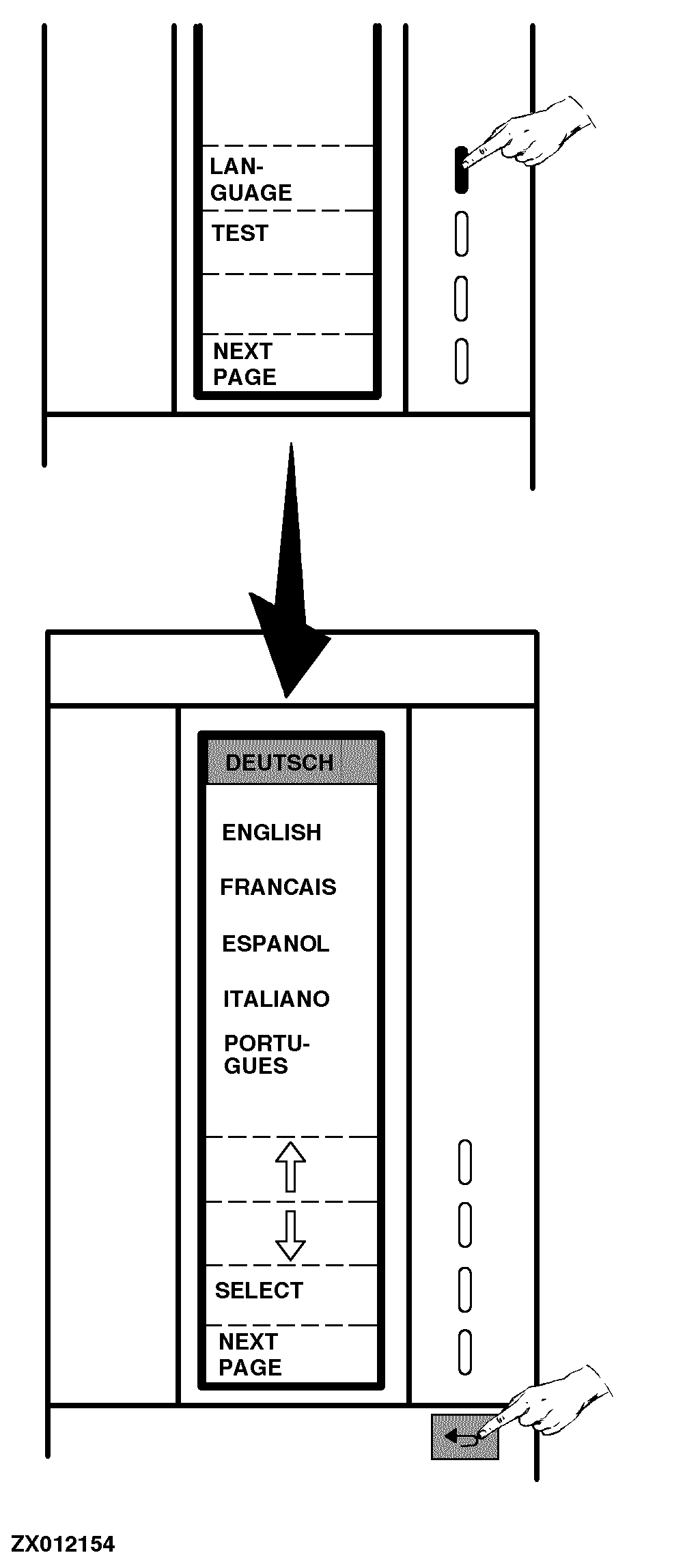
Selecting Screen Display LanguageTo meet the owner language preferences, the monitor screen display language can be chosen among 7 different languages. Select desired language as follows: Switch ON monitor (see "Switching ON Combine Harvester Computer" in this Section), then go to "Main Menu" page and press "Language" key as shown. A new page is displayed to allow selection among 6 languages which are:
Press the "Arrow" keys to displace the cursor (the dark bar) up or down to the desired language, then press "Select" key to activate it. Press "Next Page" key to access selection of the seventh language which is:
Press "Return" key to return to the previous function or to the main menu. |
|
ZX,OM1170009417 -19-15DEC98-1/1 |