Field Total Area Counter Clear Calibration
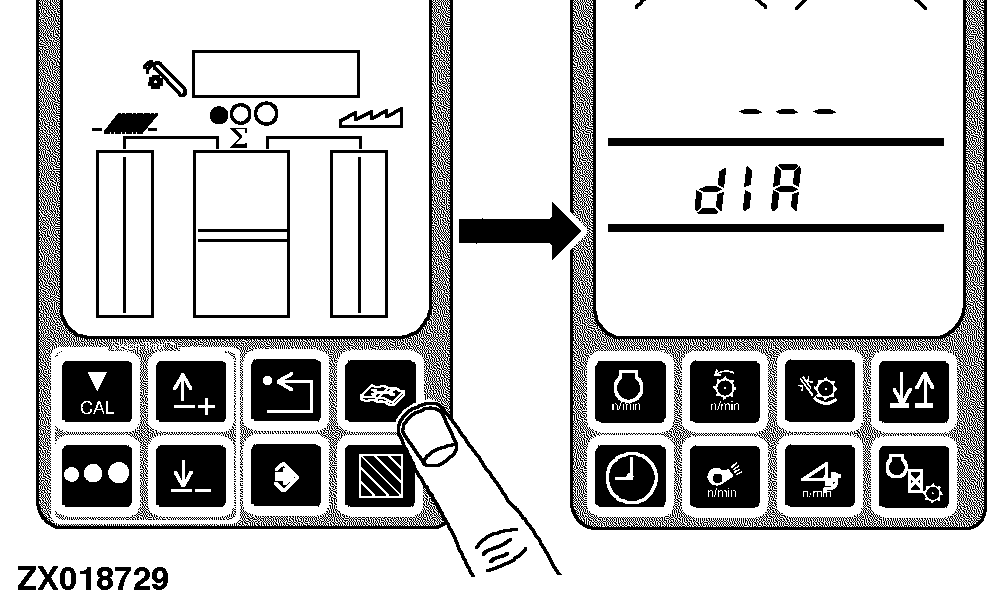
Press the diagnostic switch. dIA will appear on the triple display tachometer.
|
|
|
|
AG,OUZXMAY,222 -19-17FEB00-1/5
|
|
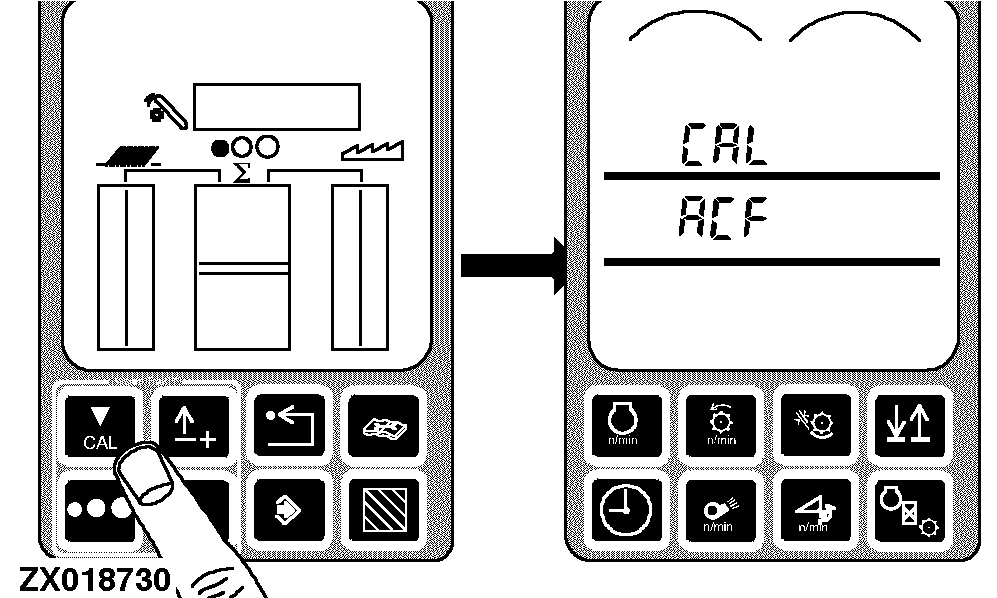
Press the calibration switch. CAL and ACF will appear on tachometer.
|
|
|
|
AG,OUZXMAY,222 -19-17FEB00-2/5
|
|
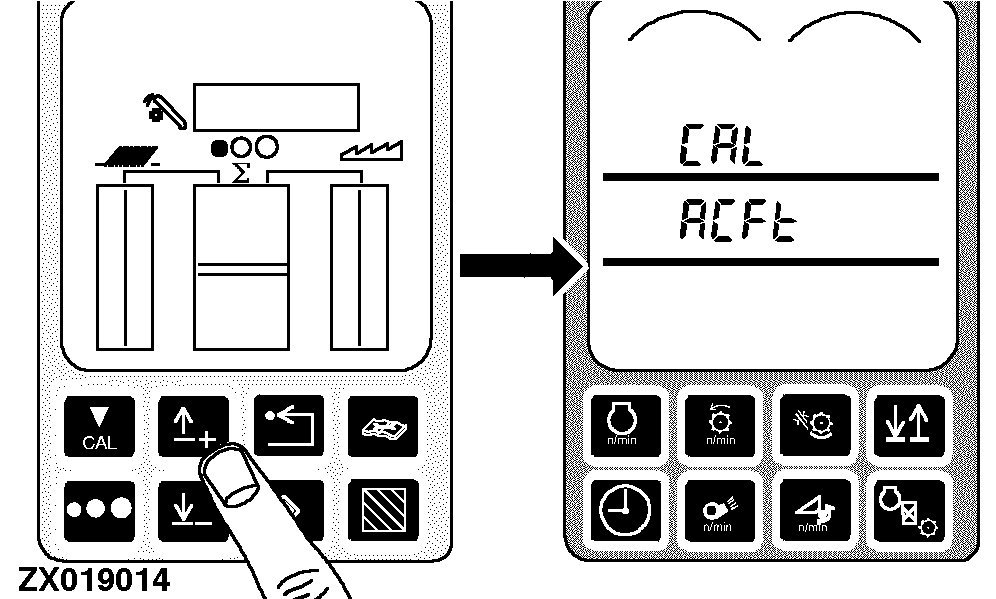
Press the up arrow switch once. ACFt will appear on the tachometer.
|
|
|
|
AG,OUZXMAY,222 -19-17FEB00-3/5
|
|
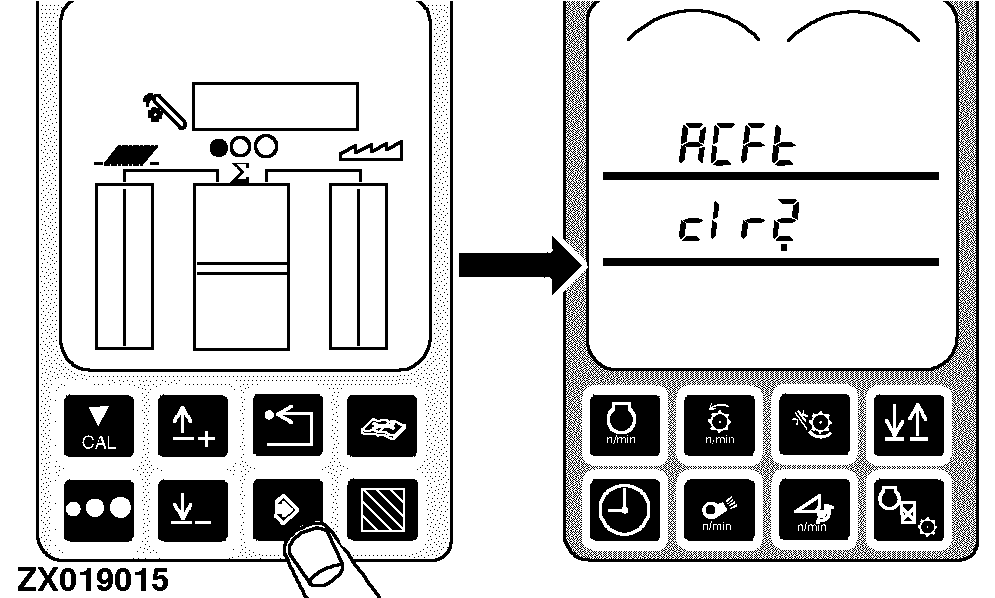
Press the enter switch. ACFt and clr? will appear on tachometer.
|
|
|
|
AG,OUZXMAY,222 -19-17FEB00-4/5
|
|
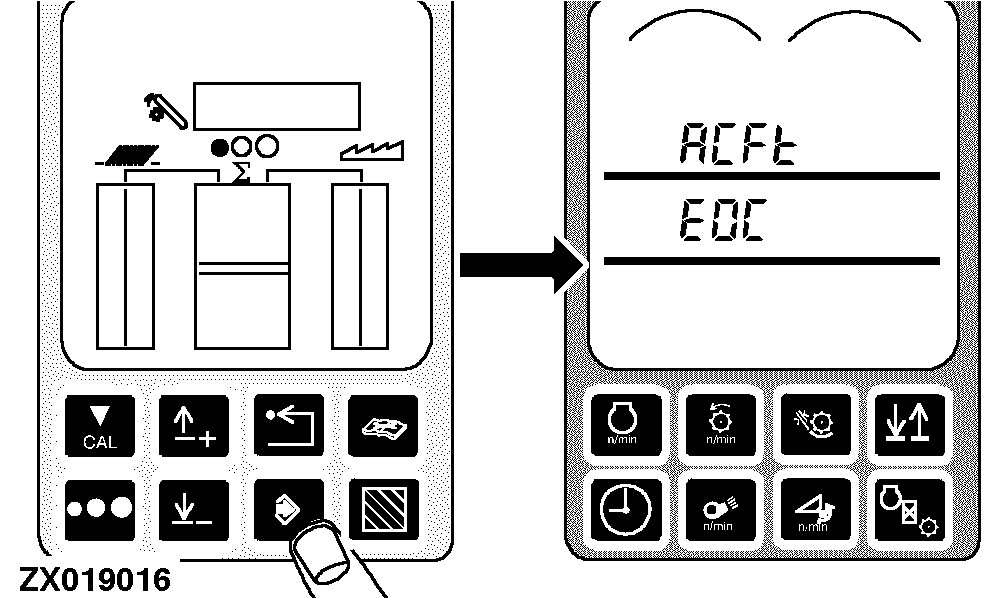
Press the enter switch to clear Field Total Area Counter. EOC appears for 2 seconds then CAL and ACFt will appear on tachometer.
Press the back arrow switch on the VisionTrak monitor once to return to normal operation.
NOTE:
Clearing Field Total Area Counter will also clear Field Area Counter.
|
|
|
|
AG,OUZXMAY,222 -19-17FEB00-5/5
|
|