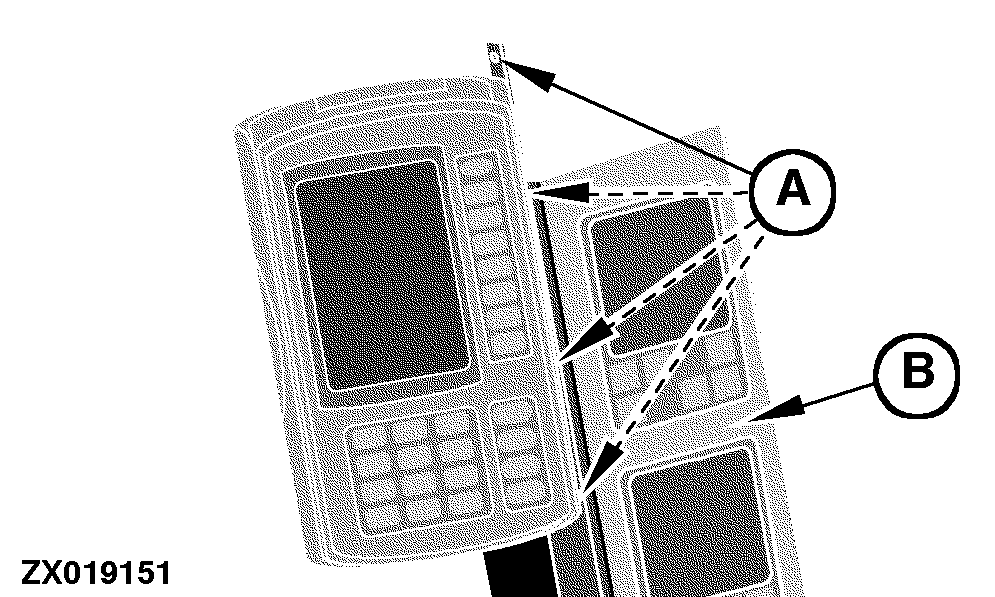
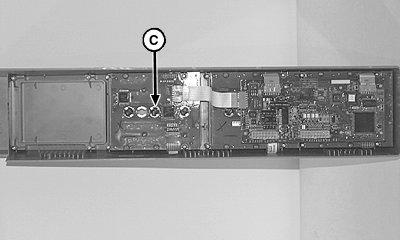
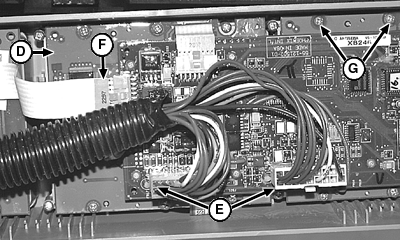
Corner Post Monitor Light Bulb ReplacementDetermine which bulb is defective. IF EQUIPPED: Disconnect wiring harness connector from back of GreenStar™ display assembly Remove mounting screws (A), bracket and corner post display (B). Remove defective bulb (C) by turning counterclockwise. NOTE: If defective bulb is located under circuit board (D), disconnect two connectors (E), carefully remove three ribbon connectors (F) and eight screws (G). Move circuit board for access to additional light bulbs. Install new bulb in reverse order. Install corner post display and retain with screws. If removed, install GreenStar™ display assembly and retain with cap screws. Connect wiring harness leads.
|
|
AG,OUZXMAY,407 -19-01DEC99-1/1 |