Cleaning Rotary Screen, Radiator and Charge Air Cooler
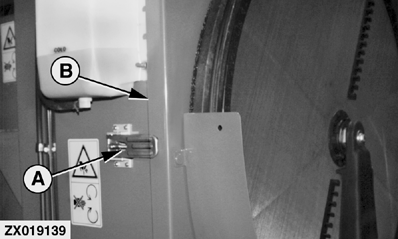
Pull latch (A) and open rotary screen door (B). |
|
 CAUTION:
Turn off engine and remove key before cleaning rotary screen.
CAUTION:
Turn off engine and remove key before cleaning rotary screen.
OUZXMAG,00007CC -19-09SEP00-1/2 |
|
Clean Components
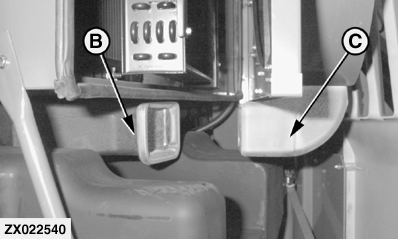
Check the rotary screen daily to be certain it turns freely. Clean the rotary fan screen with a brush and compressed air when dirt and chaff build up on or behind the screen. Pull oil cooler and condenser (A) out. Clean radiator. Clean oil cooler and condenser if necessary. Clean charge air cooler. To clean with compressed air, blow from the inside out. Clean out dirt from lower vacuum duct (B) and duct (C). IMPORTANT: When using high pressure air or water, be careful of fin damage to coolers. Use a fin comb to straighten bent fins. Bent fins will decrease cooler performance. |
|

OUZXMAG,00007CC -19-09SEP00-2/2 |