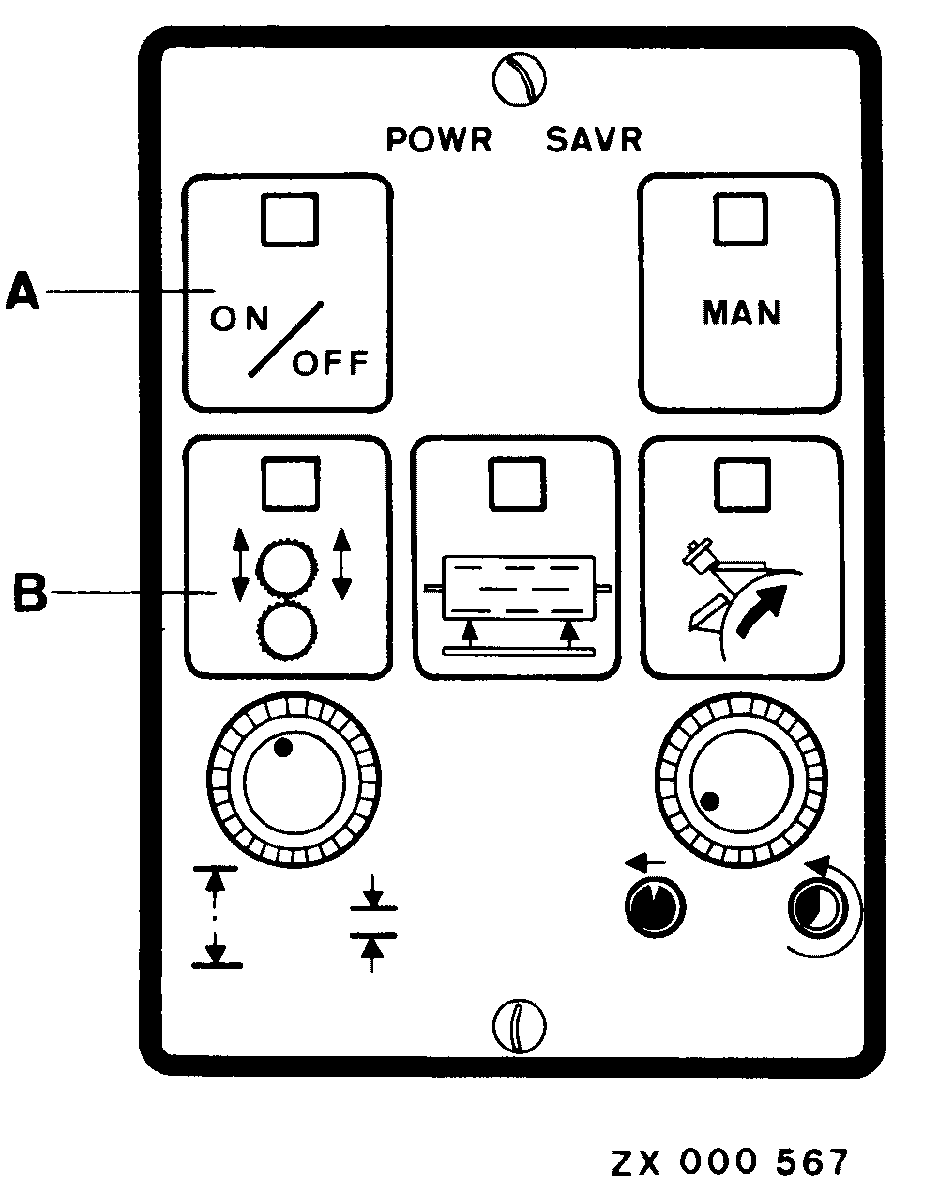
Activating Automatic Adjustment of Kernel Processor Roll ClearanceStart engine and run at low speed. Press key (A). Key indicator light will come on. Press key (B). Key indicator light will come on and roll clearance (preset on INFO-TRAK ™ monitor) will be automatically adjusted. The adjusting motors will be running alternately for 5 seconds until desired clearance is obtained. Indicator lights of keys (A) and (B) will go out as soon as adjustment has been completed or, in case of any malfunction, light of key (B) will flash. IMPORTANT: Automatic roll clearance adjustment may be stopped by pressing STOP key on multi-function lever. |
|
|
INFO-TRAK is a trademark of Deere & Company. | ZX,OMSPFH000222 -19-01JAN93-1/1 |