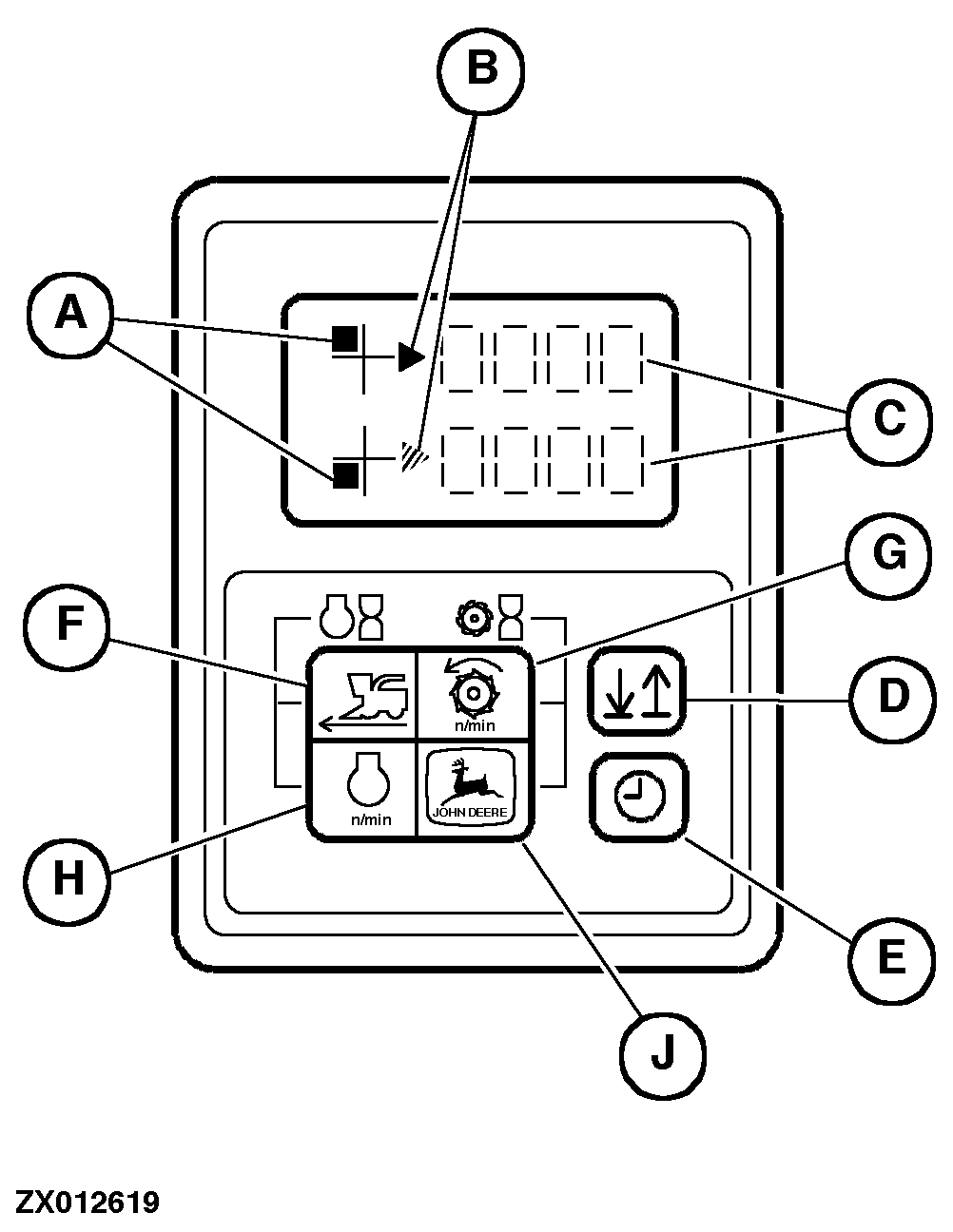
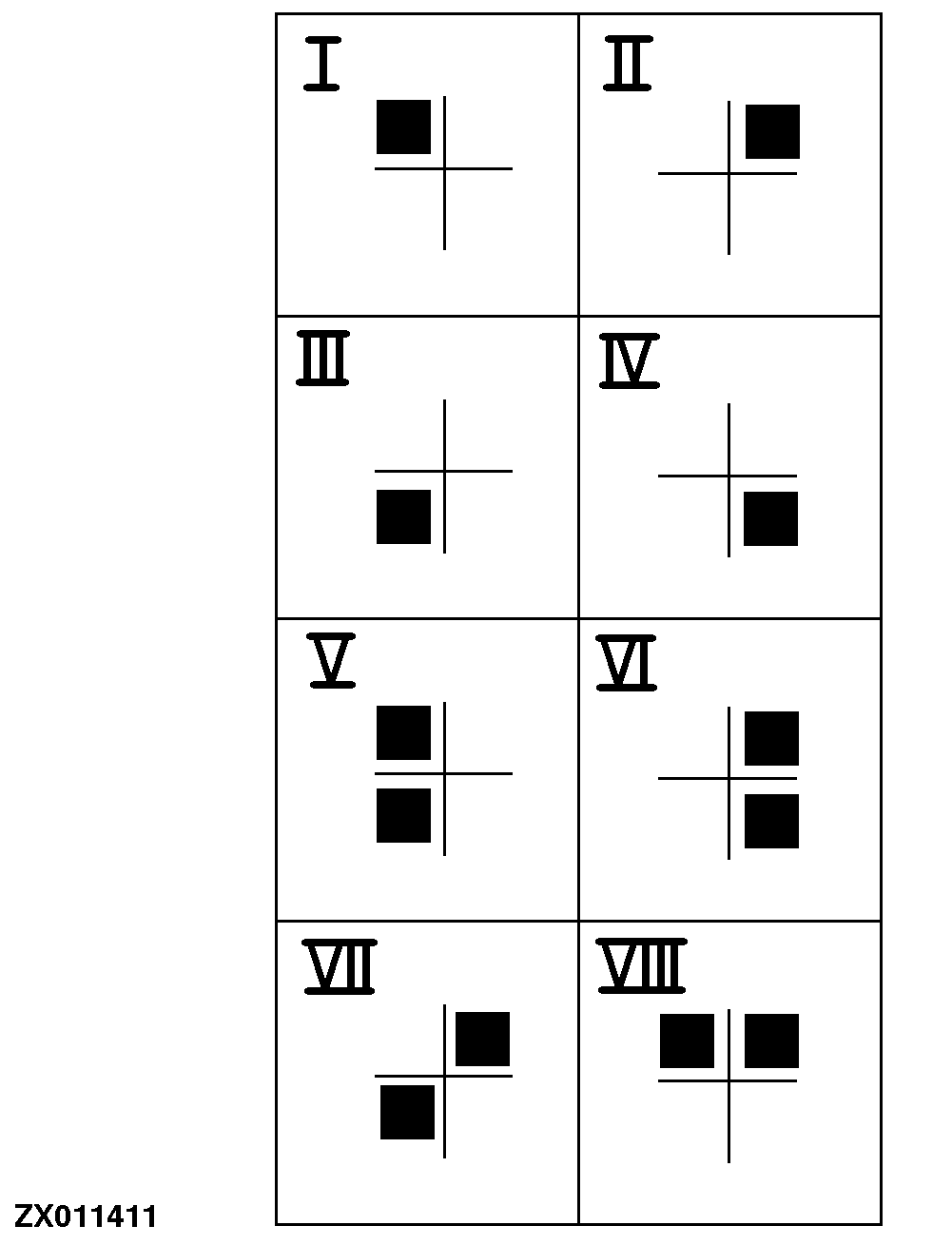
INFO-TRAK™ Monitor FunctionsA - Position Indicator: shows relationship between display and key or key combination (I-VIII) pressed previously. When activating INFO-TRAK ™ monitor (starter switch in position I or II), the position indicator will be in upper left-hand position. B - Line Display: shows the line in the display panel which is currently active. C - Display Panel (4 Digits): shows the figure called up previously. Possibilities: Ground and other speeds, operating or working hours, time Additional displays: SERVICE information (SEU), operating adjustments such as kernel processor roll clearance and number of sharpening cycles. Service codes: In the case of malfunction or error by the operator when operating or running an automatic function, a two- or three-digit number followed by an E (Error) is displayed (e.g. 206E ). Refer to Section "Service - Electrical System"). D - Line Selector Key: this key is used to select the line in the display panel which is active. E - Time: after pressing this key, time can be read in the display panel. F - Key for ground speed display (I) G - Key for cutterhead speed display (II) |
|
|
INFO-TRAK is a trademark of Deere & Company. | ZX,OMSPFH008457 -19-01NOV99-1/3 |
|
H - Key for engine speed display (III) J - Not used |
ZX,OMSPFH008457 -19-01NOV99-2/3 |
|
F + H - Key combination for operating hour display (engine) (V) G + J - Key combination for working hour display (cutterhead) (VI) G + H - Key combination for deleting SERVICE information "SEU" (VII) F + G - Key combination for activating input status (VIII) E + ignition on - Setting clock |
|
ZX,OMSPFH008457 -19-01NOV99-3/3 |