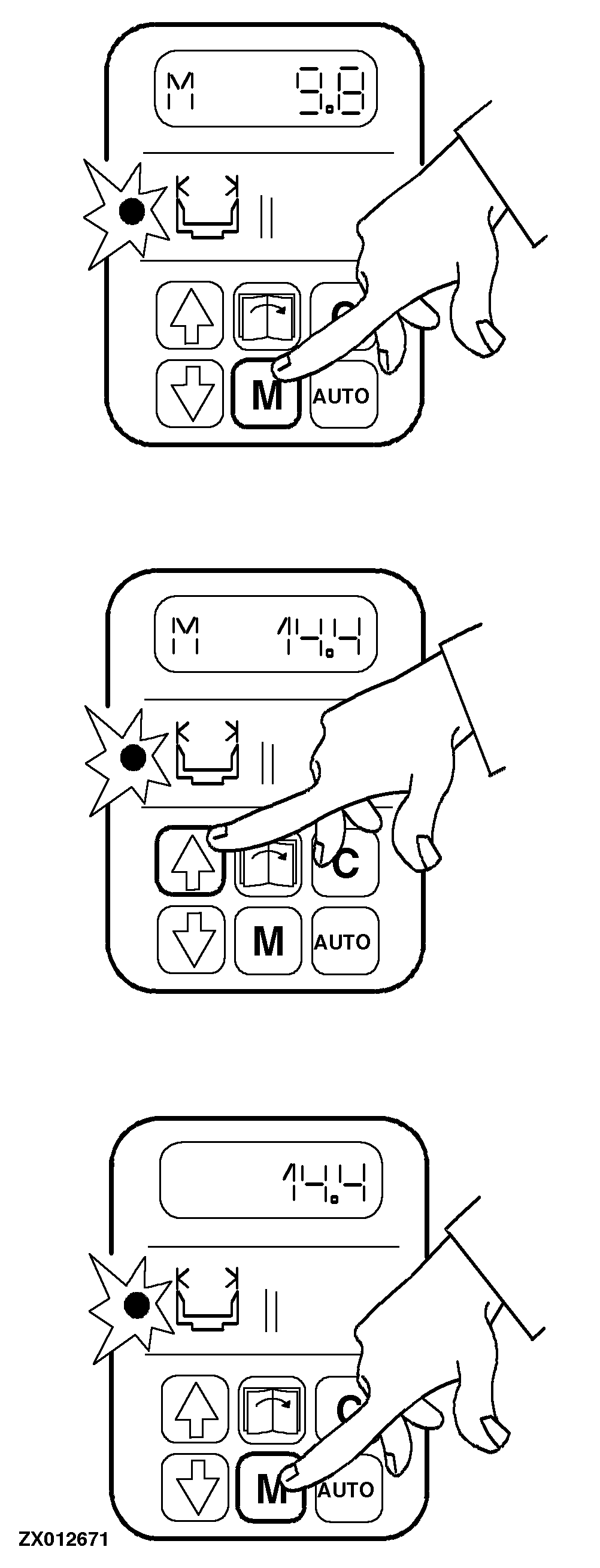
Changing Header WidthSelect "header width" function. the current header width (cutting width) will be displayed Press "Modify" key (M). an "M" will appear at the left of the display Change displayed value by pressing "arrow" keys (UP/DOWN) until header width is correct. the changed header width will be displayed Press key (M) again. the displayed setting is saved; the "M" at the left of the display will disappear. NOTE: After pressing the "M" key, it is always possible to interrupt the setting of the new header width by pressing "Cancel" key (C). The previous header width will be displayed once again. |
|
ZX,OMUSFH009493 -19-01NOV97-1/1 |