Header WidthHeader width display and units for calibration
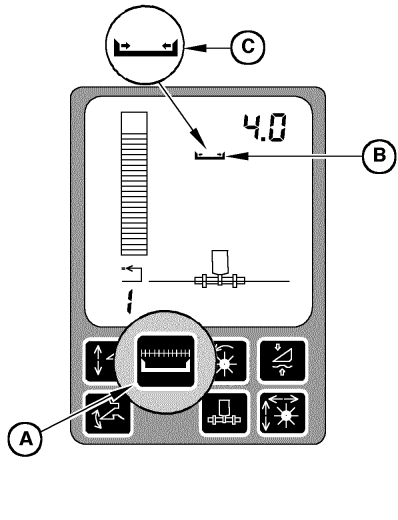
Each pressing of switch (A) will reduce header width by 25 % (if equipped with cutting platform) or reduce the numbers of rows by one row (if equipped with row crop header). If the header width is reduced, the arrows of the header width symbol (B) will face in the opposite direction (C). Pressing and holding switch (A) for 2 seconds will set the header width back to full width. Header width is also returned to full width whenever a stop count message is generated by raising the header. NOTE: To set header width or harvesting threshold, (see Calibration Procedures section. |
|
OUO6075,00018D9 -19-28JUN01-1/1 |