Remote Shoe Adjust User Calibration
Proceed to the Remote Shoe Adjust User Calibration -
CHA
,
SIE
or
PrE
:
- In case an actuator has been manually adjusted.
- In case the position of your element (chaffer, sieve or precleaner) and display do not match.
|
|
|
|
OUZXMAG,00018BA -19-11OCT02-1/22
|
|
IMPORTANT:
Proceed to the Remote Shoe Adjust Factory Calibration (OP5) or contact your dealer (see "Remote Shoe Adjust Factory Calibration" in this section).
- In case an actuator, an element (chaffer, sieve or precleaner) or a control unit has been replaced.
- In case the position of your element (chaffer, sieve or precleaner) and display do not match and the user calibration does not fix the problem.
Remote Shoe Adjust User Calibration - Chaffer (CHA)
Turn the key switch to the run position.
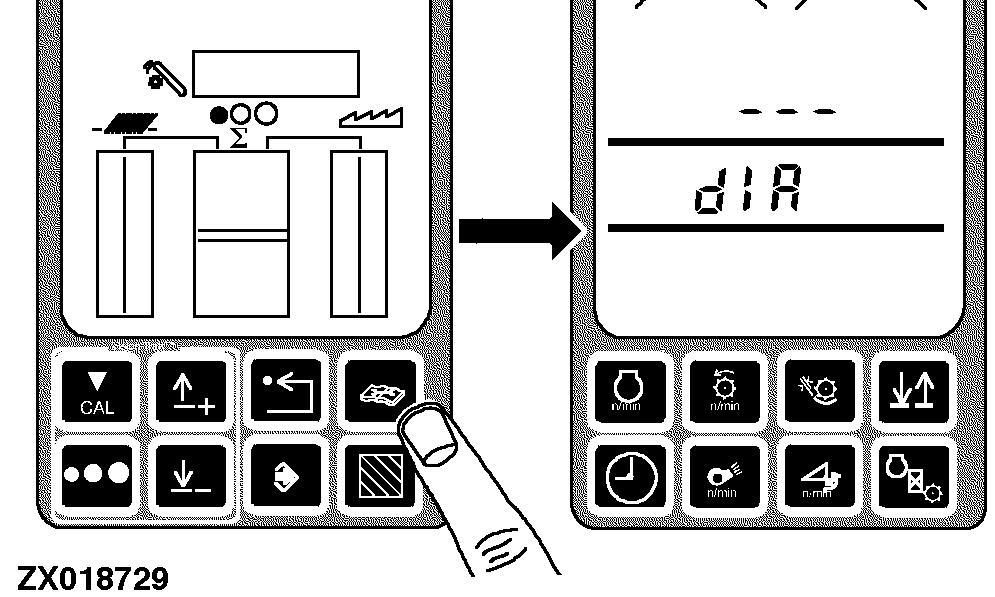
Press the diagnostic switch. dIA will appear on the triple display tachometer.
|
|
|
|
OUZXMAG,00018BA -19-11OCT02-2/22
|
|
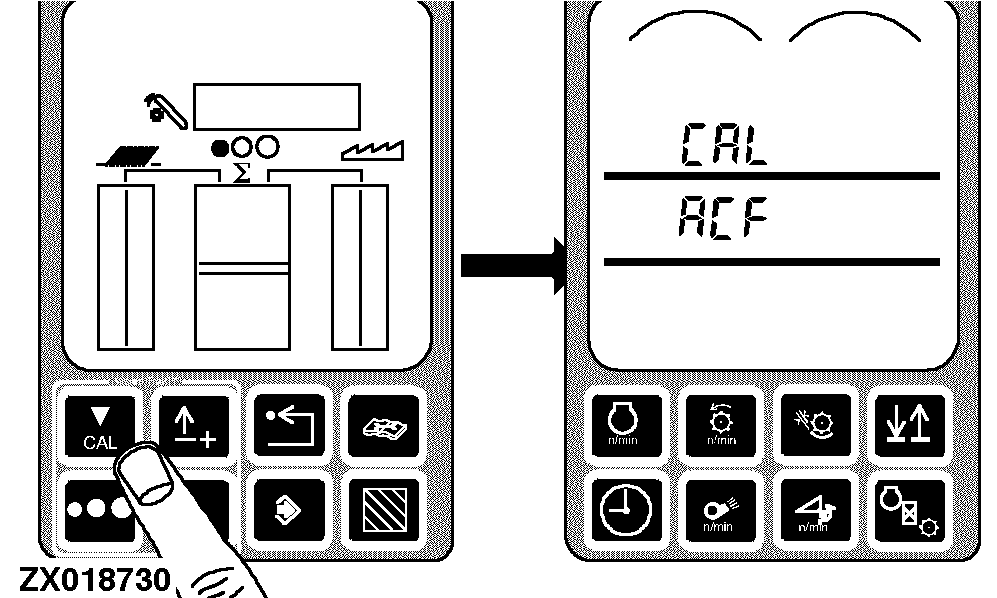
Press the calibration switch. CAL and ACF will appear on the tachometer.
|
|
|
|
OUZXMAG,00018BA -19-11OCT02-3/22
|
|
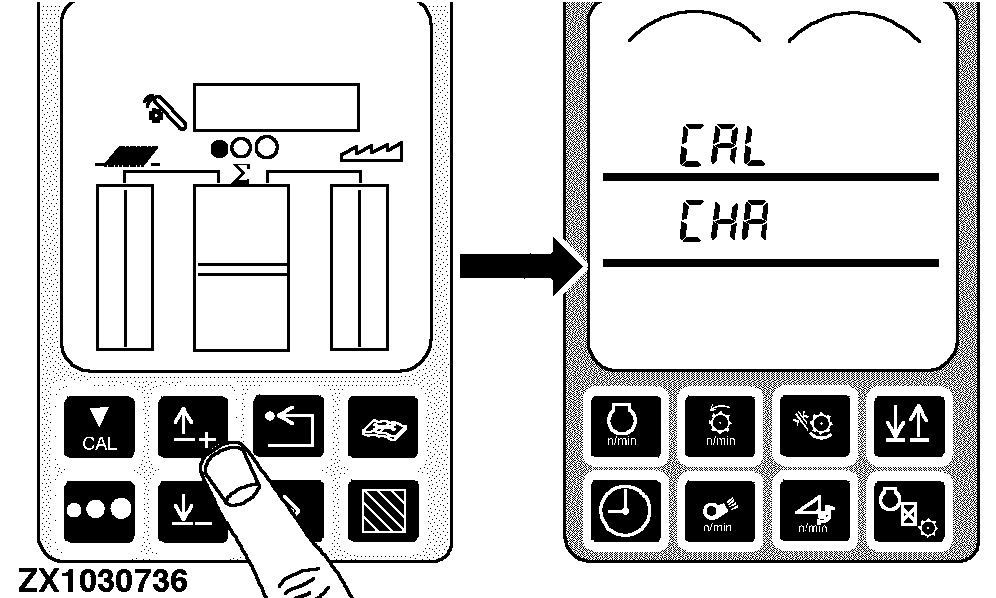
Press the up or down arrow switch until CAL and CHA appear on the tachometer.
|
|
|
|
OUZXMAG,00018BA -19-11OCT02-4/22
|
|
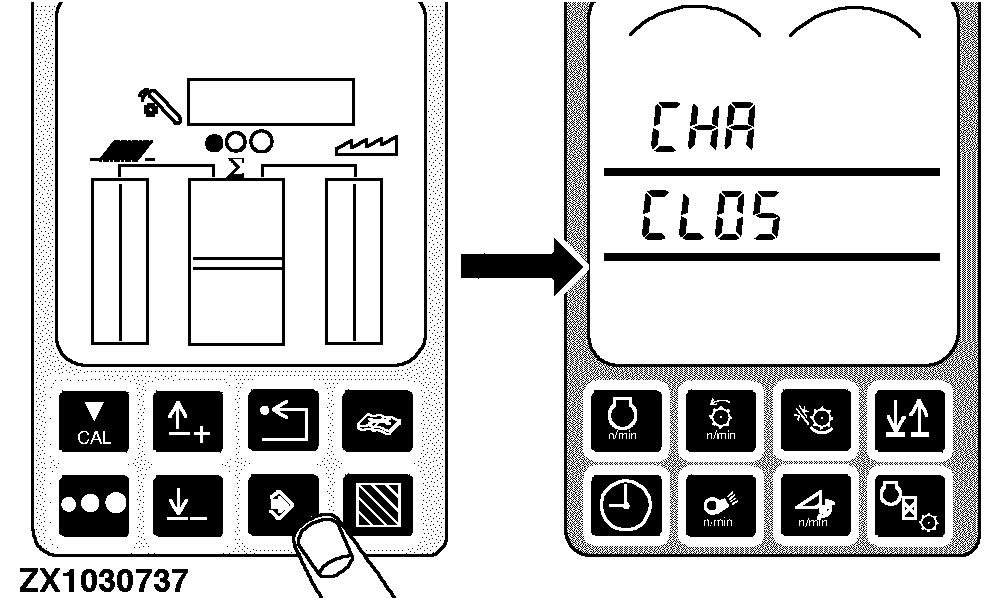
Press the enter switch, CHA will appear on the upper line of the display. CLOS will appear on the second line of the display.
|
|
|
|
OUZXMAG,00018BA -19-11OCT02-5/22
|
|
Zero setting:
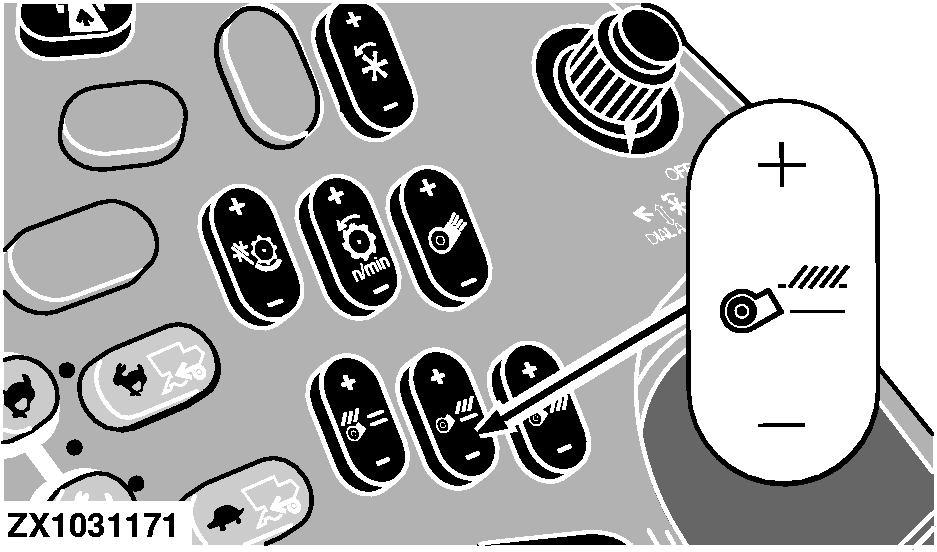
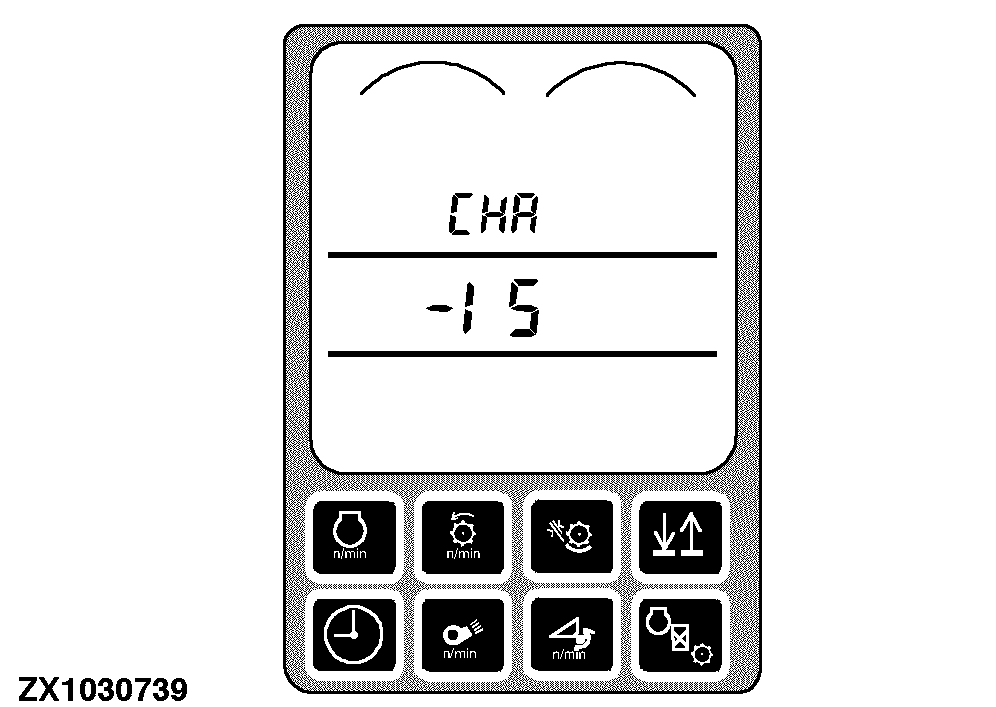
Press and hold the (-) symbol on the chaffer clearance switch until the chaffer is completely closed. As the (-) symbol is being pressed, the numbers in middle line of the display will decrease until the chaffer is completely closed.
|
|
|
|
OUZXMAG,00018BA -19-11OCT02-6/22
|
|
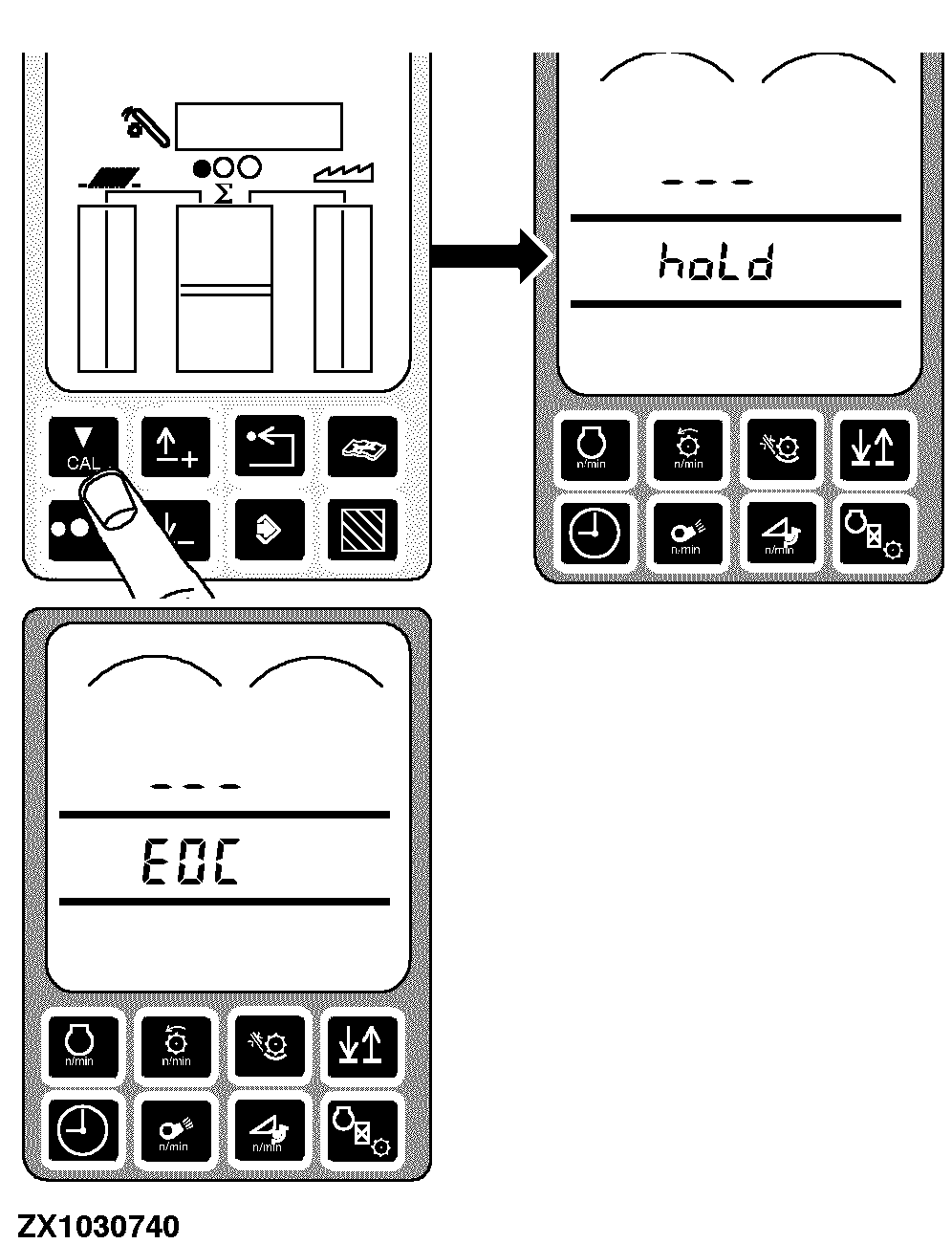
Press the calibration switch. hoLd will be displayed on the tachometer while the chaffer is opening itself up, then EOC will be displayed.
|
|
|
|
OUZXMAG,00018BA -19-11OCT02-7/22
|
|
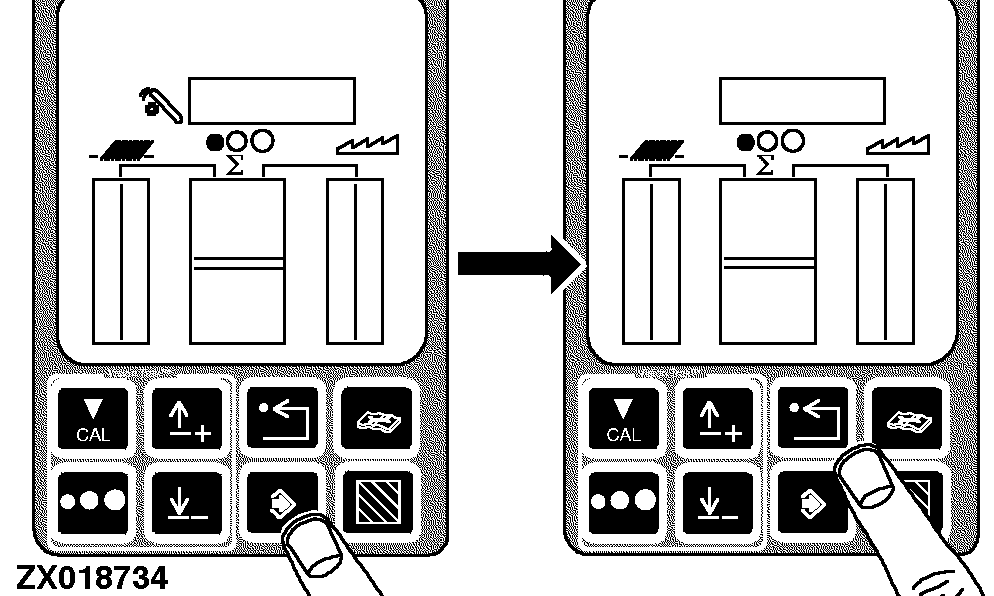
Press the ENTER switch to store the calibration value or press the back arrow switch to abort calibration (and not save values).
Press back arrow switch to return to normal operation.
|
|
|
|
OUZXMAG,00018BA -19-11OCT02-8/22
|
Remote Shoe Adjust User Calibration - Sieve (SIE)
Turn the key switch to the run position.
Press the diagnostic switch. dIA will appear on the triple display tachometer.
|
|
|
|
OUZXMAG,00018BA -19-11OCT02-9/22
|
|
Press the calibration switch. CAL and ACF will appear on the tachometer.
|
|
|
|
OUZXMAG,00018BA -19-11OCT02-10/22
|
|
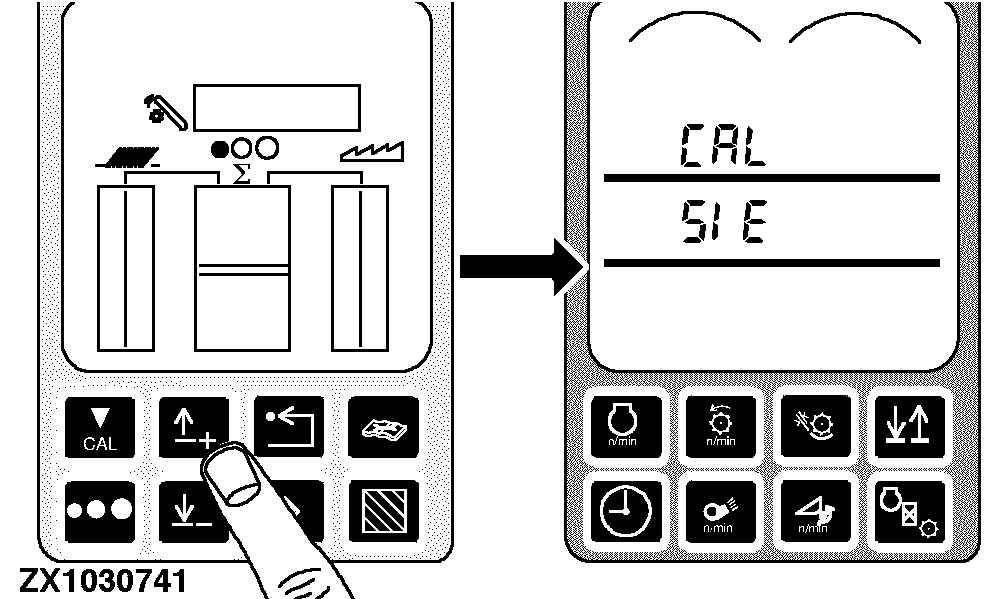
Press the up or down arrow switch until CAL and SIE appear on the tachometer.
|
|
|
|
OUZXMAG,00018BA -19-11OCT02-11/22
|
|
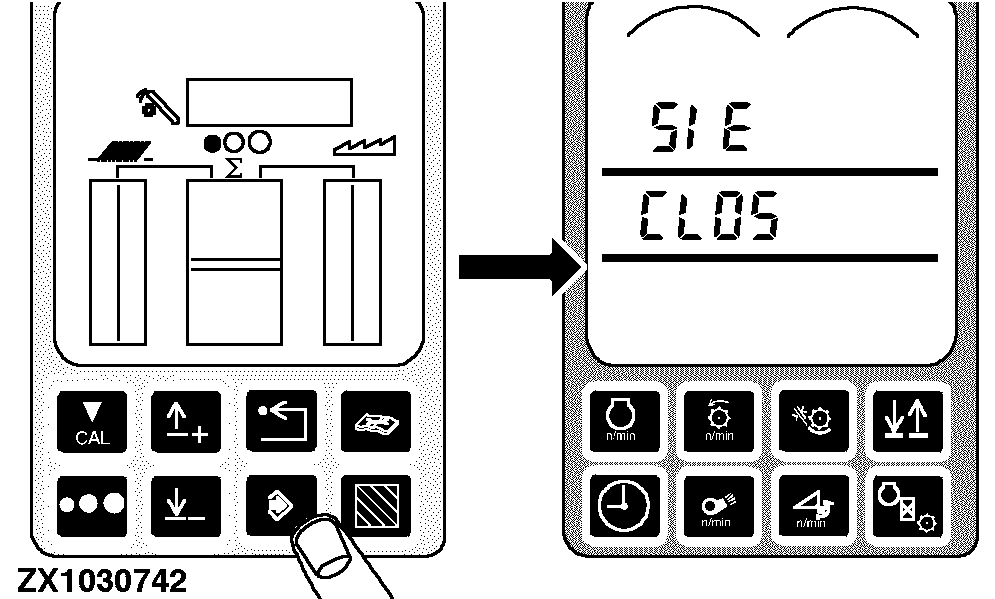
Press the enter switch, SIE will appear on the upper line of the display. CLOS will appear on the second line of the display.
|
|
|
|
OUZXMAG,00018BA -19-11OCT02-12/22
|
|
Zero setting:
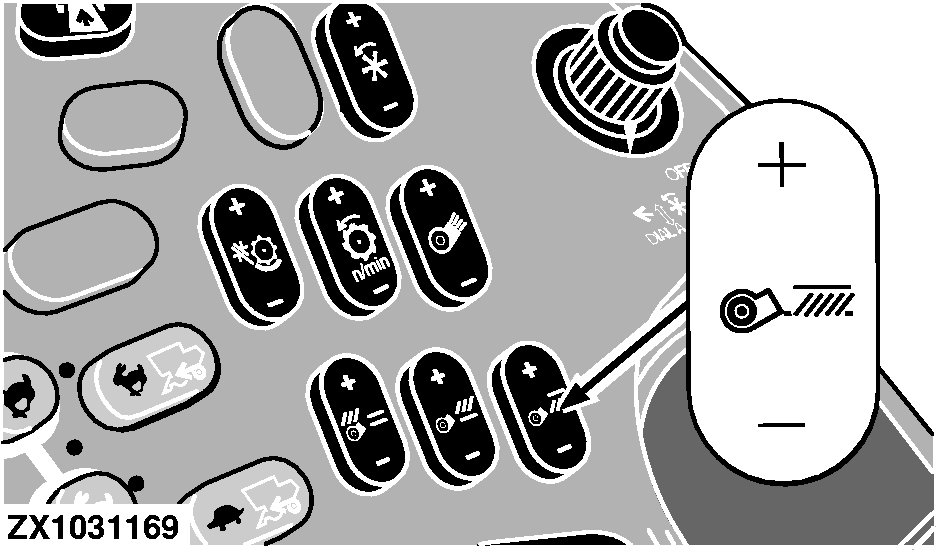
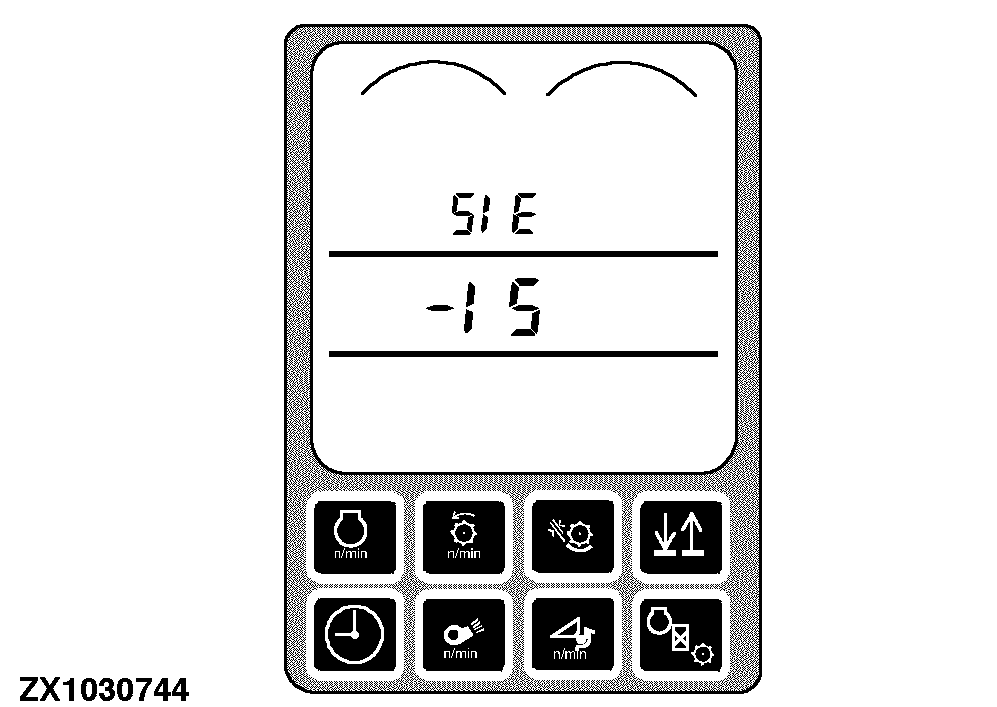
Press and hold the (-) symbol on the sieve clearance switch until the sieve is completely closed. As the (-) symbol is being pressed, the numbers in middle line of the display will decrease until the sieve is completely closed.
|
|
|
|
OUZXMAG,00018BA -19-11OCT02-13/22
|
|
Press the calibration switch. hoLd will be displayed on the tachometer while the sieve is opening itself up, then EOC will be displayed.
|
|
|
|
OUZXMAG,00018BA -19-11OCT02-14/22
|
|
Press the ENTER switch to store the calibration value or press the back arrow switch to abort calibration (and not save values).
Press back arrow switch to return to normal operation.
|
|
|
|
OUZXMAG,00018BA -19-11OCT02-15/22
|
Remote Shoe Adjust User Calibration - Precleaner (PrE)
Turn the key switch to the run position.
Press the diagnostic switch. dIA will appear on the triple display tachometer.
|
|
|
|
OUZXMAG,00018BA -19-11OCT02-16/22
|
|
Press the calibration switch. CAL and ACF will appear on the tachometer.
|
|
|
|
OUZXMAG,00018BA -19-11OCT02-17/22
|
|
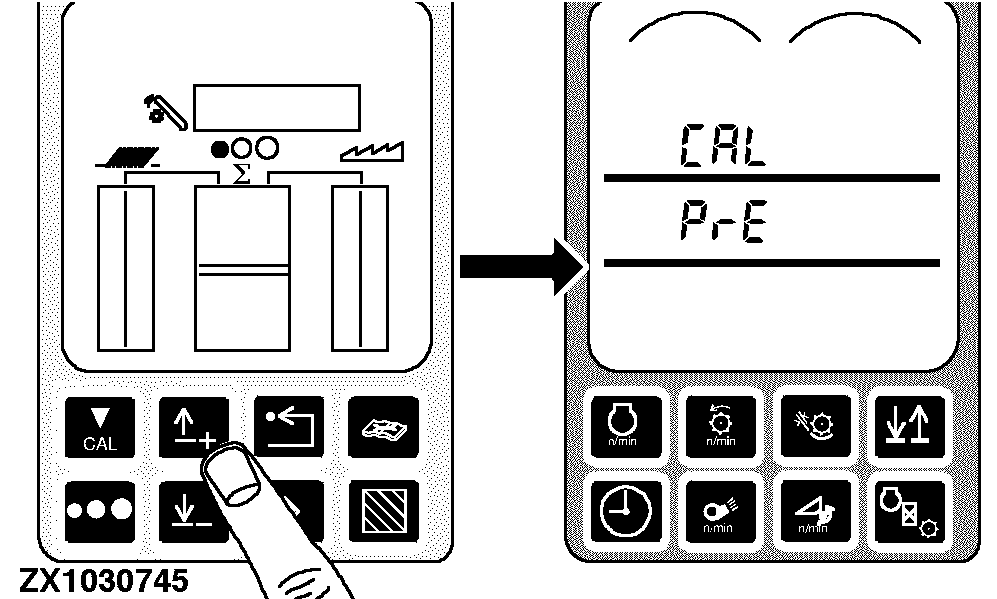
Press the up or down arrow switch until CAL and PrE appear on the tachometer.
|
|
|
|
OUZXMAG,00018BA -19-11OCT02-18/22
|
|
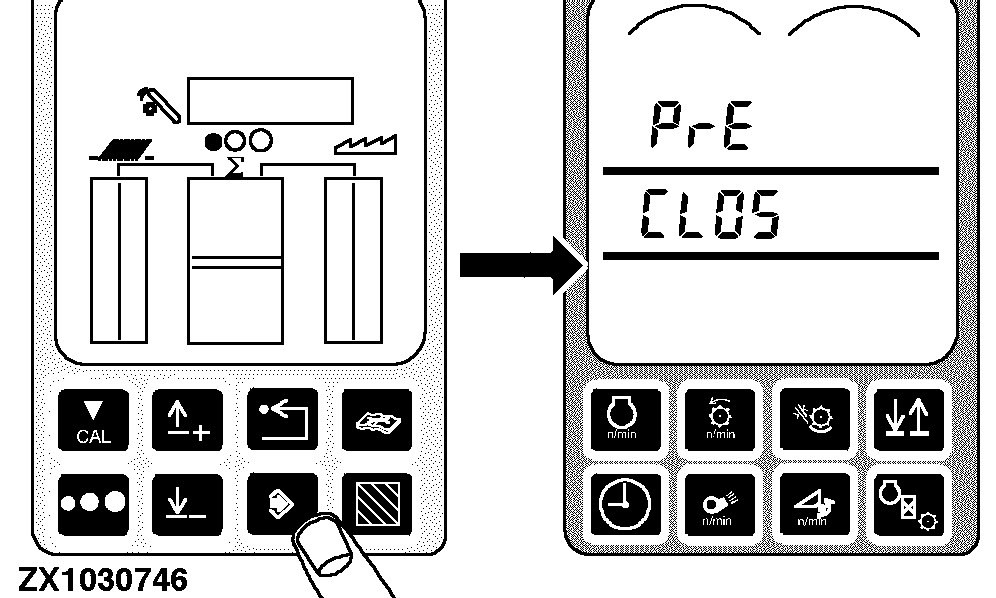
Press the enter switch, PrE will appear on the upper line of the display. CLOS will appear on the second line of the display.
|
|
|
|
OUZXMAG,00018BA -19-11OCT02-19/22
|
|
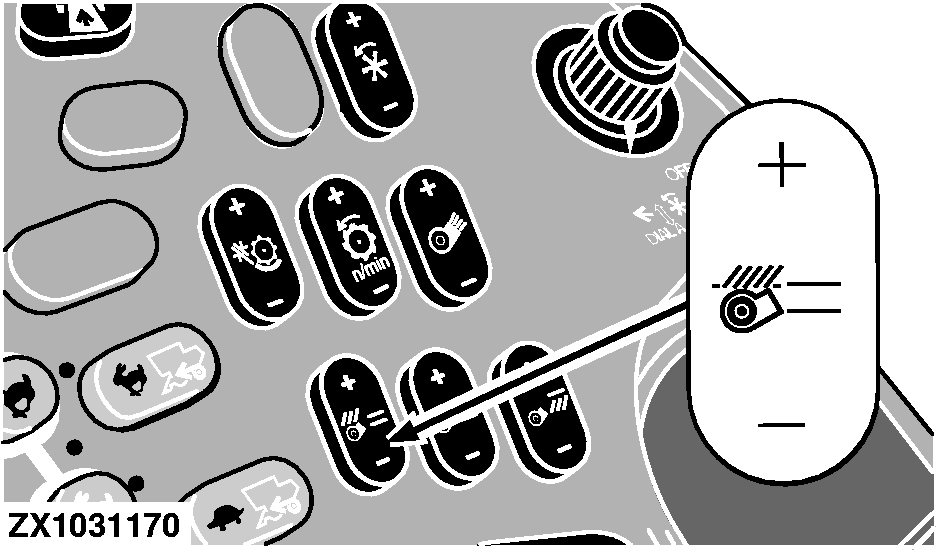
Zero setting:
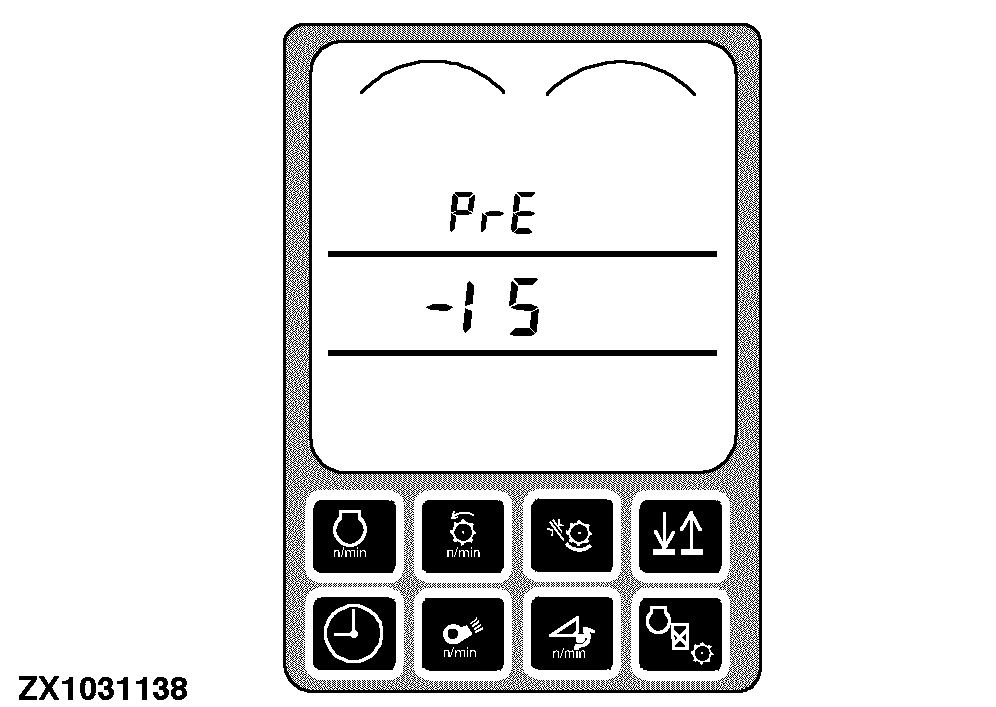
Press and hold the (-) symbol on the precleaner clearance switch until the precleaner is completely closed. As the (-) symbol is being pressed, the numbers in middle line of the display will decrease until the precleaner is completely closed.
|
|
|
|
OUZXMAG,00018BA -19-11OCT02-20/22
|
|
Press the calibration switch. hoLd will be displayed on the tachometer while the precleaner is opening itself up, then EOC will be displayed.
|
|
|
|
OUZXMAG,00018BA -19-11OCT02-21/22
|
|
Press the enter switch to store the calibration value or press the back arrow switch to abort calibration (and not save values).
Press back arrow switch to return to normal operation.
|
|
|
|
OUZXMAG,00018BA -19-11OCT02-22/22
|
|