Chopper Vane Angle Calibration
The chopper vane angle calibration must be performed when the electrical motor is replaced.
Turn the key switch to the run position.
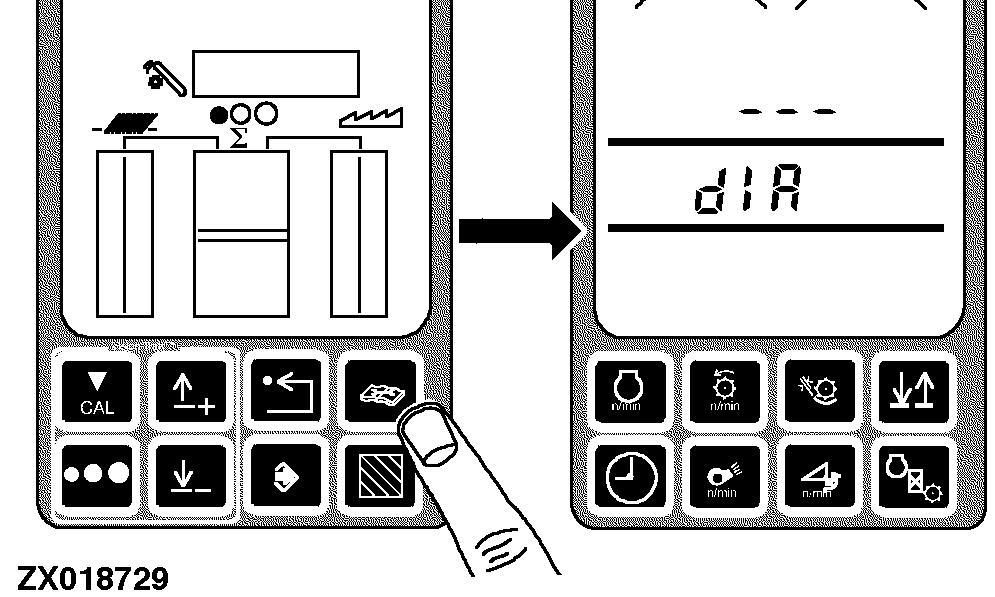
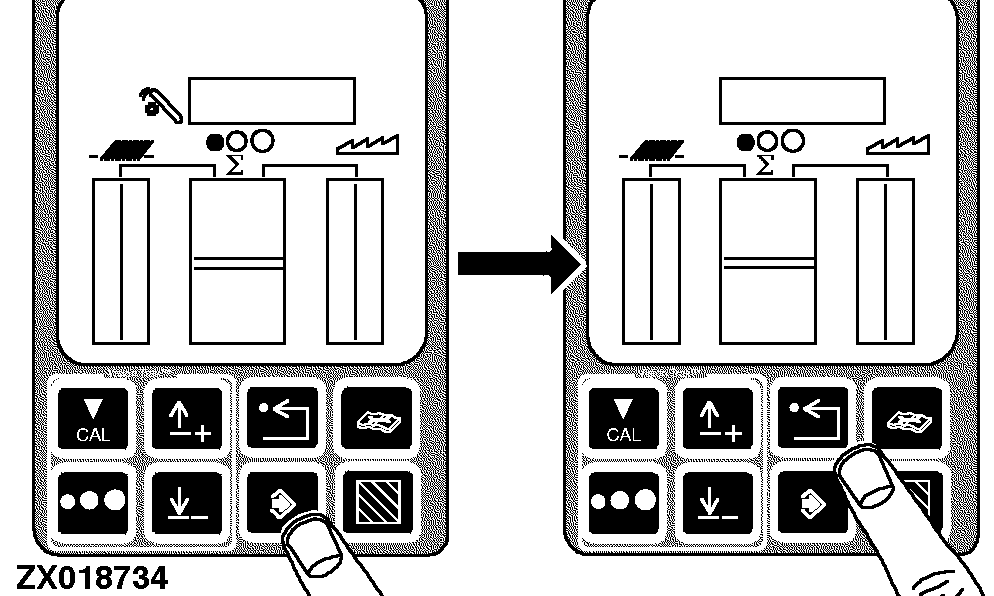
Press the diagnostic switch. dIA will appear on the triple display tachometer.
|
|
|
|
OUZXMAG,0001984 -19-08NOV02-1/9
|
|
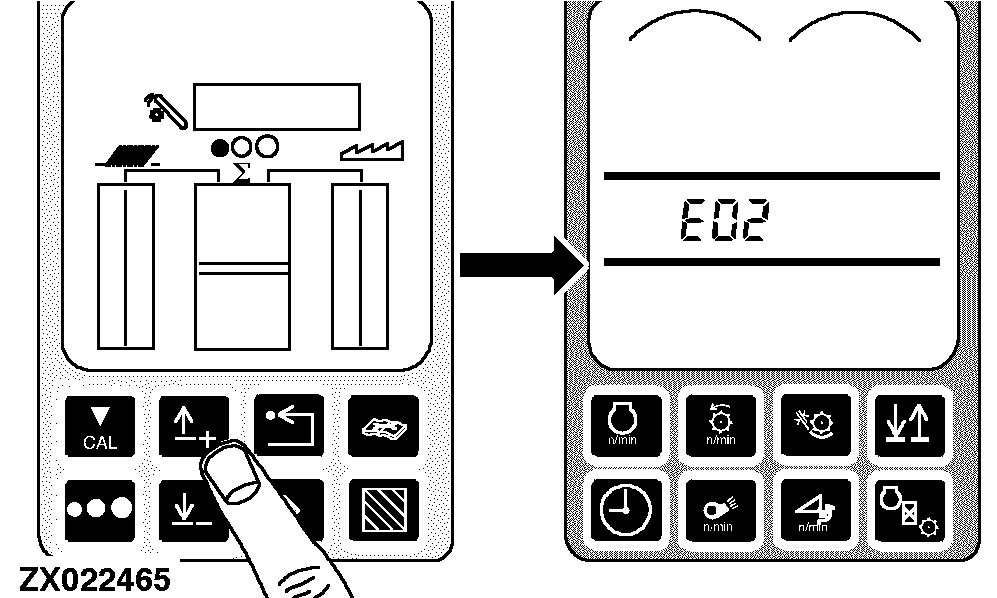
Press the up arrow switch to obtain E02.
|
|
|
|
OUZXMAG,0001984 -19-08NOV02-2/9
|
|
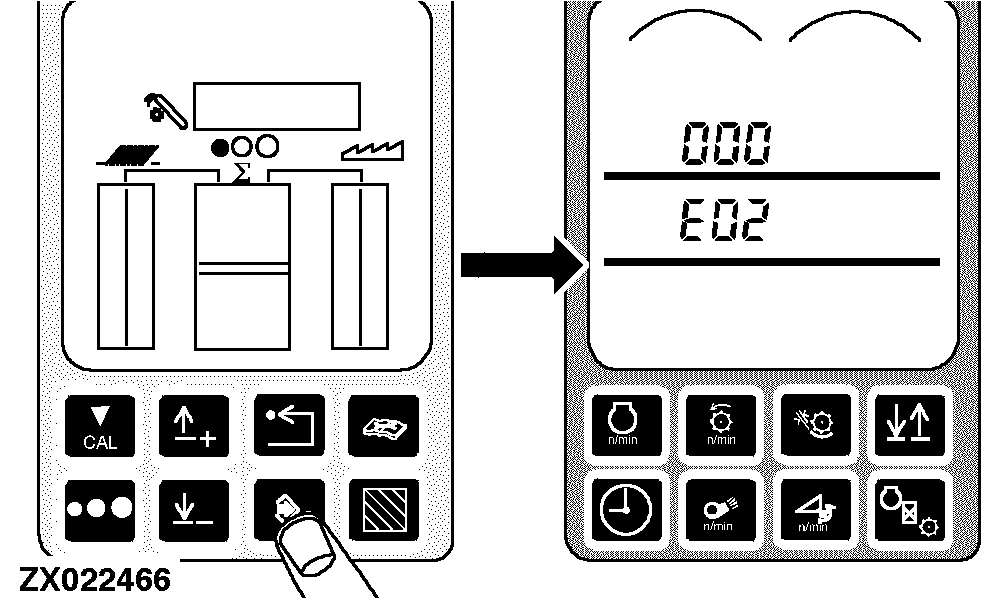
Press the enter switch to access the E02 diagnostic mode. 000 and E02 appears on the tachometer.
|
|
|
|
OUZXMAG,0001984 -19-08NOV02-3/9
|
|
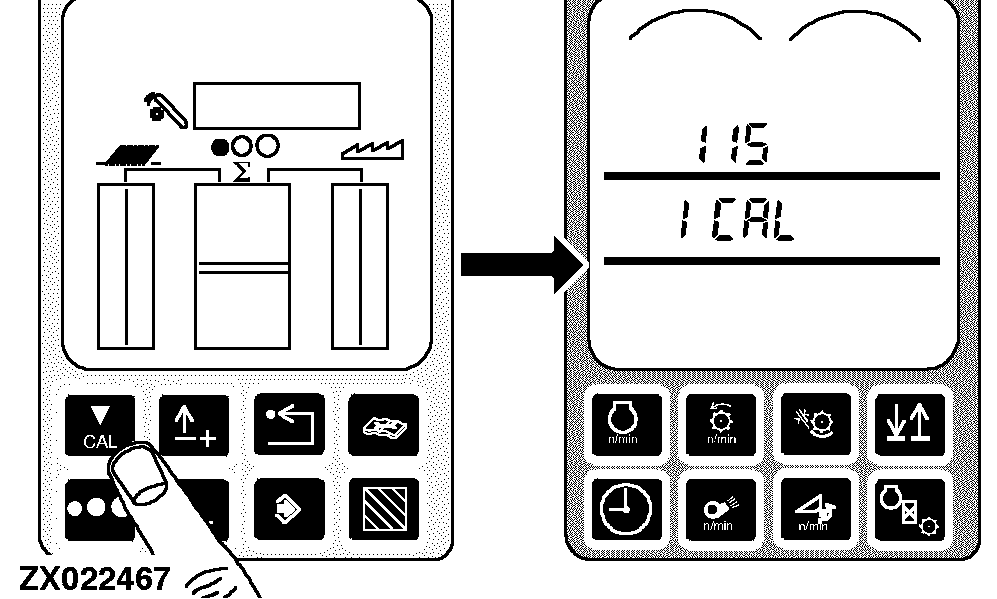
Press the calibration switch repeatedly to reach the chopper vane calibration mode. 115 and ICAL should appear on the tachometer.
|
|
|
|
OUZXMAG,0001984 -19-08NOV02-4/9
|
|
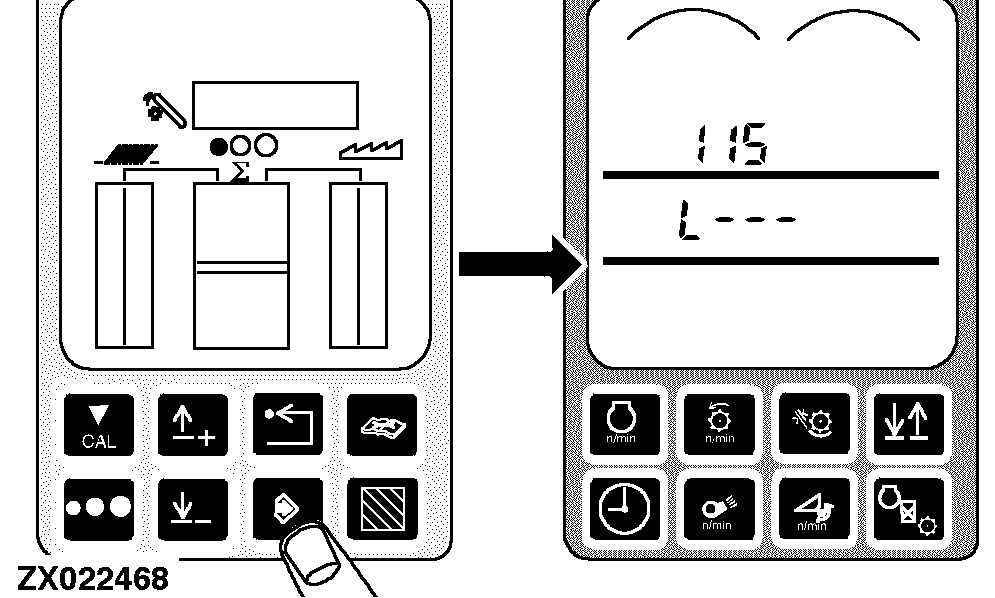
Press the enter switch to access the float calibration mode. 115 and L - - - should appear on the tachometer.
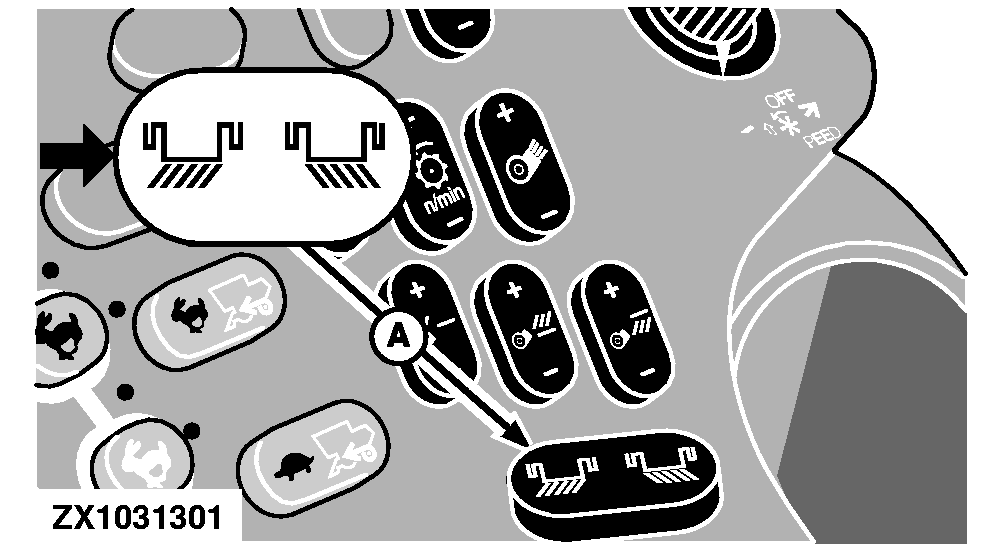
Press chopper vane adjust switch (A) to left-hand side to fully orientate the vanes to the left.
A-Chopper Vane Adjust Switch (Optional)
|
|
|
|
OUZXMAG,0001984 -19-08NOV02-5/9
|
|
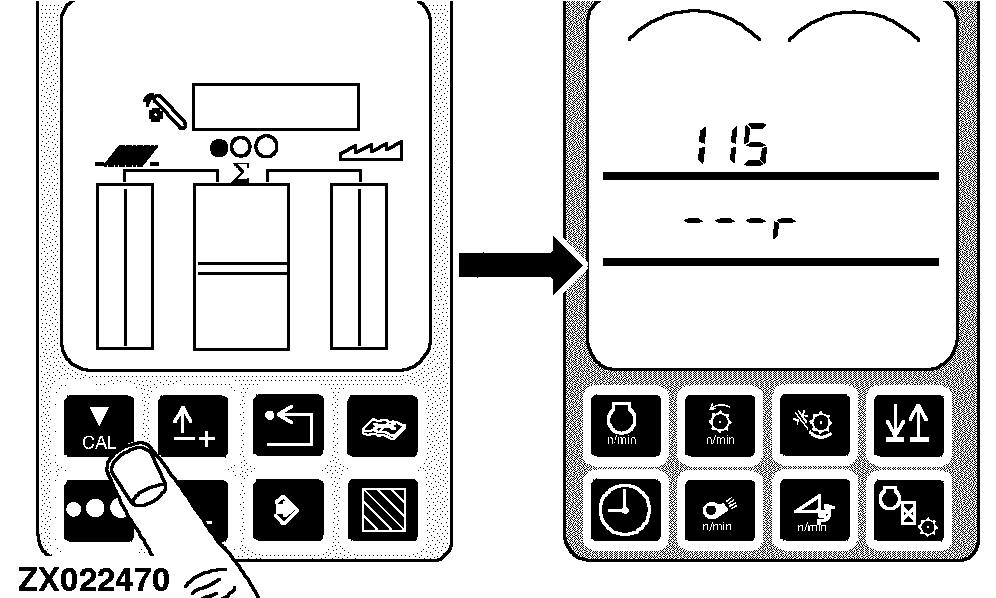
Press the calibration switch. 115 and - - - r will appear on the tachometer.
Press chopper vane adjust switch (A) to right-hand side to fully orientate the vanes to the right.
A-Chopper Vane Adjust Switch (Optional)
|
|
|
|
OUZXMAG,0001984 -19-08NOV02-6/9
|
|
Press the calibration switch. 115 and cntr will appear on the tachometer.
Press chopper vane adjust switch (A) to left-hand side until the vanes are centered.
A-Chopper Vane Adjust Switch (Optional)
|
|
|
|
OUZXMAG,0001984 -19-08NOV02-7/9
|
|
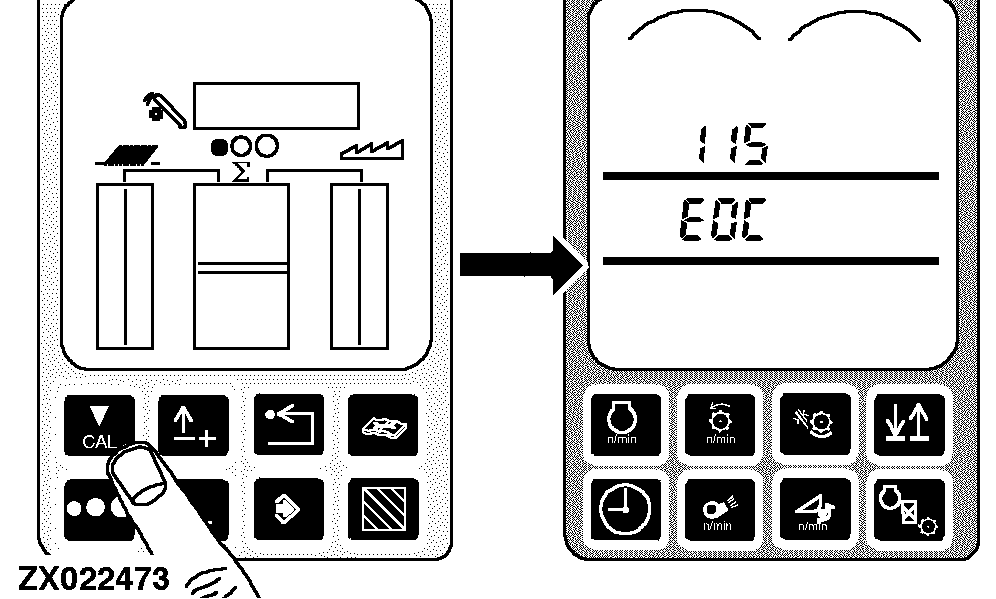
Press the calibration switch. 115 and EOC will appear on the tachometer.
|
|
|
|
OUZXMAG,0001984 -19-08NOV02-8/9
|
|
Press the enter switch to store the calibration value or press the back arrow switch to abort calibration (and not save values).
Press back arrow switch to return to normal operation.
|
|
|
|
OUZXMAG,0001984 -19-08NOV02-9/9
|
|