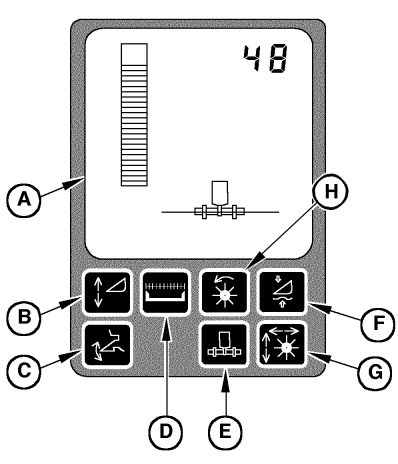
Description of HEADERTRAK SystemThe HEADERTRAK system compensates for uneven ground and controls the horizontal and vertical position of the header. The system continuously compares the preset position and the actual position and thus keeps the header in the desired working position. Desired values are entered by means of the rotary potentiometers. Information about the actual position comes from the potentiometers on the components. The control board processes both signals and adjusts the header's position accordingly by means of the hydraulic system. Horizontal Adjustment There are two operating modes for the horizontal adjustment: Manual adjustment - In this mode the hydraulic components are directly activated via the multi-function lever. Automatic adjustment - In this mode the parallel adjustment of the header in relation to the ground is carried out via skid plates. This ensures that the distance between the header and the ground is equal on both the left-hand and right-hand sides. Vertical Adjustment There are four operating modes for the vertical adjustment: Manual adjustment - In this mode the hydraulic components are directly activated via the multi-function lever. Automatic adjustment - In this mode the parallel adjustment of the header in relation to the ground in a range of 0 to 250 mm (0 to 9.84 in.) is carried out via skid plates. This ensures that the header height is always constant. Header height - At heights above 250 mm (9.84 in.) the position of the header is controlled with the feeder house height potentiometer. |
|
ZX08994,0000139 -19-29APR02-1/4 |
|
Ground pressure - In this mode the pressure exerted on the ground by the header can be preset. |
ZX08994,0000139 -19-29APR02-2/4 |
|
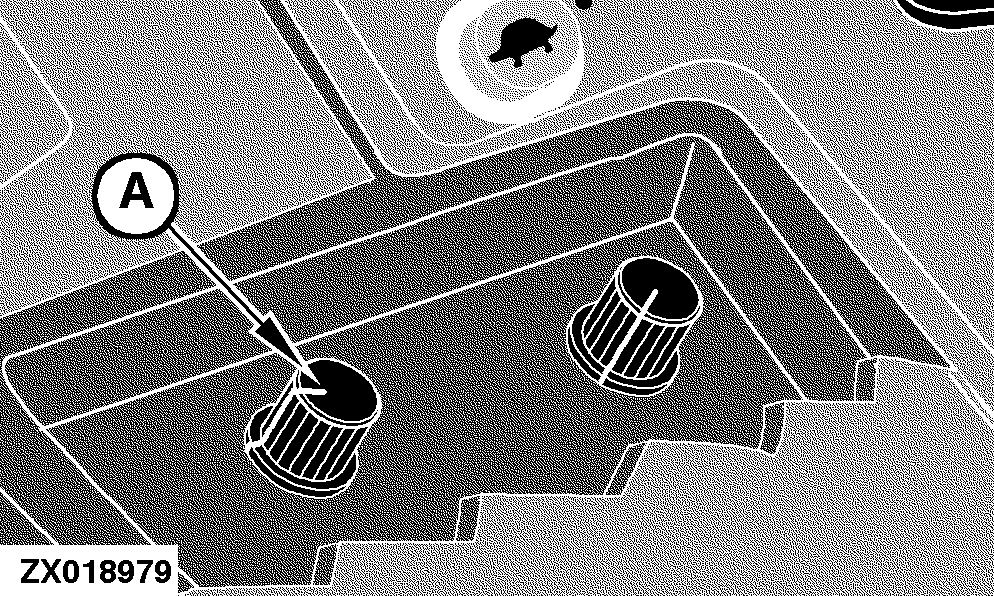
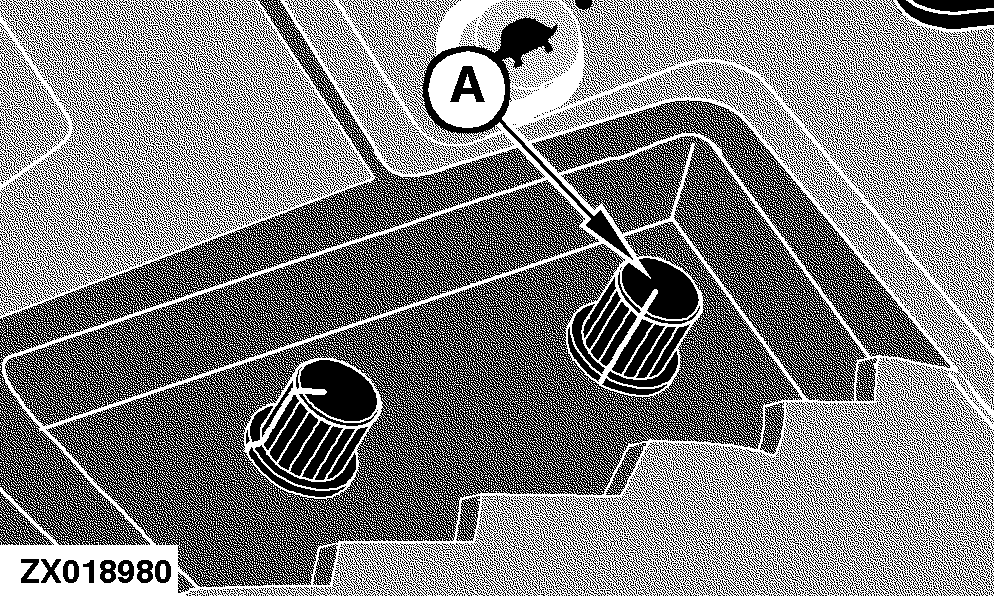
NOTE: It is possible to override all the automatic modes manually. Sensitivity Adjust for Automatic Functions Potentiometer (A) controls the sensitivity of the header raise/lower functions when in the automatic modes. Requirements:
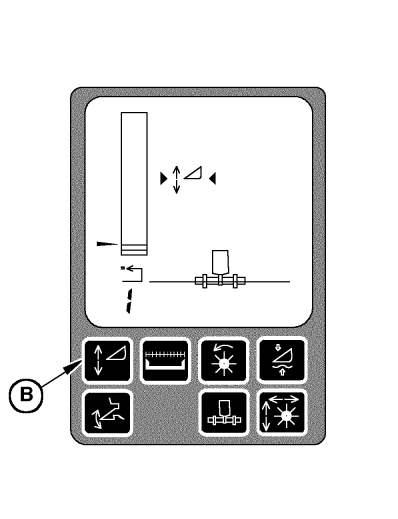
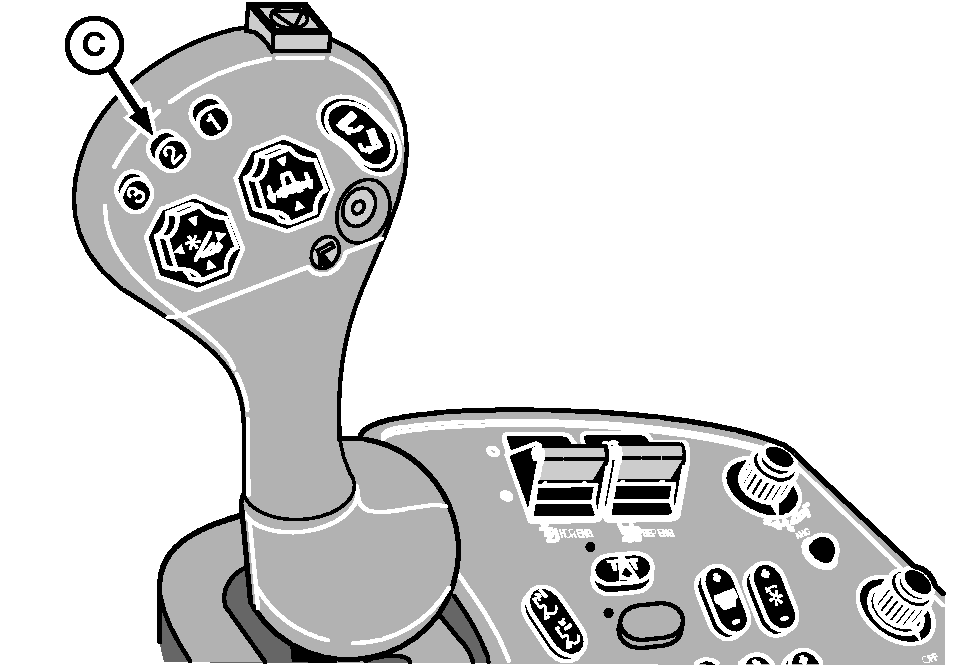
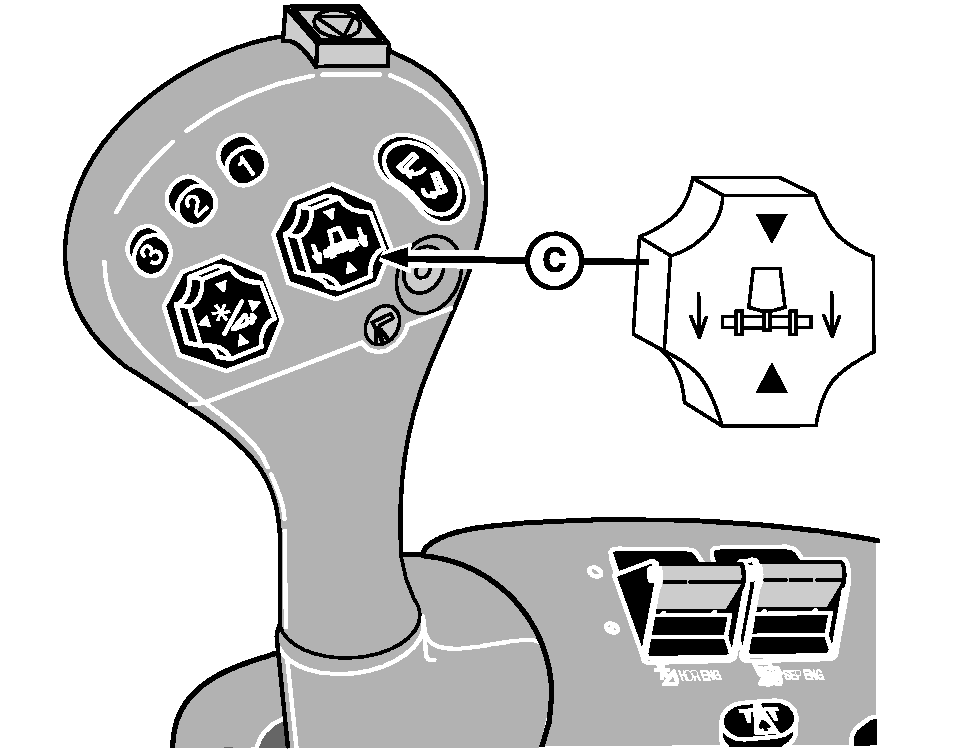
Operation: Press switch (B) to enable header height control. Briefly press stubble height control activation switch (C) to lower the header to the preselected position and to activate header height control. Then use potentiometer (A) to adjust the sensitivity with which the header follows ground contours. Turn clockwise - Increase sensitivity. Turn counterclockwise - Decrease sensitivity.
|
|
ZX08994,0000139 -19-29APR02-3/4 |
|
Sensitivity Adjust for Manual Functions Potentiometer (A) controls the sensitivity (from 4 to 12 seconds) of the header raise/lower full range movement when in the manual mode (with or without HEADERTRAK control function activated). Requirements:
Operation: Use response rate potentiometer (A) to adjust the sensitivity with which the header will react when being raised or lowered by switch (C). Turn clockwise - Increase sensitivity. Turn counterclockwise - Decrease sensitivity.
|
|
ZX08994,0000139 -19-29APR02-4/4 |