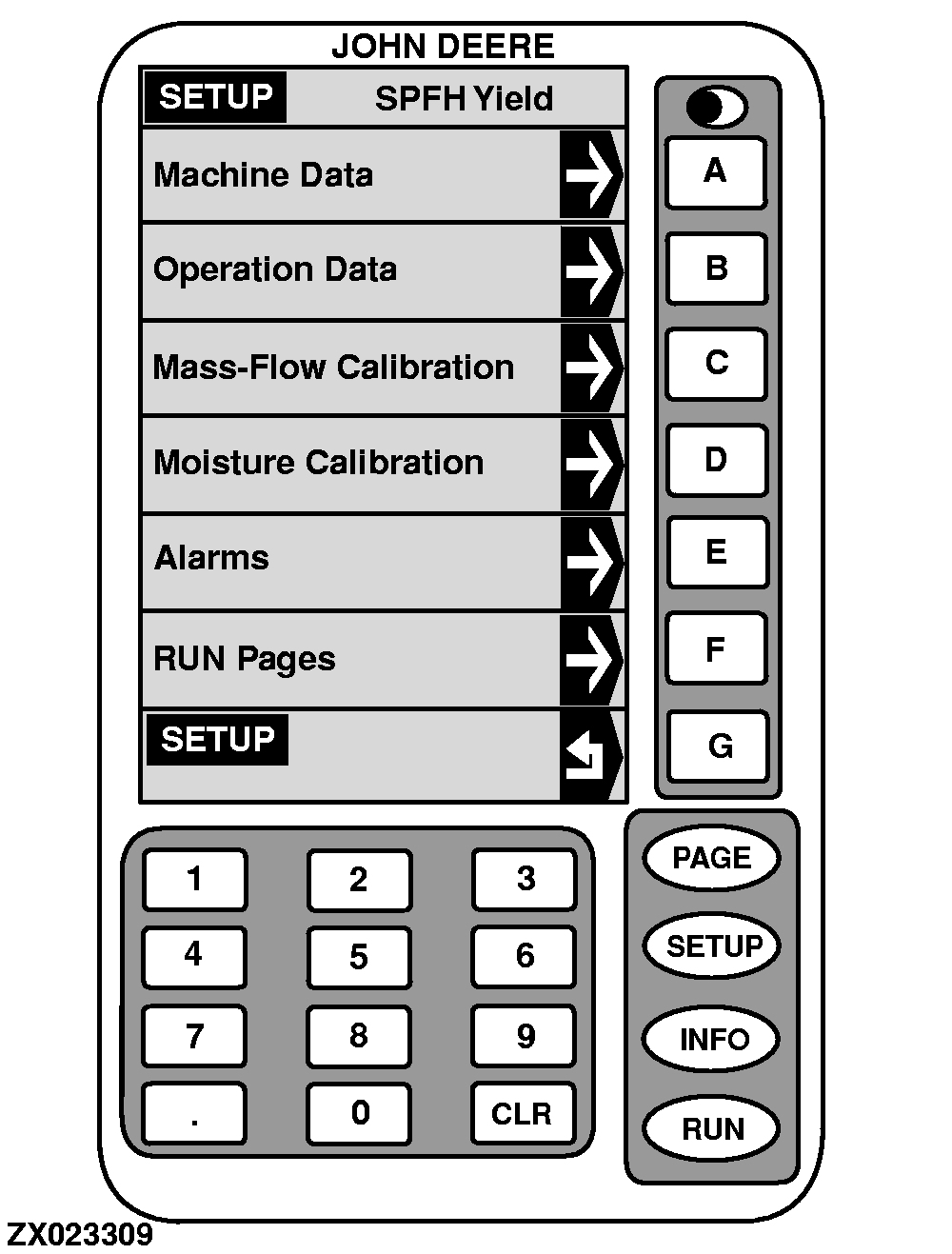
Setup-SPFH Yield
Several screens are used to set up the SPFH yield:
-
Machine Data
. Press key
A
to set up model, header type, row spacing, header width or recording condition (see "SETUP - Machine Data" in this Section).
-
Operation Data
. Press key
B
to set up field number, load number, crop or run page settings (see "SETUP - Operation Data" in this Section).
-
Mass-Flow Calibration
. Press key
C
to calibrate mass flow sensor (see "SETUP - Mass-Flow Cal." in this Section).
-
Moisture Calibration
. Press key
D
to calibrate moisture sensor (see "SETUP - Moisture Cal." in this Section).
-
Alarms
. Press key
E
to set up feed roll speed, feed roll height or moisture meter level alarms (see "SETUP - Alarms" in this Section).
-
Run Pages
. Press key
F
to set up definition and location of each cell displayed on "RUN-Page 1" or "RUN-Page 2" screens (see "SETUP - Run Pages" and "Yield Monitor Run Functions" in this Section).
To return to "
SETUP
", press key
G
.
|
|