Setup-Display-Page 1
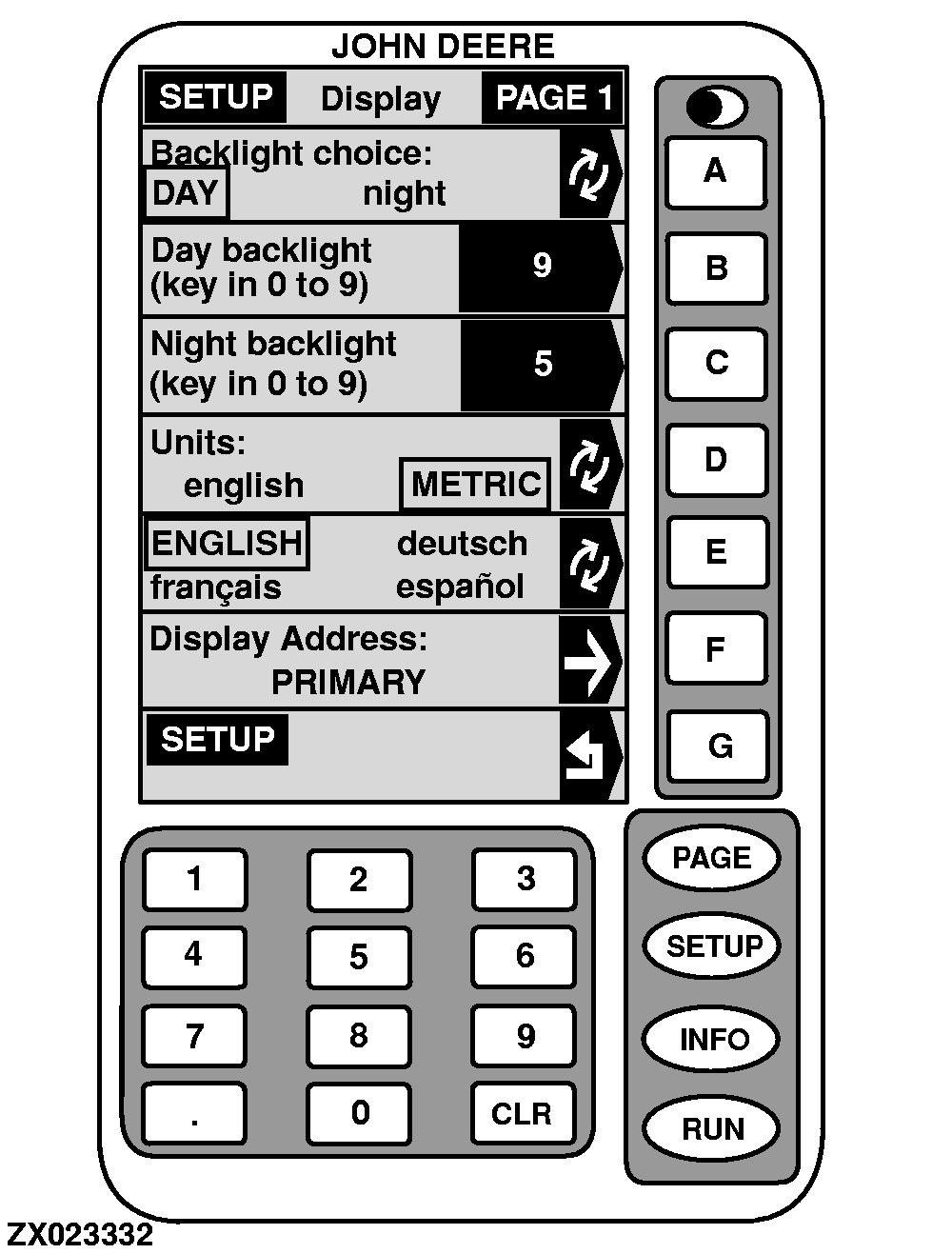
The "SETUP - Display - PAGE 1" screen displays the following information:
NOTE:
The GreenStar Display is used to select the backlight level, the type of measurement (English or Metric) and/or language (English, French, German or Spanish) for the Yield Monitor screens.
-
BACKLIGHT CHOICE
NOTE:
Backlight-Day is set as factory default.
To select
DAY
backlight or
NIGHT
backlight, press key
A
(selection is shown in a box).
-
DAY BACKLIGHT
NOTE:
Day Backlight-9 is set as factory default.
To change
DAY
backlighting level, press key
B
. Using numeric keypad, enter any number from 0 to 9 for intensity level. The higher the number the brighter the screen.
-
NIGHT BACKLIGHT
NOTE:
Night Backlight-9 is set as factory default.
To change
NIGHT
backlighting level, press key
C
. Using numeric keypad, enter any number from 0 to 9 for intensity level. The higher the number the brighter the screen.
-
UNITS
NOTE:
Units-Metric is set as factory default.
To select either English or Metric units of measure, press key
D
(selection is shown in a box).
-
LANGUAGE
NOTE:
Language-English is set as factory default.
To select language, press key
E
until desired language is shown in a box.
|
|
|
|
OUZXMAG,0000849 -19-10JAN01-1/3
|
NOTE:
At this time, English, French, German and Spanish are the ONLY languages programmed into the display.
|
|
|
|
OUZXMAG,0000849 -19-10JAN01-2/3
|
-
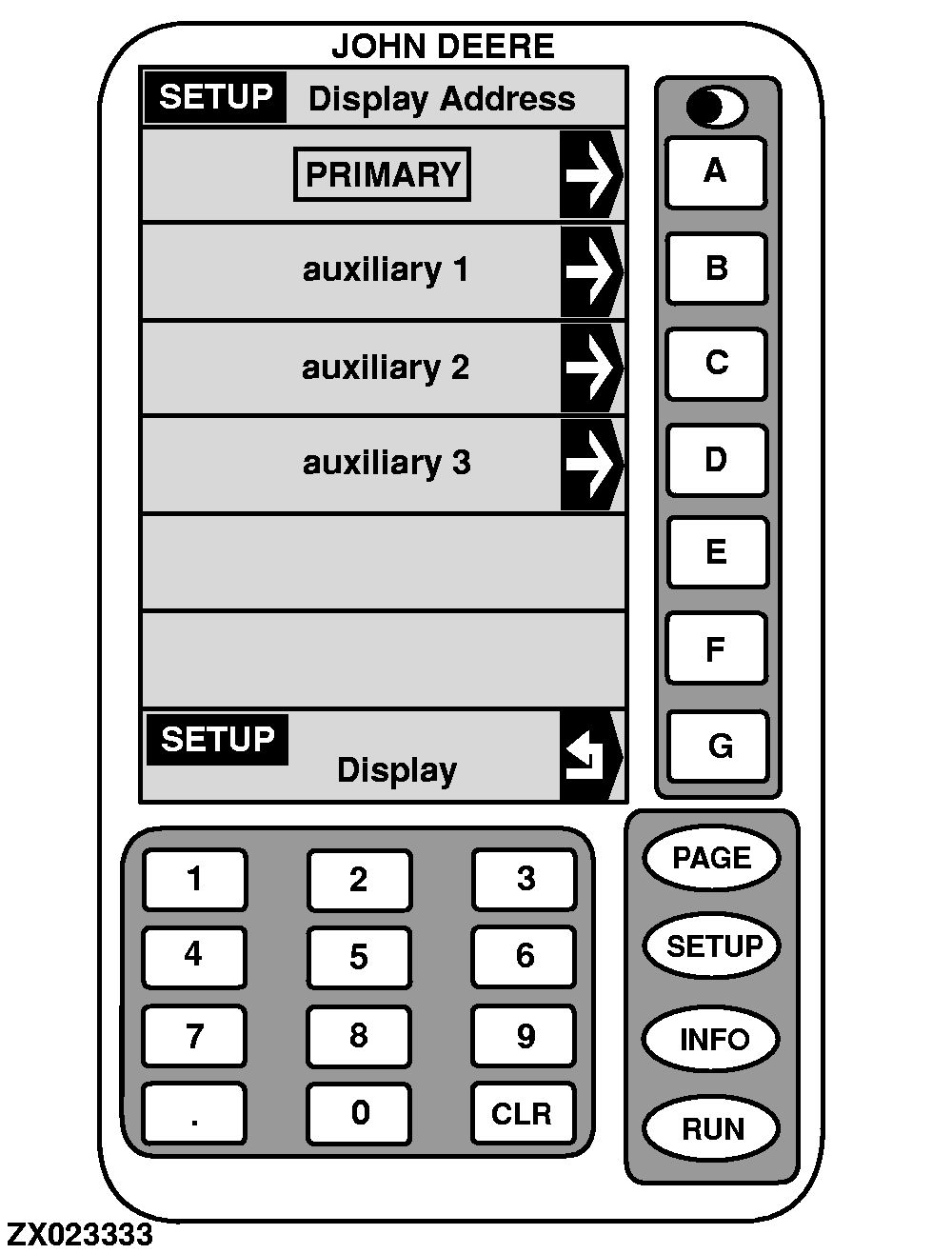
DISPLAY ADDRESS
Make sure
PRIMARY
is selected for this application. If not, proceed as follows:
NOTE:
Display Address-Primary is set as factory default.
1.
On "SETUP - Display - PAGE 1" screen, press key
F
.
DISPLAY ADDRESS
will appear.
2.
Press key
A
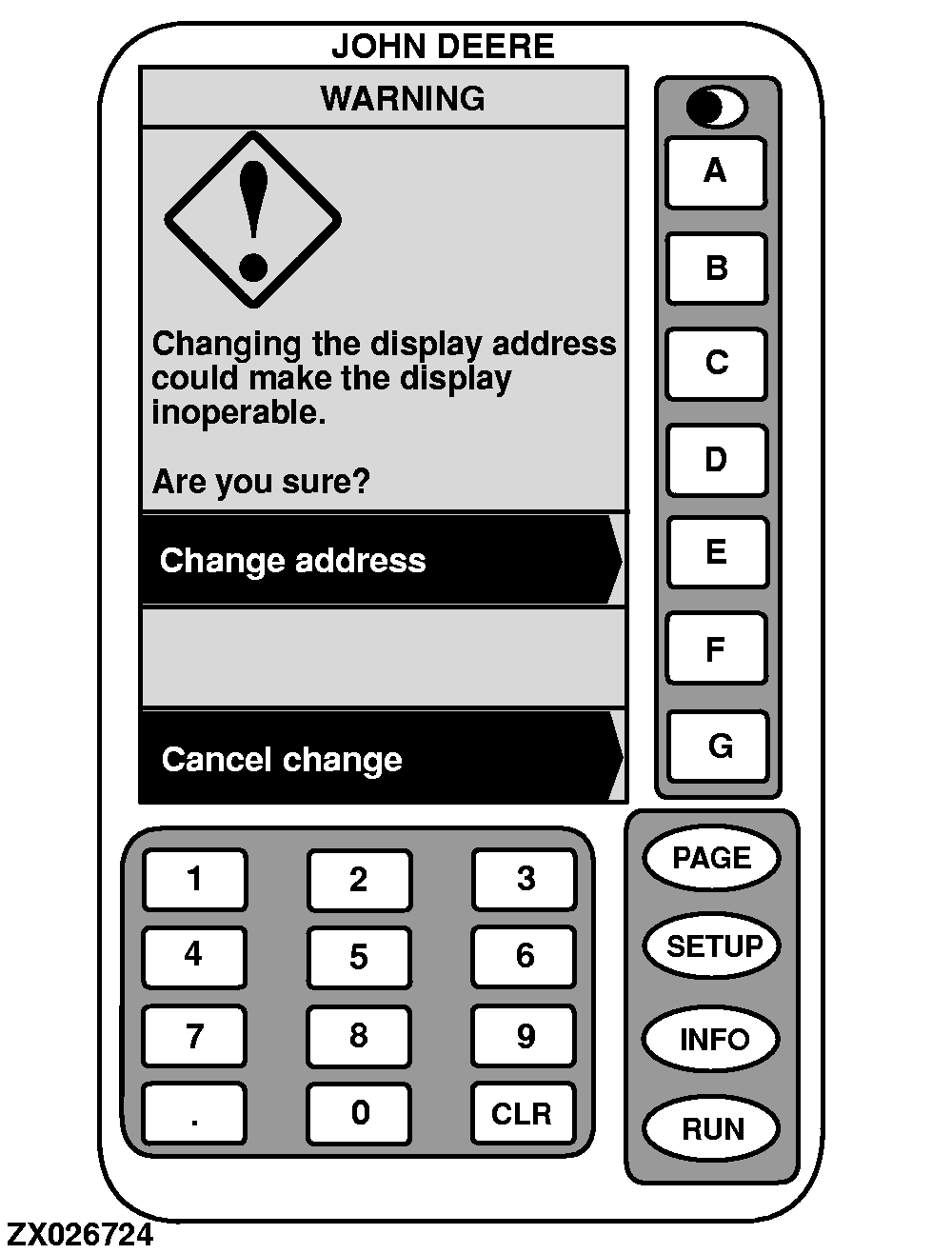
to select PRIMARY. Warning screen will appear.
IMPORTANT:
Do NOT select Auxiliary 1, Auxiliary 2 or Auxiliary 3. These selections do NOT apply to the Forage Harvester Yield Monitor application.
3.
Press key
E
to change address or key
G
to cancel change request.
4.
Press key
G
to return to "SETUP - Display - PAGE 1".
|
|
|
|
OUZXMAG,0000849 -19-10JAN01-3/3
|
|