Info-Field Totals (Without Printer Option) |
|
|
|
OUZXMAG,0000850 -19-15JAN01-1/2 |
|
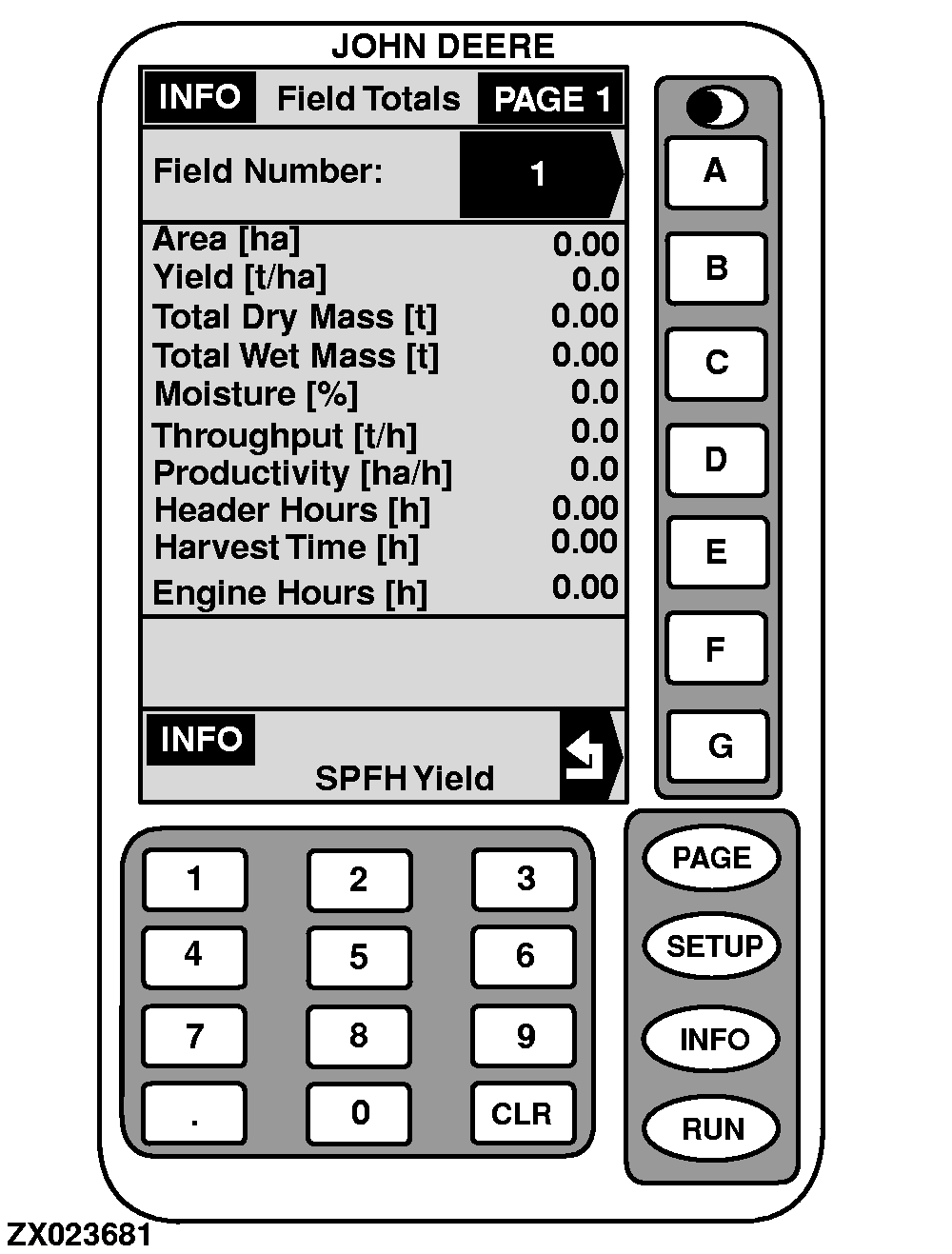
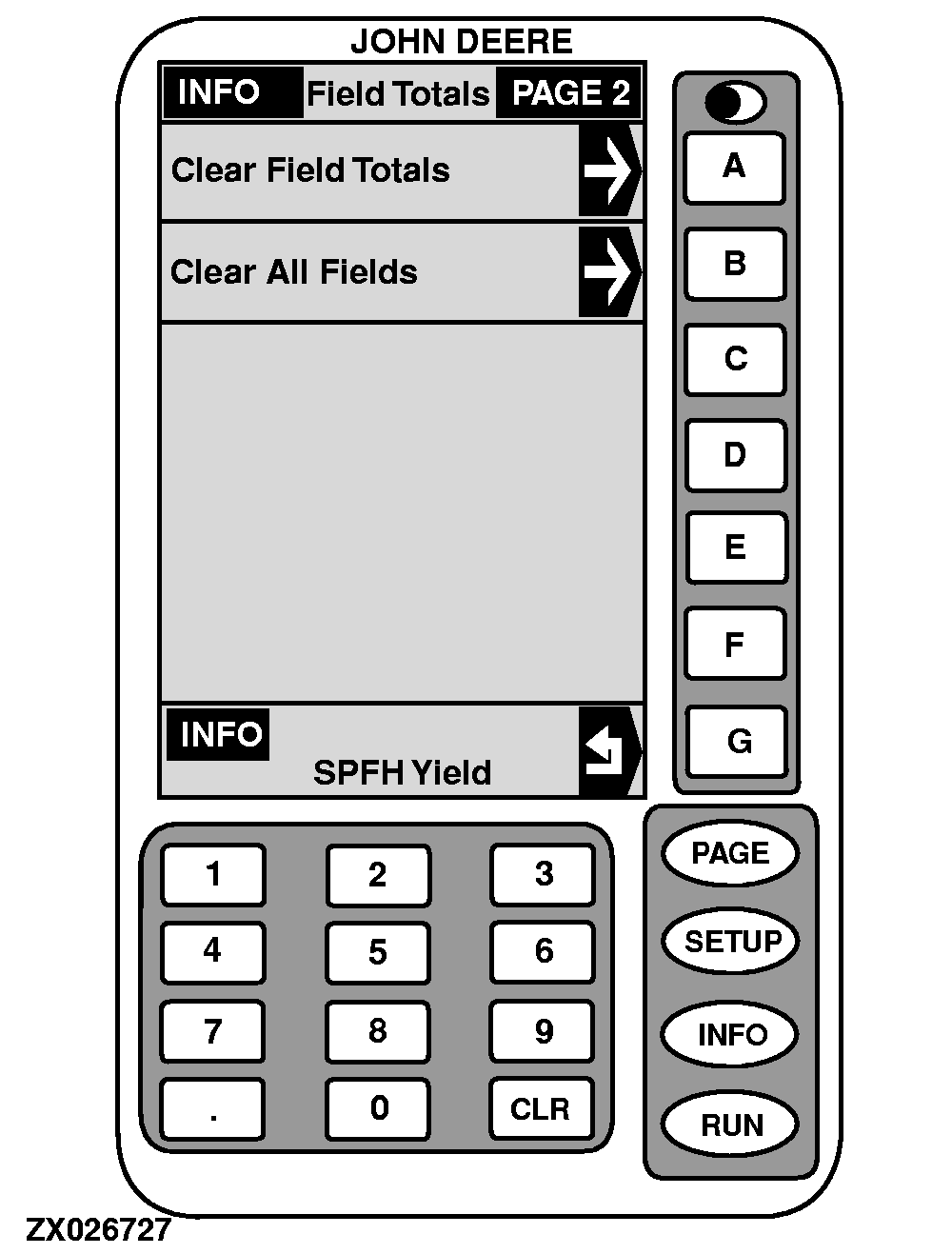
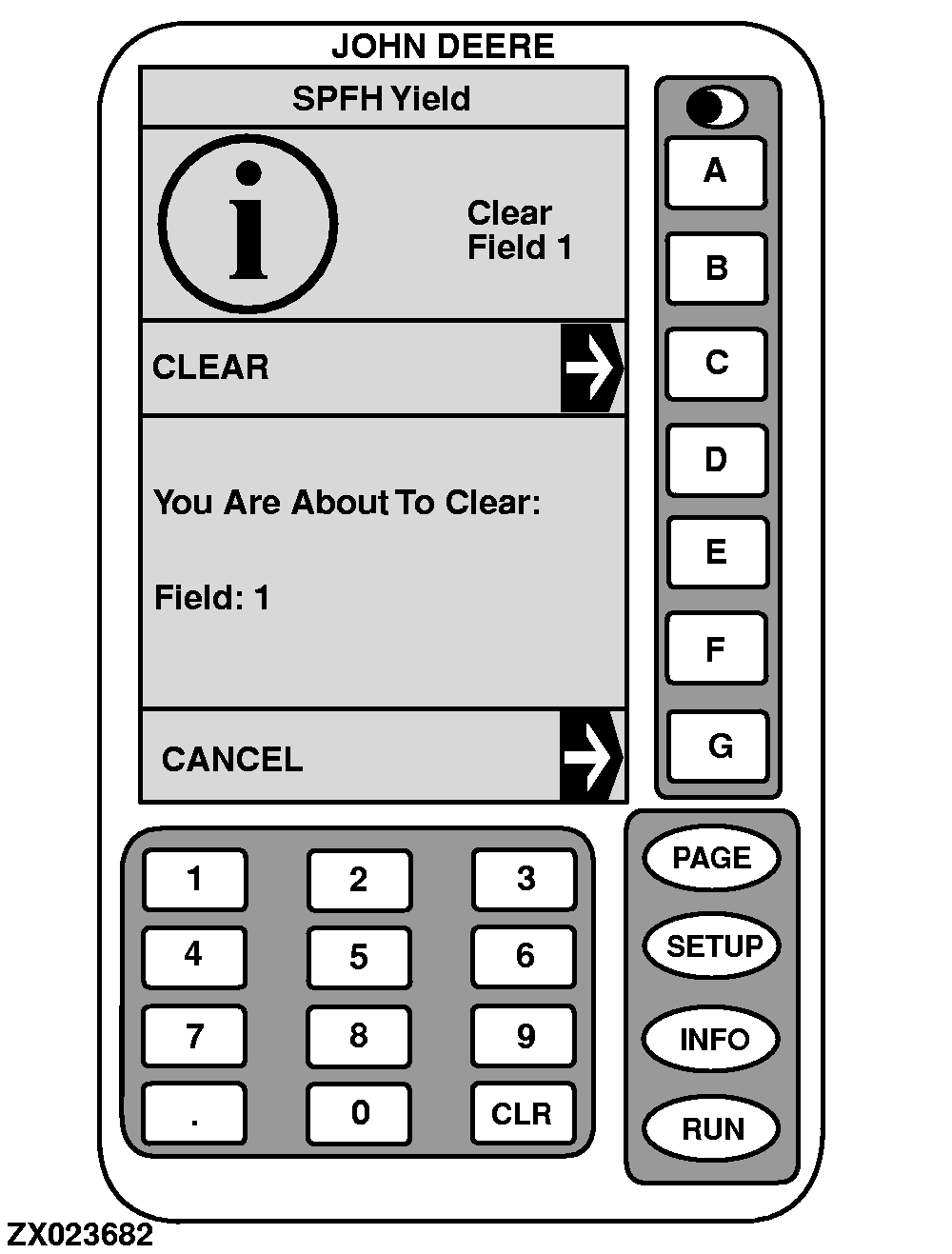
This screen displays data acquired for a particular field. The field selected in "SETUP - Operation Data" is displayed along with all of its harvest information as shown in the sample display. 1. On "INFO - SPFH Yield", press key A . INFO - Field Totals - PAGE 1 will appear.2. Press key A to select desired field number. 3. Using numeric keyboard, input desired field number. 4. Press key A to ENTER this value. All information is displayed. 5. Press key G to return to "INFO - SPFH Yield" or press PAGE key to access INFO - Field Totals - PAGE 2 screen. 6. Press A to clear relevant field totals or press B to clear all field totals. 7. Press key G to go back to "INFO - SPFH Yield" screen. |
OUZXMAG,0000850 -19-15JAN01-2/2 |