Info-Display
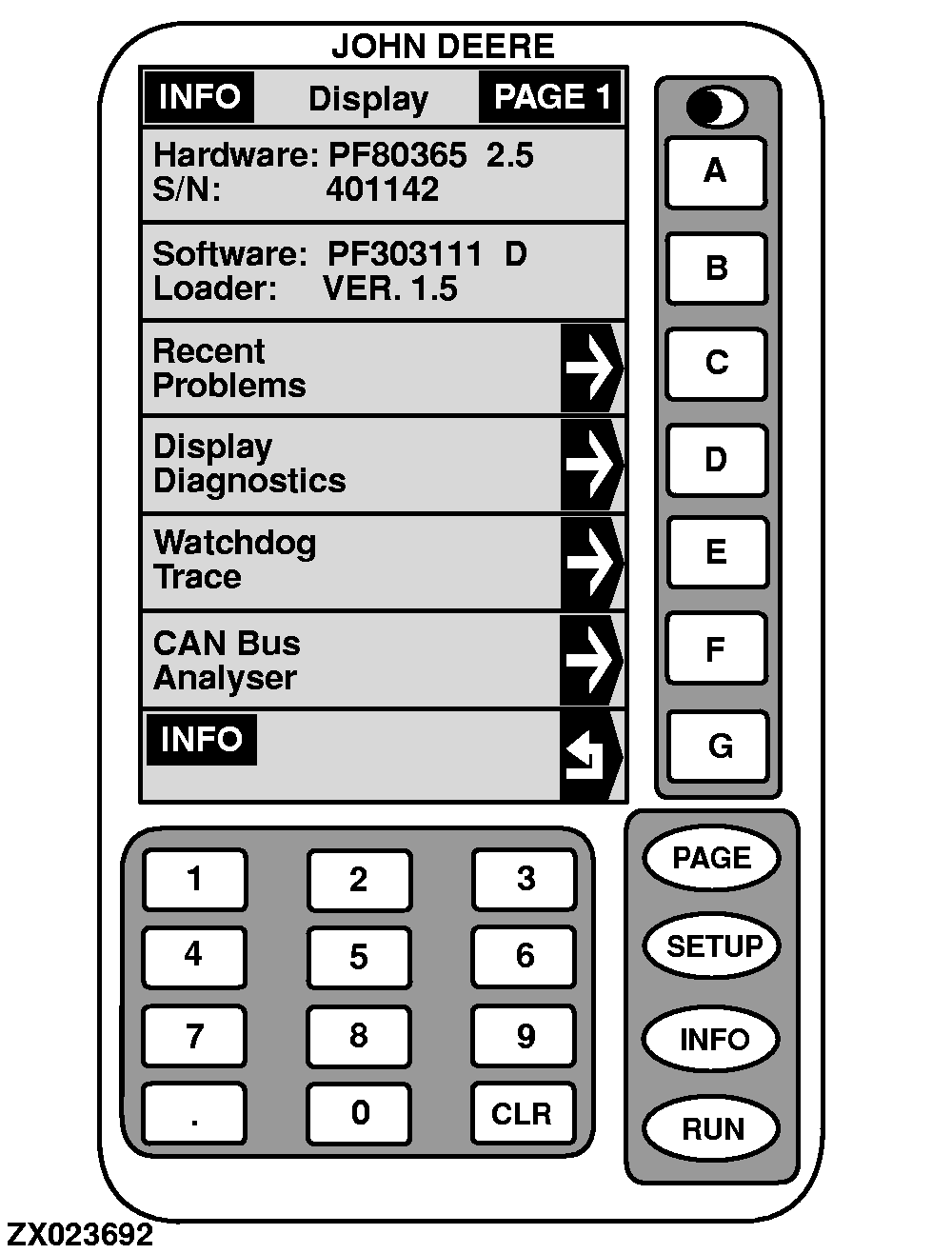
This page shows detailed information about the GreenStar Display. This information will help troubleshoot the GreenStar Display if a problem occurs.
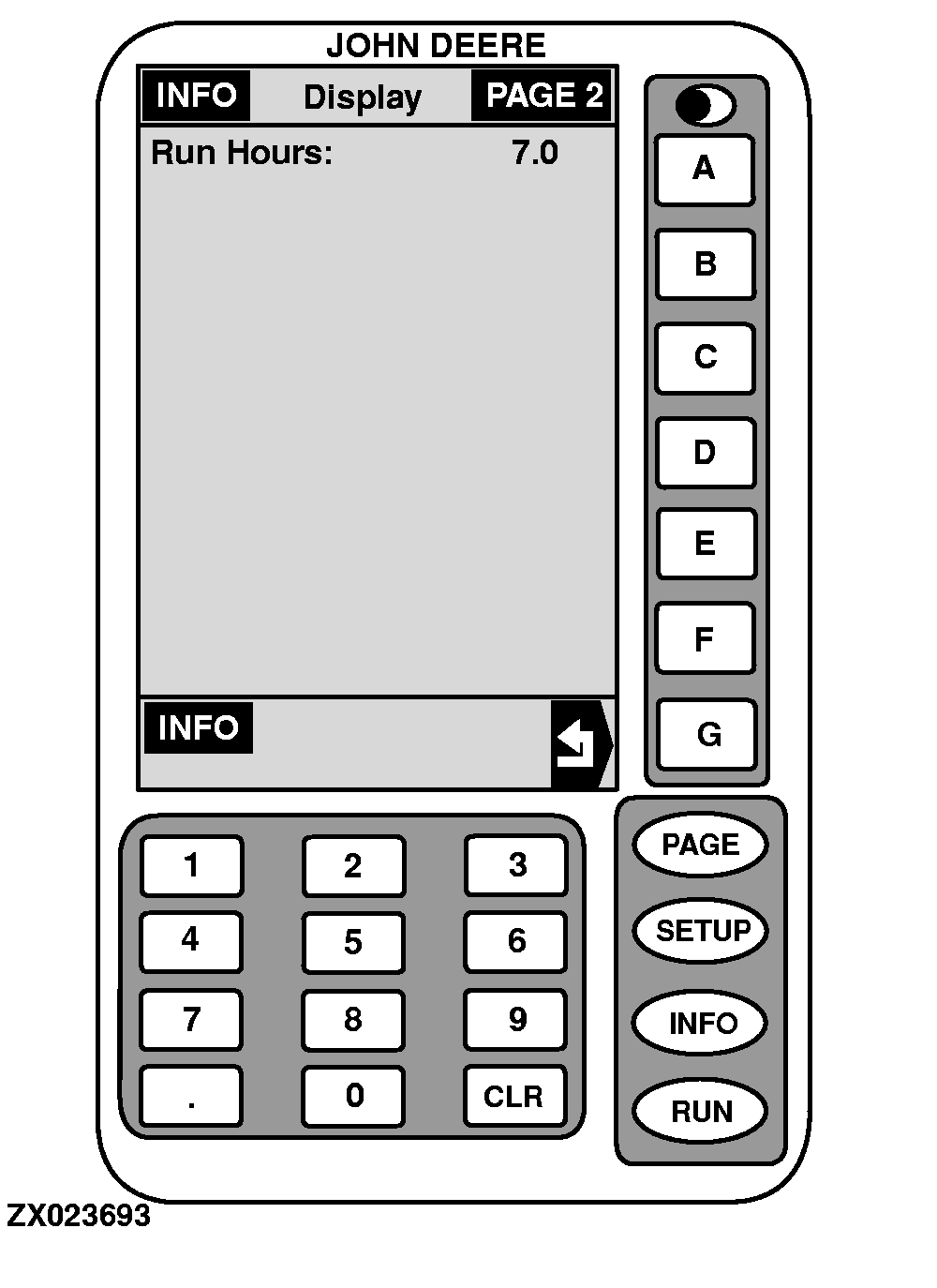
Press
PAGE
key to access "INFO-Display-PAGE 2" screen or key
G
to return to "INFO".
-
HARDWARE
Part number of GreenStar Display.
-
S/N
Serial number of GreenStar Display.
-
SOFTWARE
Software number being used by GreenStar Display.
-
LOADER
Software loader version being used by GreenStar Display.
-
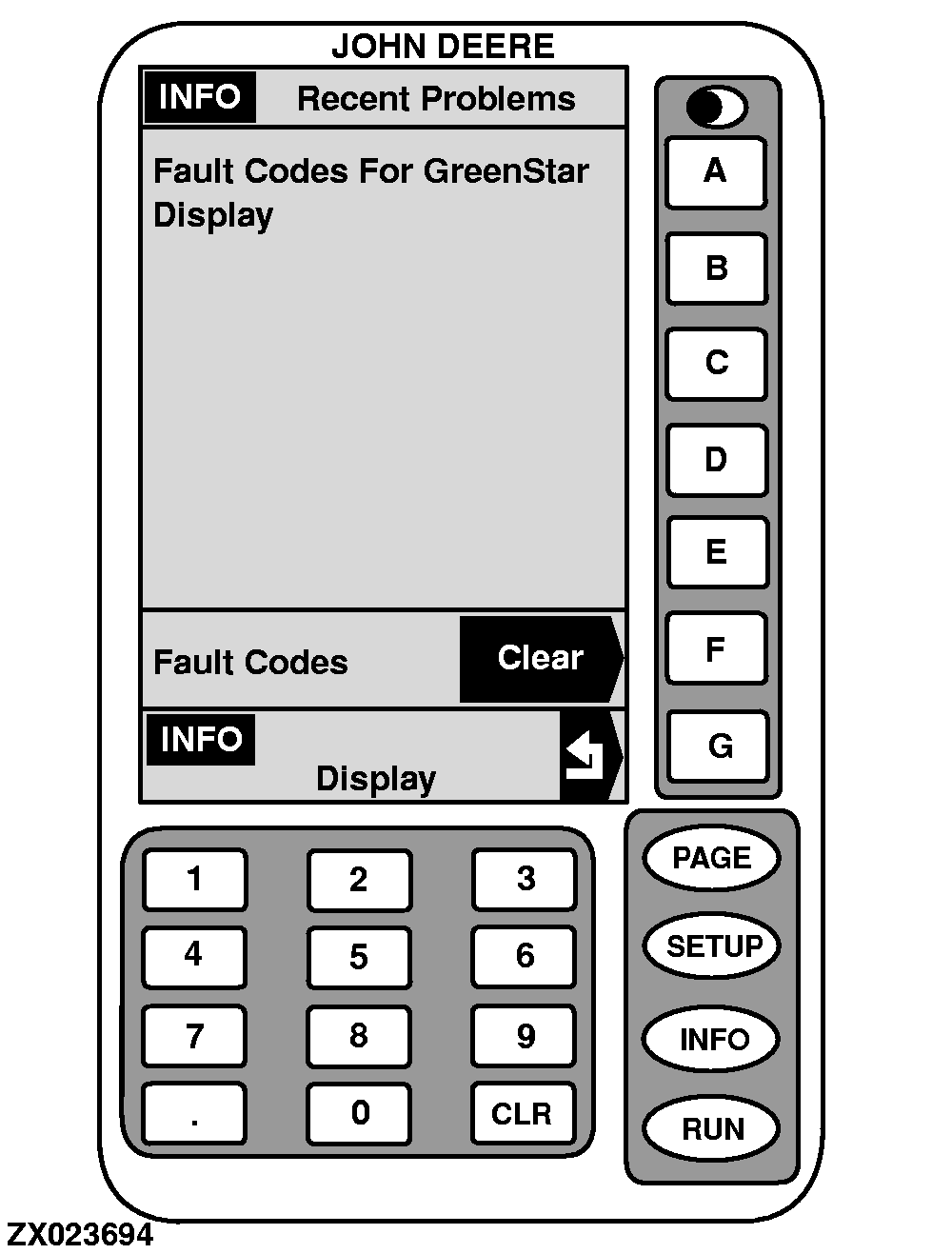
RECENT PROBLEMS
In "INFO-Display-PAGE 1", press key
C
to view listing of recent problems.
Press key
F
to clear all fault codes.
To return to "INFO-Display-PAGE 1", press key
G
.
-
DISPLAY DIAGNOSTICS
In "INFO-Display-PAGE 1", press key
D
to view listing of display diagnostics.
-
WATCHDOG TRACE
This cell is for factory use only.
-
CAN BUS ANALYSER
This cell is for factory use only.
|
|