Warning Screens
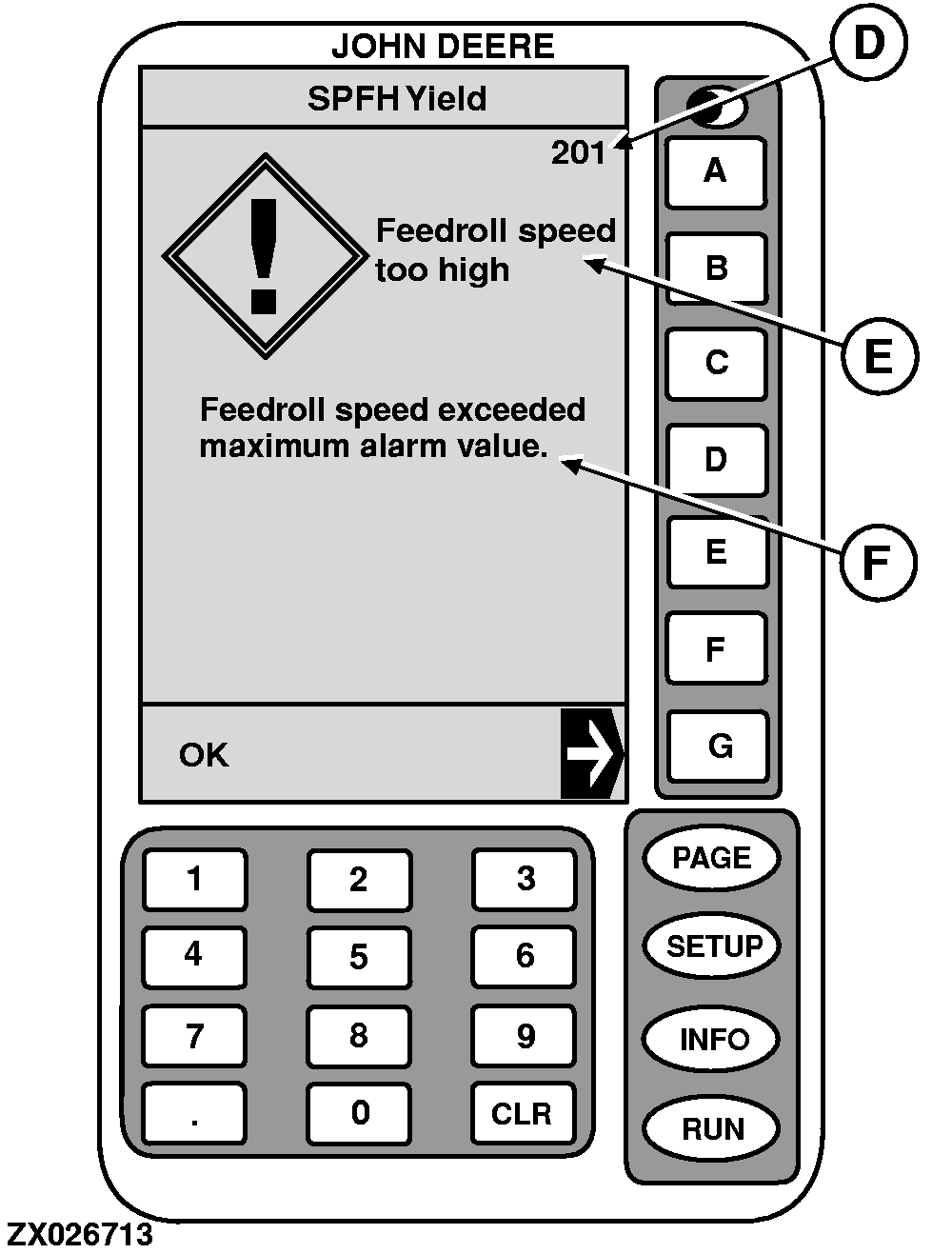
Warning screens and alarms provide operator alerts to monitor system operational problems. Each screen displays a Diagnostic Trouble Code (DTC) on upper right corner (D), keyword strings (E) and text strings (F). Refer to the "Diagnostic Trouble Code Lists" hereafter to get specific operational problem and recommended corrective action.
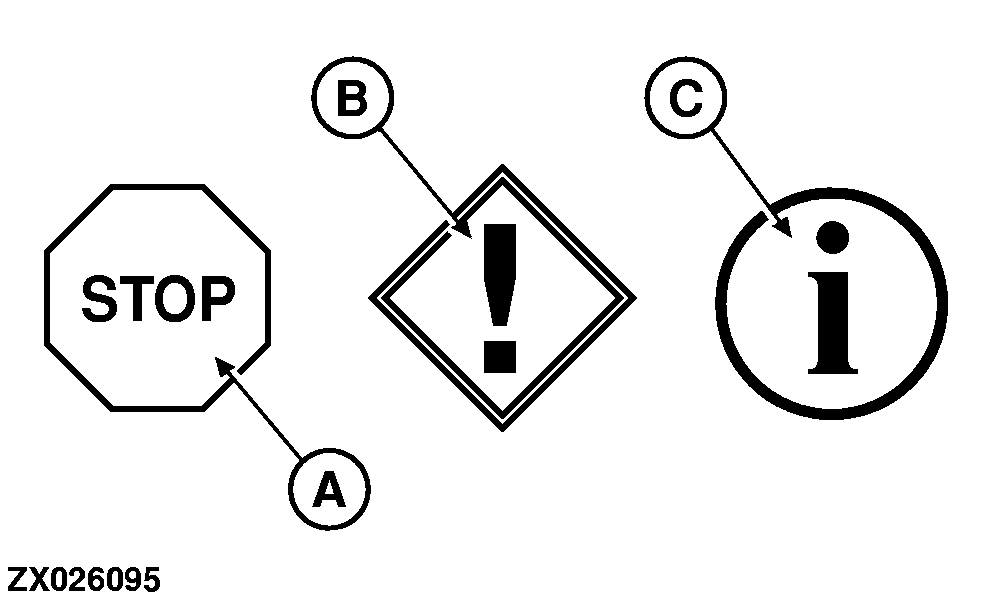
Each diagnostic trouble code has a priority. The priority of the diagnostic trouble code is given by the relevant icon (A), (B) or (C) displayed:
-
Icon (A) belongs to
FULL PAGE CAUTION
screens. Cautions are displayed at the bottom of
RUN
pages or as a
FULL
screen display if the GreenStar Display is NOT on a
RUN
page. The audible alarm will sound at the highest level.
NOTE:
When the caution screen appears, corrective action must be taken before continuing operation.
-
Icon (B) belongs to
FULL PAGE WARNING
screens. A full page warning will override any other display function in progress.
NOTE:
The RUN, SETUP and INFO keys will NOT be active during this display.
If a
CAUTION
or
ADVISORY
alarm is in progress when a
FULL PAGE WARNING
occurs, that alarm will be interrupted and the
FULL PAGE WARNING
alarm will sound.
NOTE:
When the warning screen appears, corrective action should be taken before continuing operation.
-
Icon (C) belongs to
FULL PAGE INFO
screens.
The warning and alarms will NOT prevent the machine from starting, operating or recording data.
|
A-Full page caution icon
B-Full page warning icon
C-Full page info icon
D-Diagnostic Trouble Code (DTC)
E-Keyword strings
F-Text strings
|