Setup-Moisture Cal.

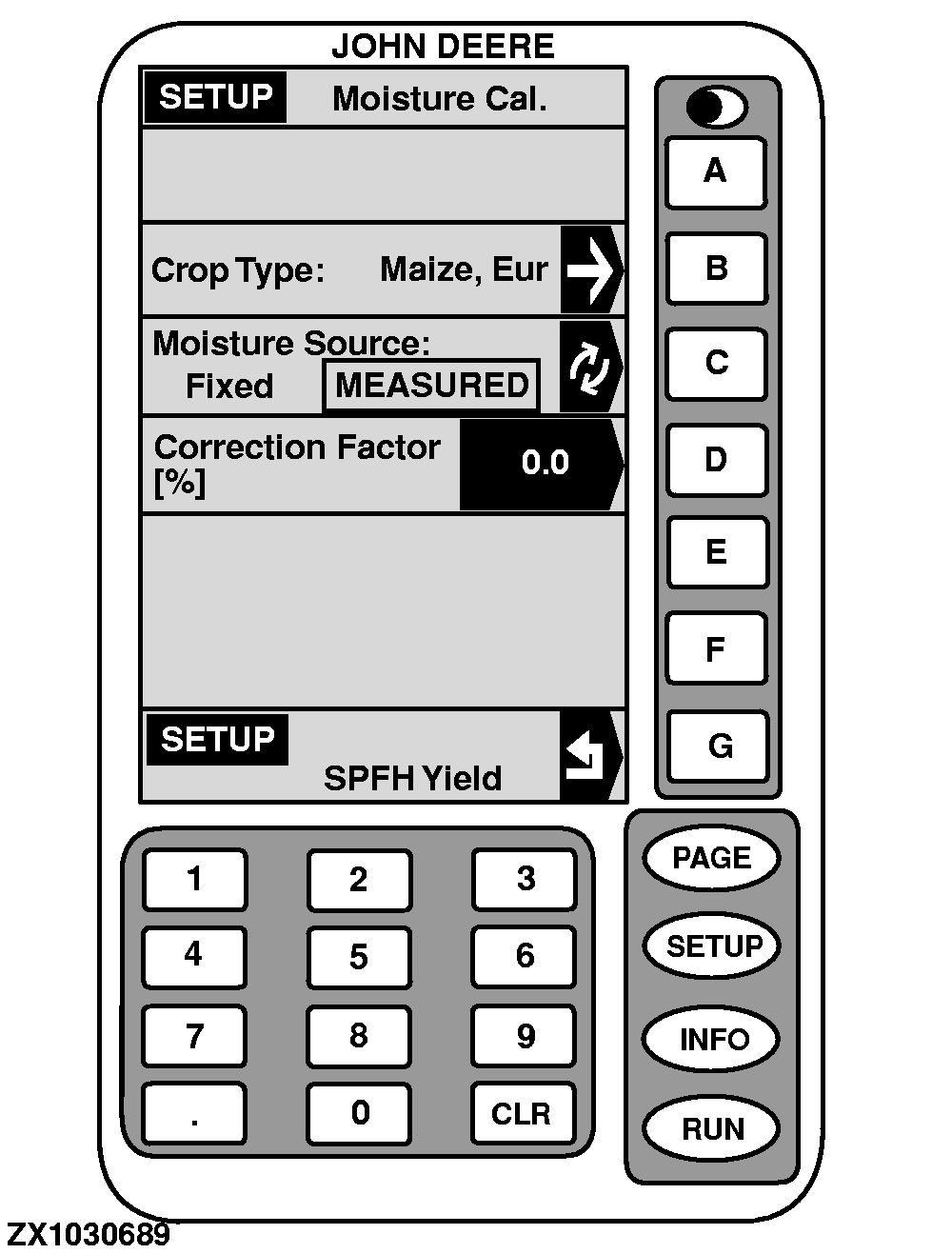
The "SETUP - Moisture Cal." screen is used to calibrate the moisture for a certain type of crop.

To return to "SETUP - SPFH Yield", press key G .

  • CROP TYPE

    NOTE: Changing the crop in this page will not change the crop being set up for harvesting. Crop Type-Maize (Eur) is set as factory default.

    To select the crop for the moisture calibration process:

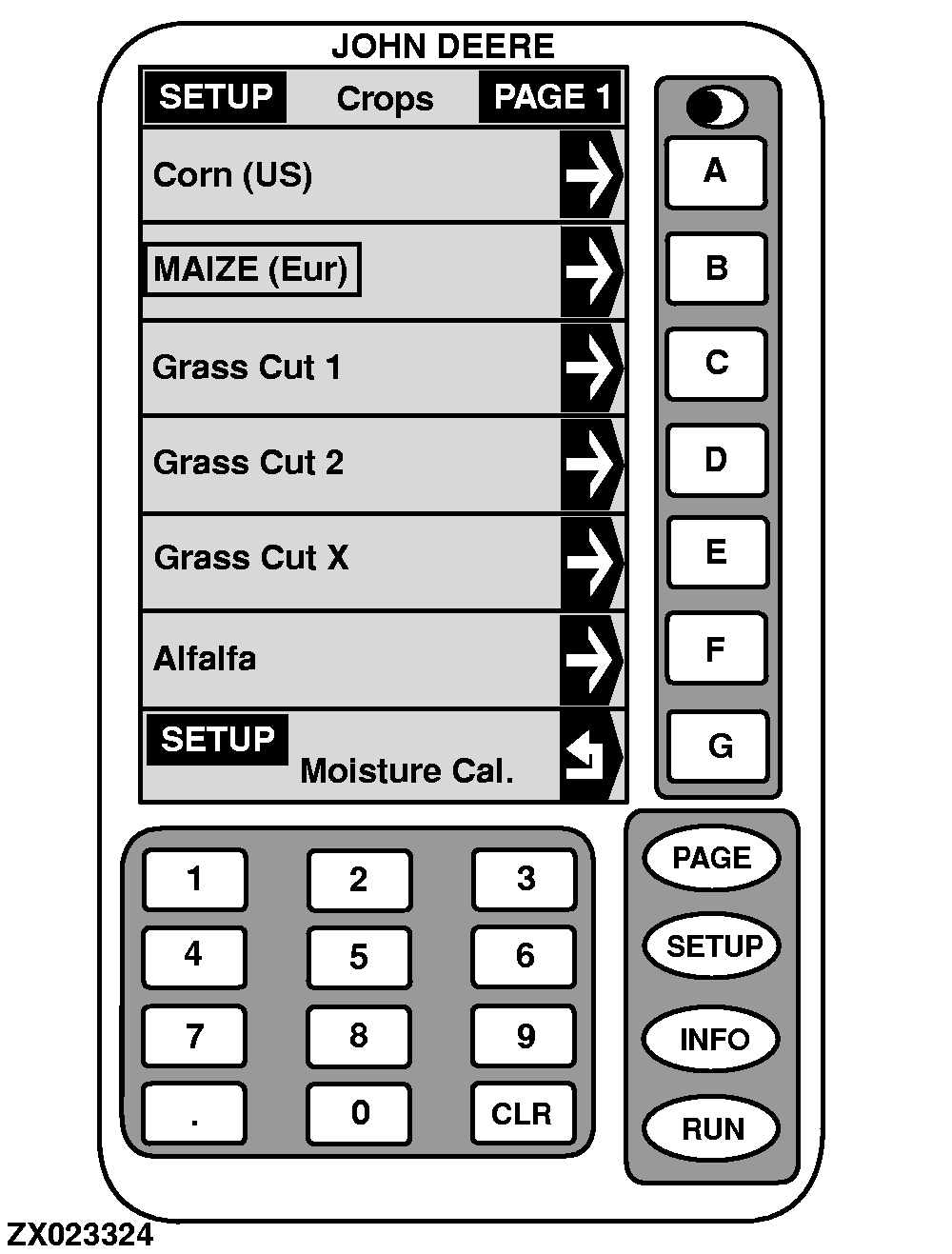
1. Press key B on "SETUP - Moisture Cal.". SETUP - Crop - PAGE 1 will appear.

2. Press letter key next to crop desired. Crop selected is the one shown in a box as illustrated.

If desired crop is NOT displayed on current screen, press PAGE key until desired crop is shown and then make selection. No additional crops can be added. Following crops can be selected:

NOTE: European specific crops are identified by a (Eur) suffix and crop types with (Us) suffix are specific to the U.S. (North American) market. If the desired crop type is not available two entries in the list (Custom 1 and 2) can be customized.

  • From PAGE 1:
  • Corn (US)
  • Maize (Eur)
  • Grass Cut 1
  • Grass Cut 2
  • Grass Cut X
  • Alfalfa
  • From PAGE 2:
  • Wheat
  • Barley
  • Rye
  • Triticale
  • Maize Ears (Eur)
  • Earlage (US)
  • From PAGE 3:
    ZX1030689
    ZX023324

OUZXMAG,000184B -19-25SEP02-1/4


  • Milo
  • Clover
  • Custom 1
  • Custom 2
3.

Press key G to return to "SETUP - Moisture Cal.".

    OUZXMAG,000184B -19-25SEP02-2/4


      • MOISTURE SOURCE

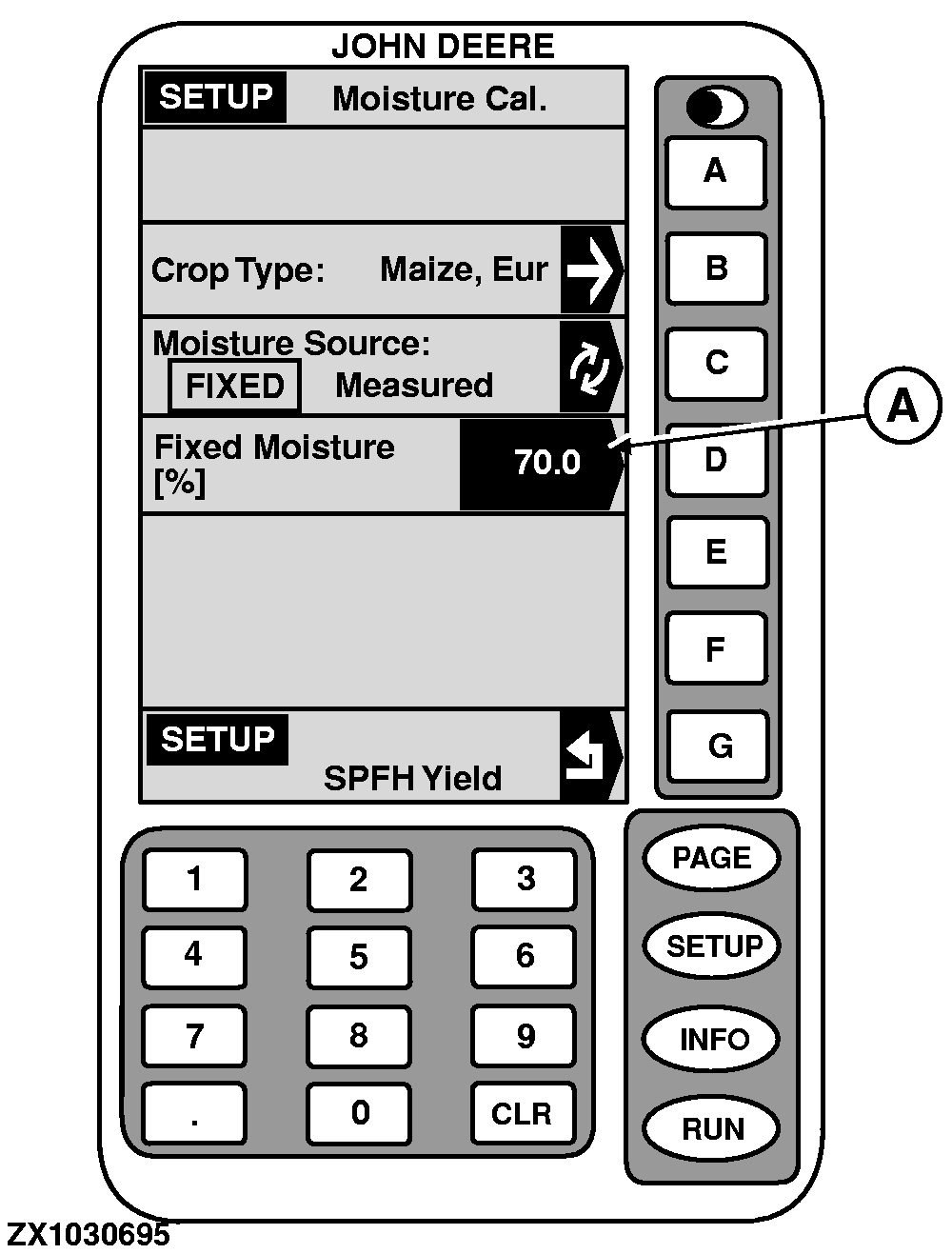
        You can either adjust a fixed moisture value (FIXED) or let the system measure the moisture (MEASURED).

        NOTE: If no sensor is installed, "Fixed" moisture source should be selected. Moisture Source-Fixed and Fixed Moisture-70 % are set as factory default.

          1.

          To change from "MEASURED" to "FIXED", press key C on "SETUP - Moisture Cal.".

          2.

          Press key D on "SETUP - Moisture Cal.".

          3.

          Using numeric keypad, input a value from 10 to 90 (A) to change the reading on "SETUP-Moisture Cal." screen.

          4.

          Press key D again to ENTER this value.

          5.

          Press key G to return to "SPFH - Yield".

      ZX1030689
      ZX1030695

    OUZXMAG,000184B -19-25SEP02-3/4


          • CORRECTION FACTOR

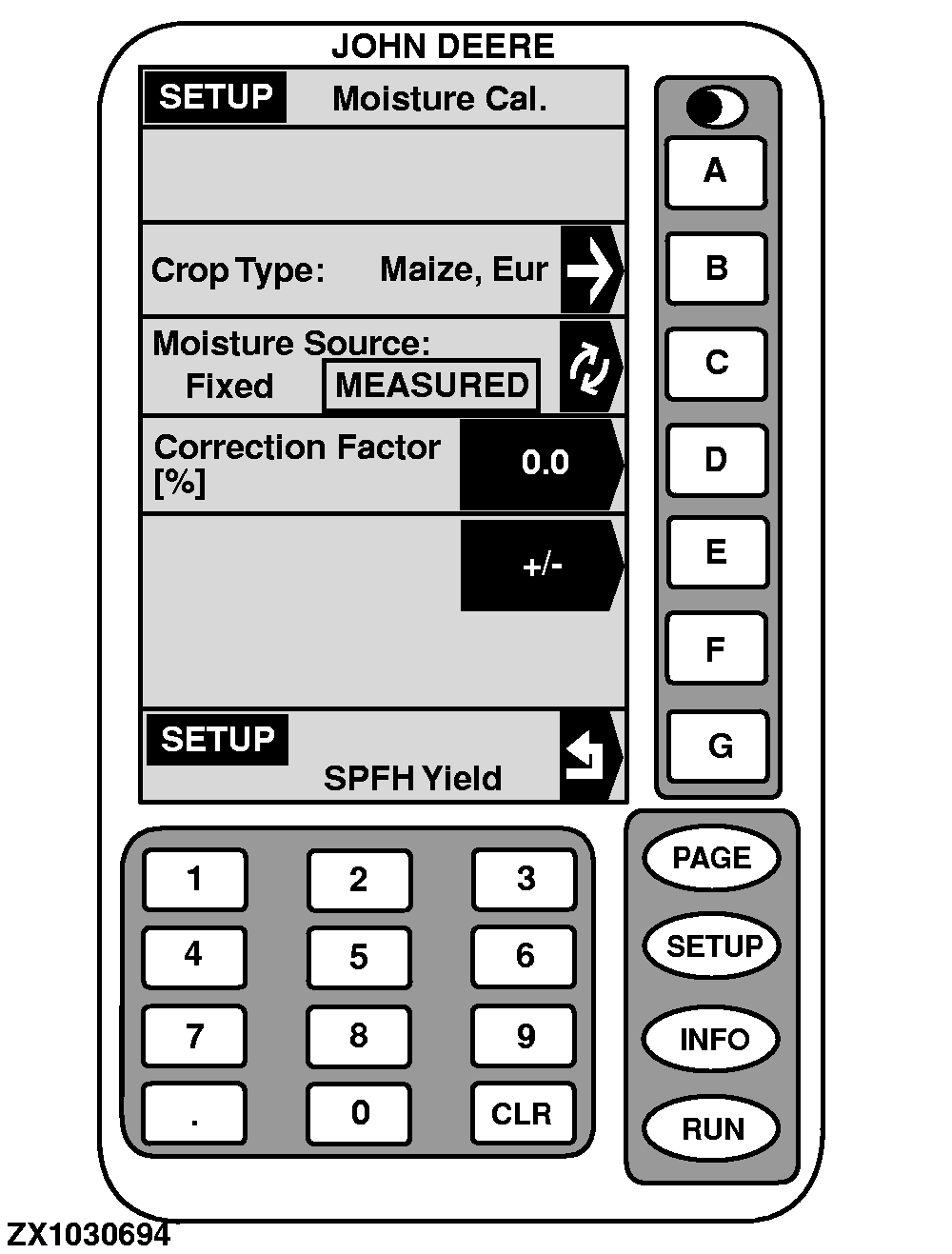
            Adjusts moisture percentage reading displayed on RUN - PAGE 1 screen to match reading from a customer or spout certified moisture sensor.

            IMPORTANT: A special calibration curve has been pre-loaded for all crops.

            NOTE: Changing the moisture correction will NOT change the data already saved. After the changes are made, all the harvest information collected from that point will reflect the changes.

            To add or deduct points of moisture (increase/decrease display reading) while harvesting, recording must be ON . When NOT harvesting (recording OFF ), average moisture of crop will be displayed. Average moisture does NOT need to be corrected. If average moisture is corrected, the instantaneous moisture could be overcorrected:

                  1.

                  Press key D on "SETUP - Moisture Cal.".

                  2.

                  Using numeric keypad, input a value from -25 to +25 to be added to reading displayed on "RUN - PAGE 1" screen.

                  3.

                  Press key E to set value positive or negative.

                  4.

                  Press key D again to ENTER this value.

                  Example of correction:

                  • Displayed average moisture: 40
                  • Correction factor displayed: - 2
                  • Measured moisture: 45
                  • New correction factor to enter: [45-(40-2)]= 7
      ZX1030689
      ZX1030694

    OUZXMAG,000184B -19-25SEP02-4/4