Shifting Transmission (PowerShift) |
|
|
|
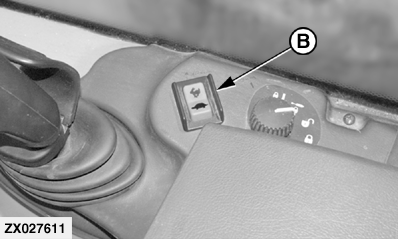
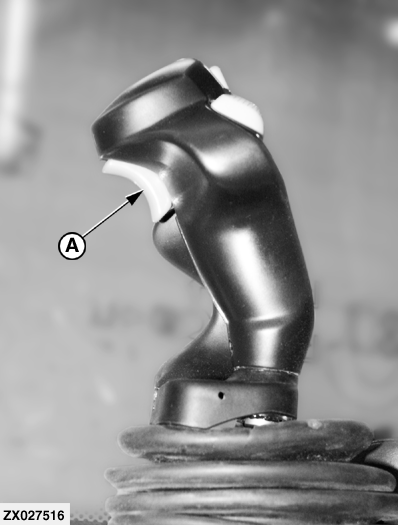
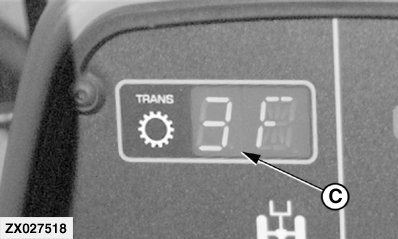
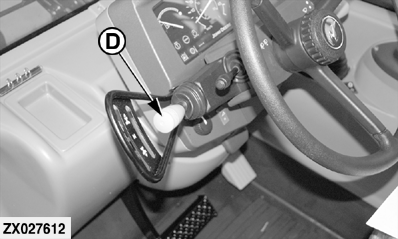
Transmission is controlled by means of FNR lever (D) and gear shift switches (A) or (B). The selected gear is indicated at gear indicator (C). When FNR lever (D) is moved first at start up, the second gear is automatically selected. You can select any other gear while FNR lever (D) is in neutral. IMPORTANT: Never operate FNR lever while machine is moving. If gear switches (A) and (B) are simultaneously pressed, the current gear will be held. Shifting From Neutral1. Run engine at idle speed. 2. Select gear. 3. Put FNR lever in desired position. 4. Accelerate engine. Changing Gears
|
|
OUZXMAG,0001608 -19-25APR02-1/3 |
|
NOTE: When the requested gear is over-ridden due to excess speed, the display will flash the current active gear. Changing Direction of Travel1. Reduce engine speed. 2. Brake slowly to a stop. 3. Put FNR lever in desired position. 4. Release brake. 5. Accelerate the engine. |
OUZXMAG,0001608 -19-25APR02-2/3 |
|
Diagnosing System
Gear shifting process is controlled by means of a Transmission Control Unit (TCU). The gear indicator (A) can be used for rudimentary diagnostics of the system as follows: 1. At power-on, the ROM 1 is checked and the indicator will show " En " for "non-volatile error" if the ROM is not OK. The RAM 2 is then checked and the indicator will show " EF " for "RAM Failure" if the RAM is not OK. 2. At power-on, all segments of the gear indicator will be illuminated for 2 seconds. During this time, the TCU turns each output on and checks that there is not a short circuit or open circuit for each. If an error is found, the gear indicator will show " E " and the character specified below for 2 seconds. |
|
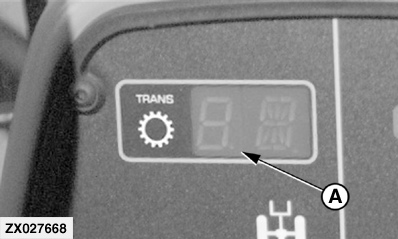
| Respective Error | Displayed Character |
|---|---|
| Fwd Low (solenoid) | L |
| Fwd High (solenoid) | H |
| Rev (solenoid) | r |
| One (solenoid) | 1 |
| Two (solenoid) | 2 |
| Three (solenoid) | 3 |
| non-volatile ROM Failure | n |
| RAM Failure | F |
|
3.
Any error displayed can be recalled by pressing the lower part of the gear switch on multi-function lever (shift down) while starting up and with seat presence sensor activated. After displaying the software version number, error will be displayed (see table above) until gear switch is released.
NOTE: If either of these errors occurs, the TCU will not continue with the normal operation but will continuously flash " E " and the respective error. Contact your John Deere dealer. |
OUZXMAG,0001608 -19-25APR02-3/3 |