Corner Post - Performance Monitor
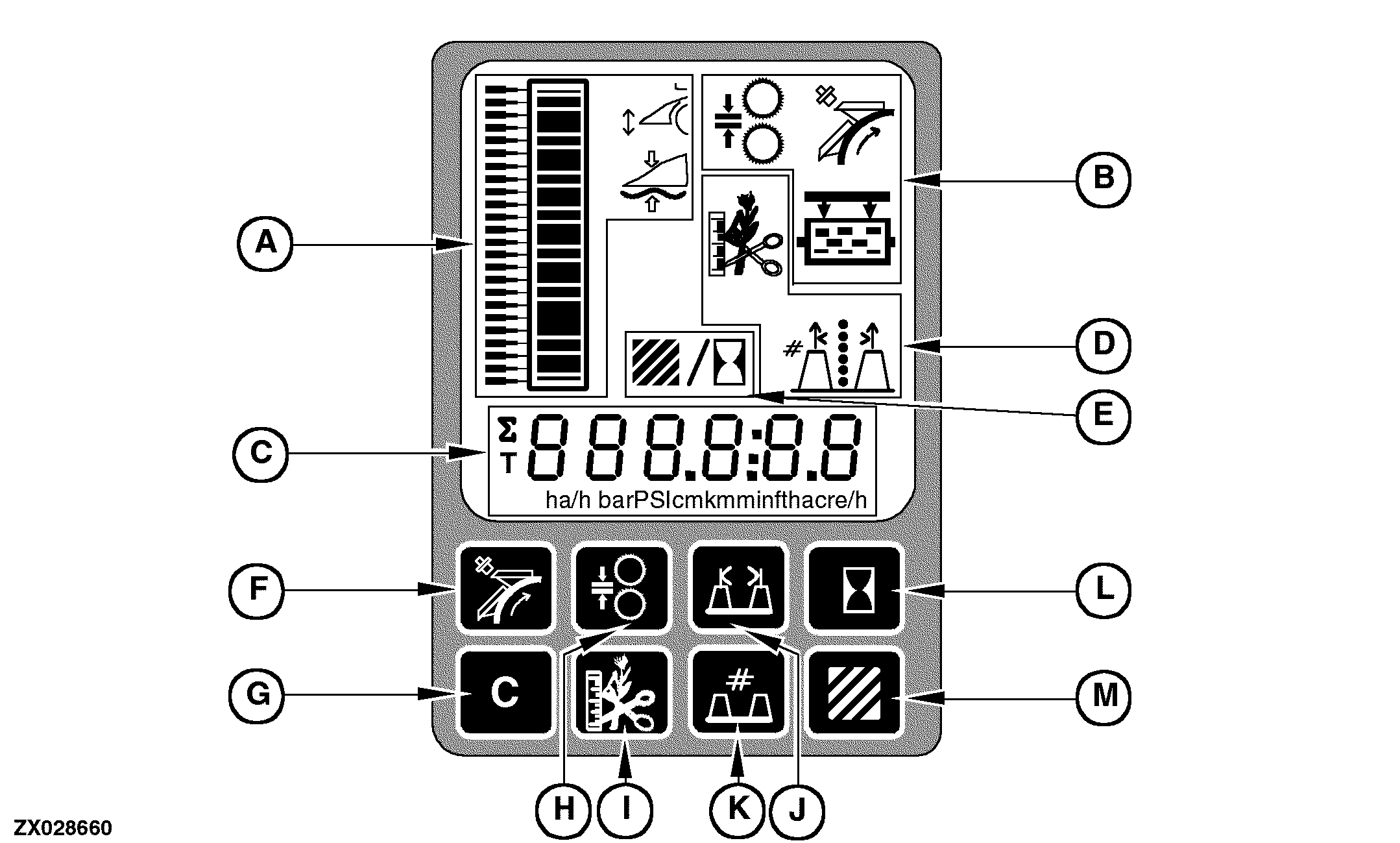
ZX028660


A-Automatic / Manual Header Control Display
B-Powr-Savr Display
C-Digital Display Line
D-LOC And Row Guidance Display


E-Area Counter And Operating Hours Display
F-Knife Sharpening Switch
G-Clear Switch


H-Kernel Processor Adjust Switch
I-IVLOC Switch
J-Row Width Switch


K-Number Of Rows Switch
L-Operating Hours Switch
M-Area Counter Switch

At power-up, all display segments are turned on for a period of two seconds. After the two second period, the manual header control (default display) appears.

Performance Monitor Functions

The performance monitor display panel provides information on:

  • Automatic header control
  • Powr-Savr
  • Area counter functions

OUZXMAY,00003C4 -19-05MAY02-1/1