Area Counter FunctionsThe area counter will be activated when the ignition switch is in the accessory or on position. In order to operate correctly, the following conditions must be met: 1.
Number of rows greater than 0
|
OUZXMAY,00003CB -19-10MAY02-1/7 |
|
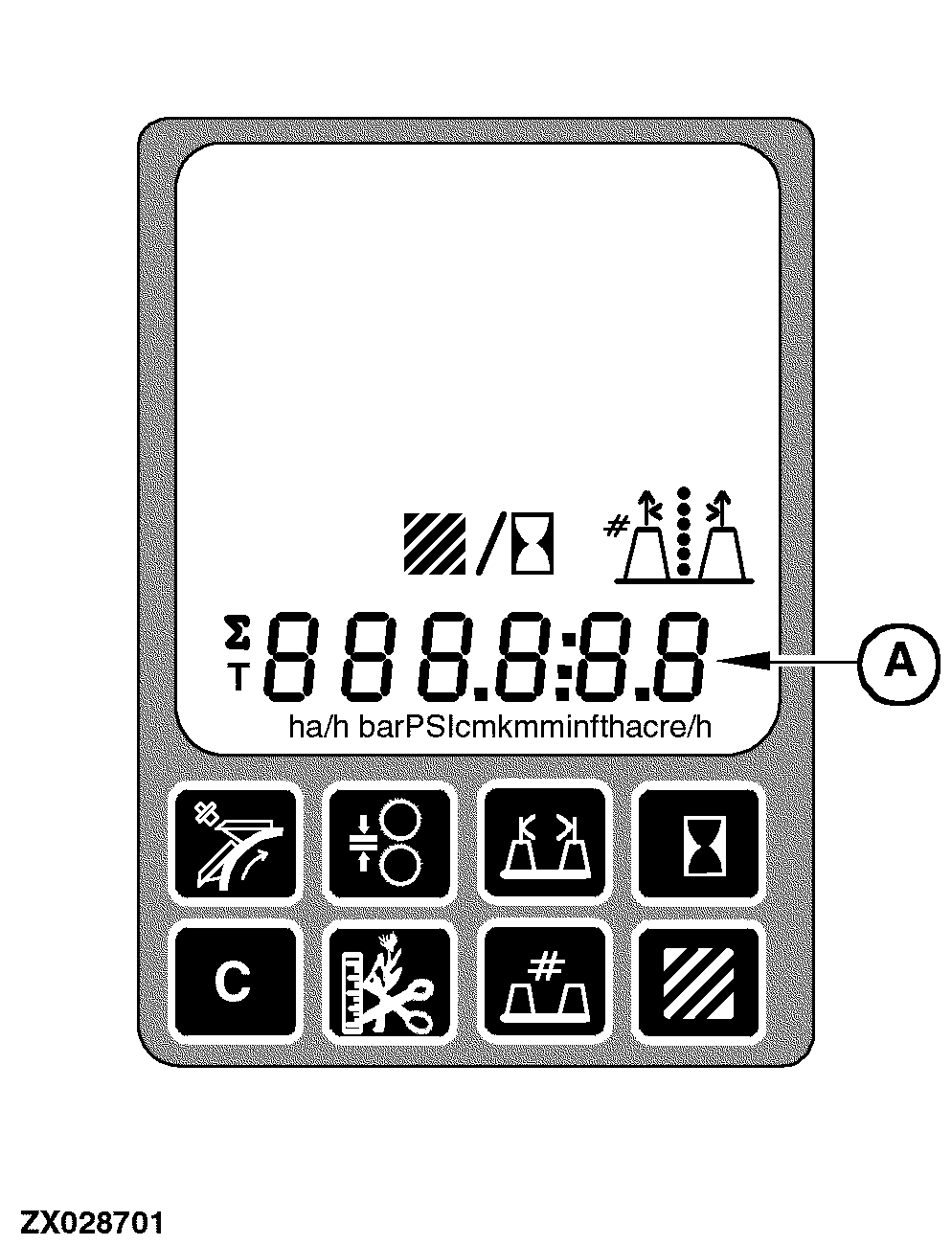
The area counter will be capable of displaying the following data on the digital display line (A): 1.
Area per field
|
|
OUZXMAY,00003CB -19-10MAY02-2/7 |
|
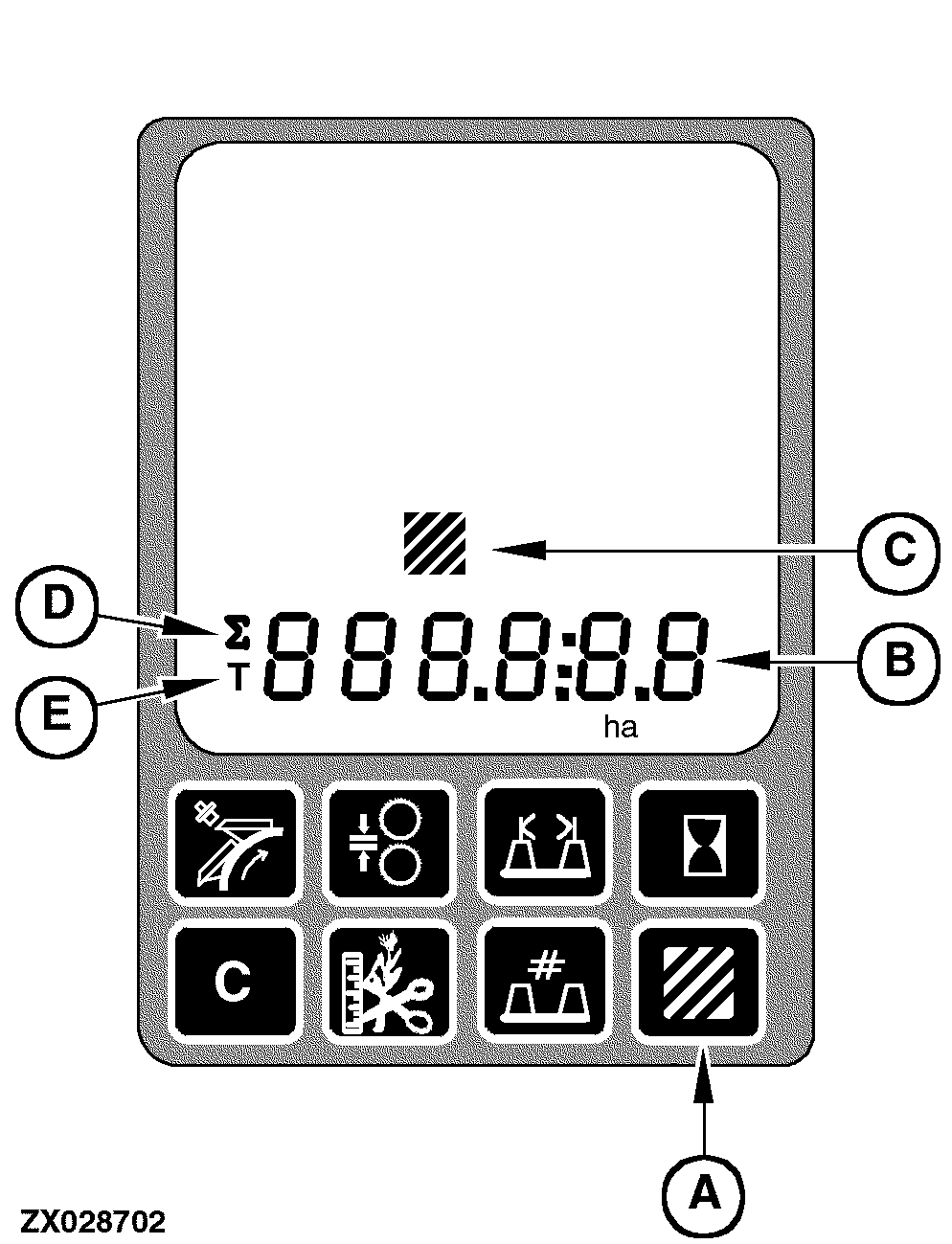
Area Counter Switch To display area per field, area per day, total area, or distance travelled, press the area counter switch (A). The first time that this switch is pressed, the area per field value will be displayed on the digital display line (B) along with the area units (ha or acre) and the area counter icon (C) will also be displayed. Pressing the area counter switch (A) for the second time will result in the area per day value being displayed. This will be evident by the fact that the summation symbol (D) and area units are also displayed. Pressing the area counter switch (A) for the third time will result in the total area value being displayed. This will be evident by the fact that the total symbol (E) and area units are also displayed. Pressing the area counter switch (A) for the fourth time will result in the travel distance value being displayed along with the distance units (miles or km). To cycle through the area and travel distance values, continue to press the area counter switch (A). While area counter information is being displayed on the digital display line (B), the units will flash if the area calculations have stopped for any of the above mentioned reasons. This will give a feedback that the area measurements have stopped. The units will not stop flashing until the area calculations have resumed. |
|
OUZXMAY,00003CB -19-10MAY02-3/7 |
|
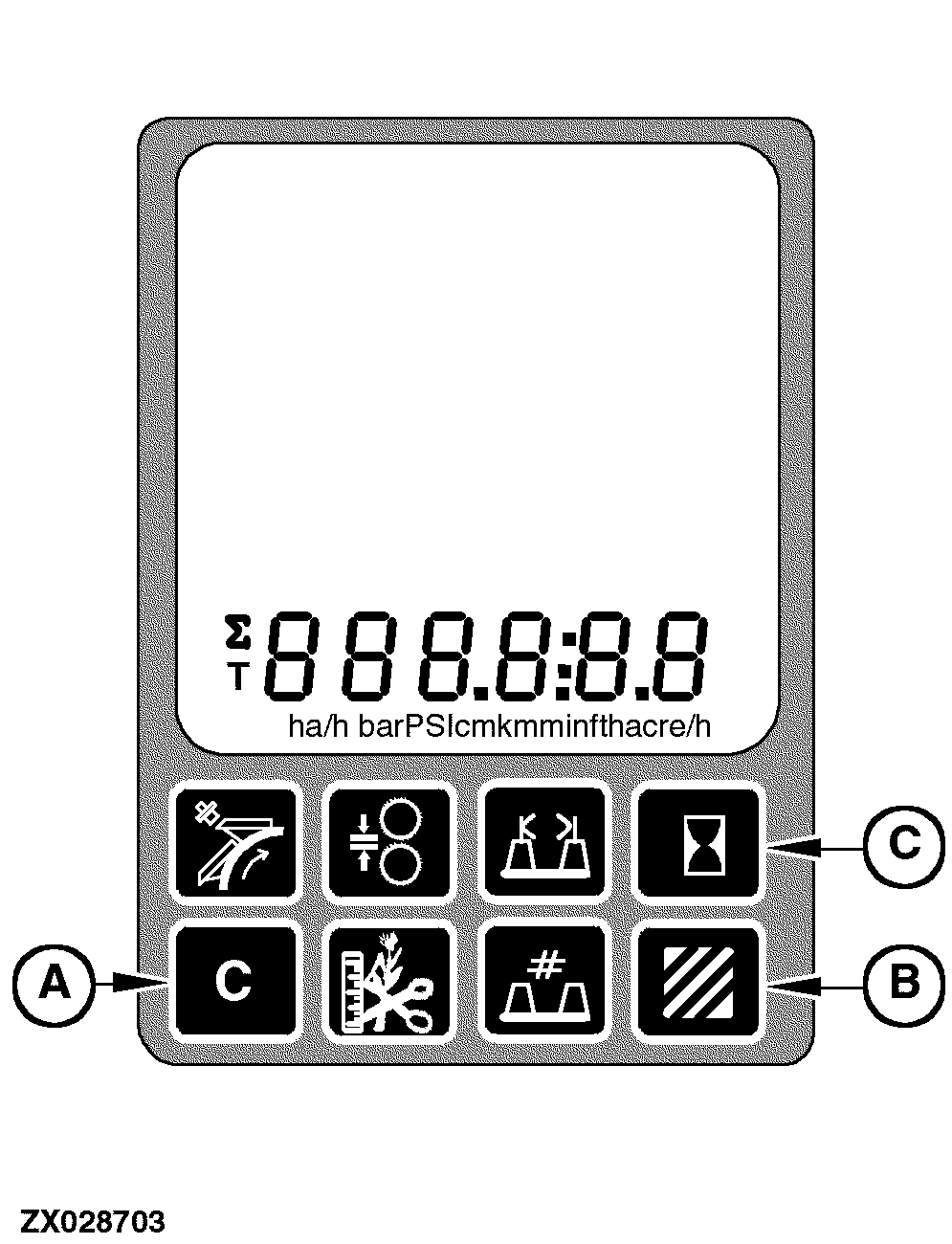
Clear Switch The clear switch (A) is used to set area counter display information to zero. Only the following information can be set to zero:
To clear any of these values, first select the value to be cleared:
Then press and hold the clear switch (A) for 1 second. If the clear switch is not held for 1 second or longer, the information will not be cleared. This prevents inadvertent clearing of the information. If the area per day value is cleared , the area per field value will also be cleared. Similarly, if the cutterhead operating hours per day value is cleared , the cutterhead operating hours per field value will also be cleared. |
|
OUZXMAY,00003CB -19-10MAY02-4/7 |
|
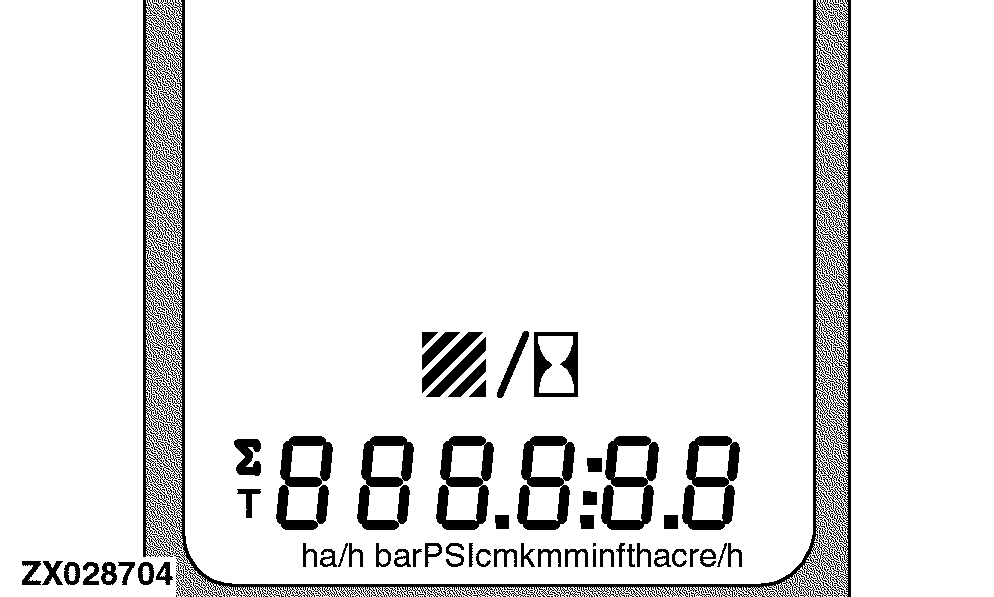
The area counter provides the following functions: 1.
Area Measurement
|
|
OUZXMAY,00003CB -19-10MAY02-5/7 |
|
Area Measurement
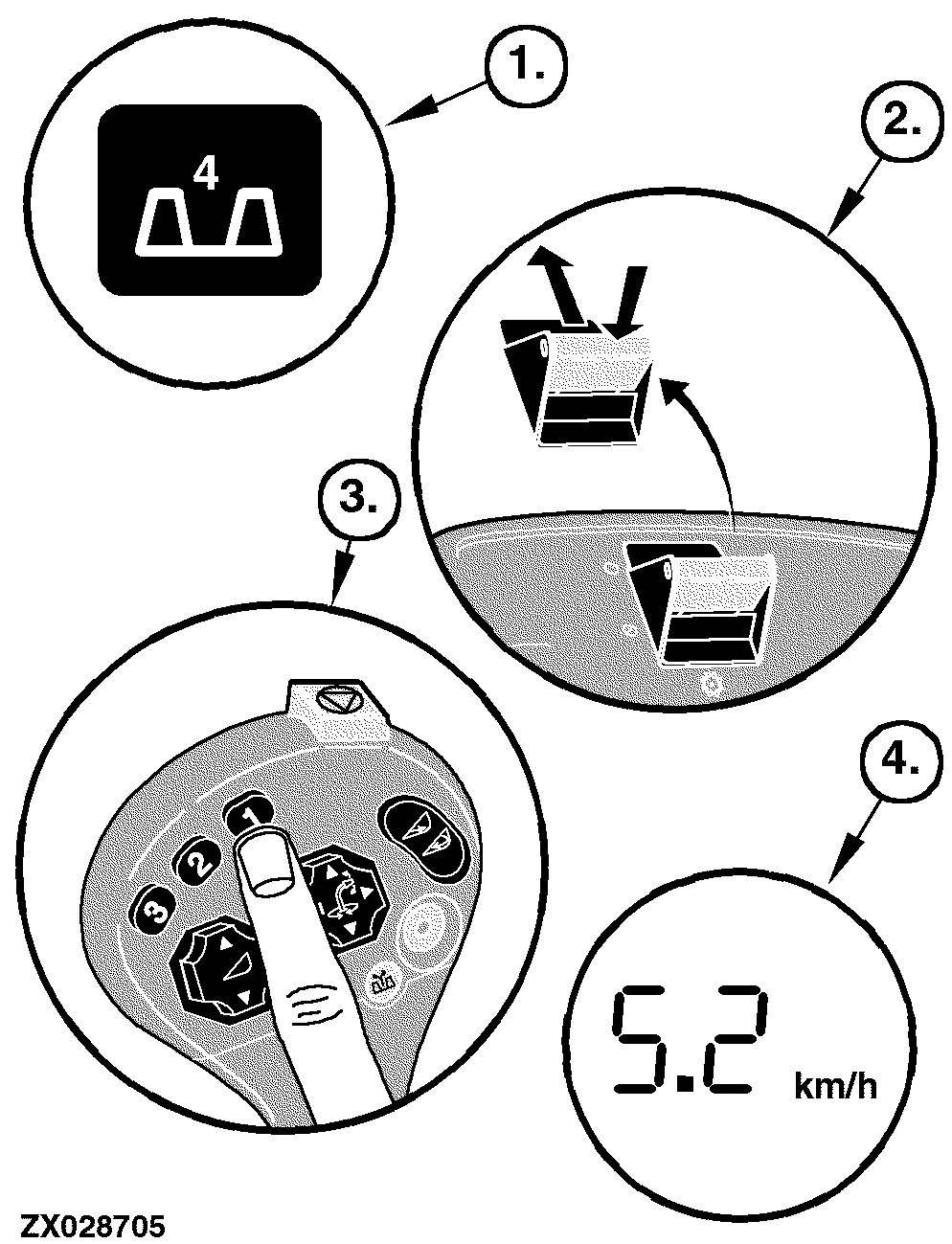
Area measurements will only be calculated after the ignition is in the Accessory or On position. In addition, all the following conditions must be met for the area measurement function to work properly: 1. Number of rows greater than 0 Header width greater than 0 2. Main clutch switch must be engaged 3. Header must be at its operating height 4. Forage Harvester must be traveling forward Area calculations will be used to accumulate area per field, area per day and total area for harvesting operations. If the main clutch switch is disengaged, the header is not at its operating height, or the forage harvester is not traveling forward, the area measurement calculations will be stopped and the calculated values will be saved. Area calculations will not resume until the main clutch switch is engaged, the header is at its operating height, and the forage harvester is traveling forward. Only area per field and area per day can be cleared (reset). Total area cannot be cleared. The smallest area per field or area per day values that can be displayed are 0.001 (acre or ha). When the area per field display value exceeds 999.999 (acre or ha), the display will shift the decimal point to the right to allow values from 1000.00 (acre or ha) up to and including 9999.99 (acre or ha) to be displayed. When the area per field value exceeds 9999.99 (acre or ha), the area per field value shall roll over to zero. The area per day value will also be displayed in a similar manner to the area per field value. However, when the area per day value exceeds 9999.99 (acre or ha), the display will shift the decimal point to the right to allow values from 10000.0 (acre or ha) up to and including 99999.9 (acre or ha) to be displayed. When the area per day value exceeds 99999.9 (acre or ha), the area per day value shall roll over to zero. The smallest total area value that can be displayed will be 0.1 (acre or ha). When the total area value exceeds 99999.9 (acre or ha), the total area value will roll over to zero. |
|
OUZXMAY,00003CB -19-10MAY02-6/7 |
|
Area per field, area per day, and total area values will be stored. Distance MeasurementDistance measurement will only be calculated after the ignition is in the On position and the Forage Harvester is traveling forward. The smallest travel distance value that can be displayed will be 0.001 (miles or km). When the travel distance value exceeds 999.999 (miles or km), the display will shift the decimal point to the right to allow values from 1000.00 (miles or km) up to and including 9999.99 (miles or km) to be displayed. When the travel distance value exceeds 9999.99, the travel distance value will roll over to zero. The travel distance value will be stored. Operating Time MeasurementOperating time measurements will only be calculated after the ignition is in the On position, the engine is running, and the main clutch switch is engaged. The time measurement calculations will be used to accumulate cutterhead operating hours per field and cutterhead operating hours per day during harvesting operations. If the main clutch switch is disengaged, the time measurement calculations will stop and the calculated values will be saved. Time measurement calculations will not resume until the main clutch switch is engaged. Additionally, the time measurement data will be displayed on the digital display line and it is possible to clear (reset) the digital display line. The smallest time measurement values that can be displayed are 00:01. When the time measurement values exceeds 9999:59, the time measurement values will roll over to zero. Operating time measurement values will be stored. |
OUZXMAY,00003CB -19-10MAY02-7/7 |