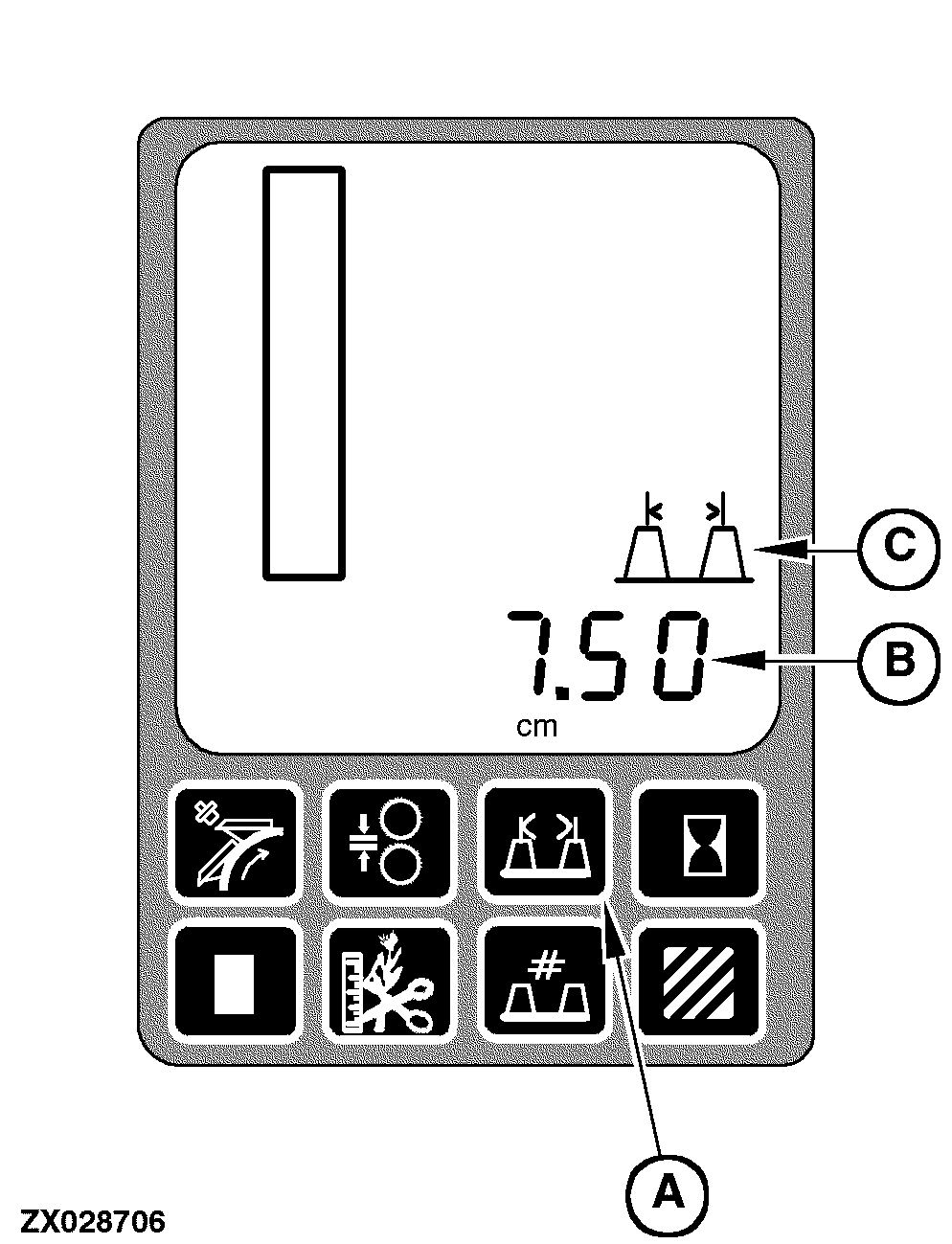
Row Width SwitchTo display the current row width information, press the row width switch (A). After this switch is pressed, the row width value will be displayed on the digital display line (B) along with the width units (cm or in) and the row width icon (C) will also be displayed. This information will be displayed to the nearest tenth. The row width value will be displayed for a maximum of 10 seconds after the row width switch (A) has been released or until another switch has been pressed. When 10 seconds have elapsed or another switch has been pressed, the display will return to the default display information or the information that is associated with the pressed switch. Additionally, the row width icon (C) will no longer be displayed. The default values for row width are (depends on country setting):
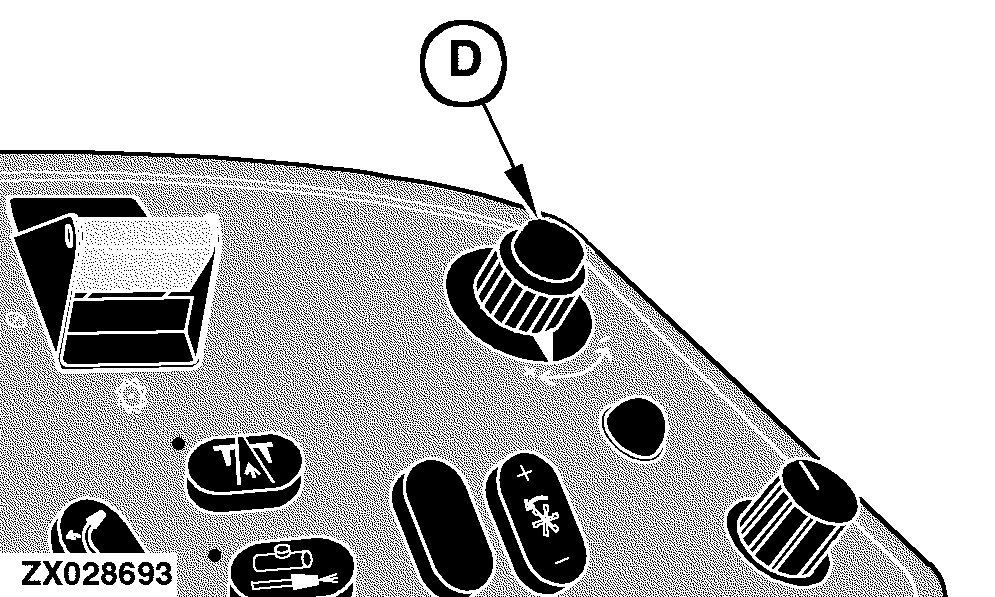
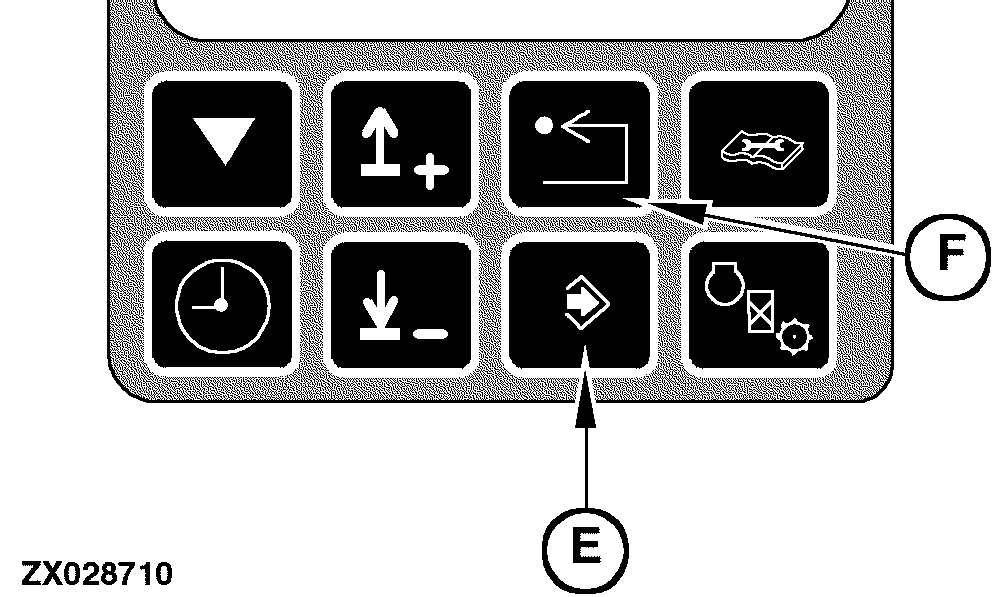
While this information is being displayed, change this setting by using the input control knob (D) located on the armrest. While rotating the input control knob (D), the row width information will change on the digital display line (B). This will be the desired row width setting. Store this new setting permanently by momentarily pressing the enter switch (E) located on the digital tachometer. If this new setting shall not permanently be stored, press the back arrow switch (F). After the back arrow switch is pressed, the previously stored row width information will be displayed on the digital display line (B).
|
|
OUZXMAY,00003CC -19-13MAY02-1/1 |